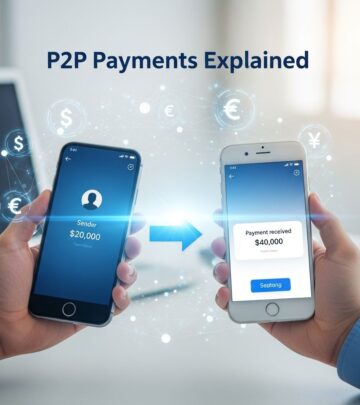
Zelle: The Fast P2P Payment Leader
Discover Zelle's seamless, fee-free money transfers directly from your bank app in 2026 – rivaling top mobile payment services.
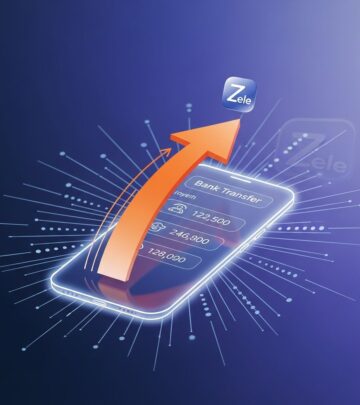
Zelle stands out as a premier peer-to-peer (P2P) payment service that enables users to send and receive money directly between bank accounts in minutes, integrated seamlessly into participating banks’ apps without needing a separate download.
Understanding Zelle’s Core Functionality
At its heart, Zelle facilitates domestic transfers within the U.S. by linking a user’s email address or U.S. mobile number to their bank account. This allows for near-instant transactions between enrolled users at over 2,200 financial institutions. Unlike standalone apps, Zelle prioritizes bank-centric access, making it a natural extension of everyday online banking.
Transactions occur directly from debit accounts, bypassing intermediaries, which ensures speed and reliability. Funds appear in the recipient’s account almost immediately if both parties are enrolled, emphasizing convenience for splitting bills, reimbursing friends, or quick family payments.
Key Advantages of Using Zelle in 2026
- Instant Speed: Payments complete in minutes, ideal for time-sensitive needs like rent or shared expenses.
- Zero Fees: No charges for standard transfers within the network, unlike some competitors with premium options.
- Broad Accessibility: Supported by major banks like Bank of America, available directly in their apps.
- Security Focus: Real-time fraud detection keeps fraudulent transactions under 1%, building user trust.
These features position Zelle as a top choice in 2026’s mobile payment landscape, where apps now blend payments with banking services.
Step-by-Step Guide to Getting Started with Zelle
Setting up Zelle is straightforward, primarily through your bank’s app. First, confirm your bank participates by checking their website or app. For Bank of America users, open the mobile app, navigate to Pay & Transfer, then Zelle, and follow prompts to enroll with your U.S. mobile number or email.
- Verify Bank Support: Log into your banking app or visit the site to locate Zelle.
- Enroll: Provide your email or phone number; verify via a code sent to that contact.
- Link Accounts: Connect your checking or debit account for sending/receiving.
- Add Contacts: Zelle auto-detects enrolled friends in your phone with a purple ‘Z’ icon.
- Send Payment: Enter recipient’s email/phone, amount, note, and confirm.
For receiving, if unenrolled, notifications guide setup via your bank’s app or the standalone Zelle app (though direct app use ended in 2025).
Navigating Zelle’s 2026 Updates and Changes
Since April 1, 2025, the standalone Zelle app no longer supports sending or receiving, shifting all activity to bank apps for enhanced security and integration. Users of institutions like Credit Human access it via ‘Pay a Person’ features, requiring recipient details and security questions.
In 2026, Zelle remains a direct bank bridge, emphasizing real-time U.S. transfers without international support. This change streamlines experiences but requires bank app reliance.
Security Measures Protecting Your Transactions
Zelle employs robust protections, including real-time monitoring and fraud prevention, resulting in fraud rates below 1%. Transactions require enrollment verification, and banks add layers like multi-factor authentication.
| Feature | Description | Benefit |
|---|---|---|
| Enrollment Verification | Email/phone linked to one account only | Prevents unauthorized access |
| Real-Time Fraud Detection | AI monitors transactions instantly | Low fraud incidence |
| Bank-Level Security | Integrated with your bank’s protocols | Familiar safeguards |
| Transaction Limits | Daily/weekly caps set by banks | Limits potential losses |
Always send only to trusted contacts, as transfers are irreversible like cash.
Zelle vs. Other Popular Payment Apps
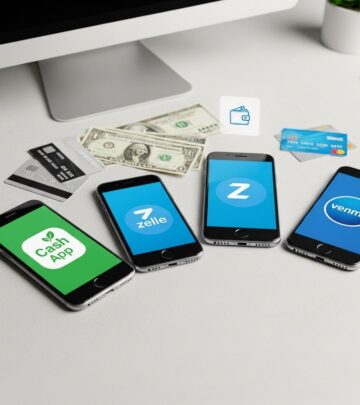
Zelle differentiates by bank integration and fee-free model, contrasting Venmo’s social features or Cash App’s investing tools.
| App | Speed | Fees | Bank Integration | Best For |
|---|---|---|---|---|
| Zelle | Minutes | None | Yes (2,200+ banks) | Quick bank transfers |
| Venmo | Instant (debit) | Possible for instant | No | Social payments |
| Cash App | Instant | Fees for speed | Limited | Investing + payments |
Zelle excels for everyday U.S. banking users seeking simplicity.
Practical Uses for Zelle in Daily Life
Beyond basics, Zelle suits splitting group costs, paying service providers like nail techs, or reimbursing family. Businesses leverage it for quick vendor payments where supported.
- Split dinner tabs instantly among friends.
- Reimburse roommates for utilities.
- Pay local freelancers directly.
Schedule recurring payments via bank apps for rent or allowances.
Common Limitations and Workarounds
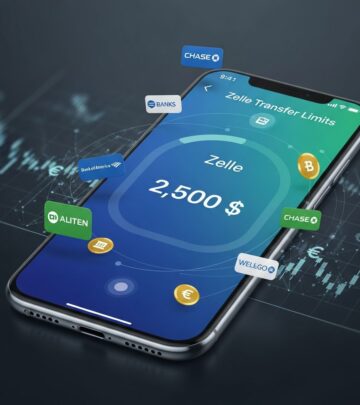
Zelle restricts to U.S. bank accounts, no international transfers, and limits vary (e.g., $500-$2,500 daily). Non-enrolled recipients get signup prompts, but must use participating banks.
Workarounds: Use bank transfer previews or alternatives like Wise for global needs.
Frequently Asked Questions (FAQs)
Is Zelle free to use?
Yes, no fees for standard bank-to-bank transfers.
Can I use Zelle without a bank app?
No, post-2025, all via participating banks; standalone app discontinued for transactions.
How long do Zelle transfers take?
Minutes if both enrolled; 1-3 days otherwise.
Is Zelle safe for large amounts?
Subject to bank limits and security; only send to trusted parties.
Does Zelle work internationally?
No, U.S.-only for enrolled accounts.
Tips for Maximizing Zelle’s Potential
Enroll early, update contacts, monitor limits, and enable notifications. For businesses, check bank-specific tools. Stay informed on updates via your bank’s site.
References
- Top 10 Mobile Payment Apps for Android and iPhone in 2026 — Analytics Insight. 2026. https://www.analyticsinsight.net/amp/story/apps/top-10-mobile-payment-apps-for-android-and-iphone-in-2026
- Zelle® App Shut Down: A Wake-Up Call for Community Financial Institutions — CSI. 2025. https://www.csiweb.com/what-to-know/content-hub/blog/zelle-app-shut-down-wake-up-call-for-community-financial-institutions/
- How To Enable Zelle Payment 2026 (EASY GUIDE) — YouTube (Lucas Solves). 2026. https://www.youtube.com/watch?v=OhPML3LeuP0
- Zelle® – Send & Receive Money in our App or Online Banking — Bank of America. 2026. https://info.bankofamerica.com/en/digital-banking/zelle
- What is Zelle and how does it work (2024 guide) — Wise. 2024. https://wise.com/us/blog/what-is-zelle
- Zelle® App Changes: What This Means for Users — Credit Human. 2025. https://www.credithuman.com/building-slack/zelle-app-changes-what-this-means-for-users
- Zelle® | Send and receive money directly to and from your bank — Zelle. 2026. https://www.zelle.com
Similar Articles








Read full bio of medha deb