What Is Venmo: Complete Guide To How It Works
Learn how Venmo works: send money, split bills, and manage payments easily.
In today’s digital world, managing money transfers between friends, family, and businesses has become easier than ever. Venmo is one of the most popular peer-to-peer payment applications that has revolutionized the way people send and receive money. Whether you need to split rent with roommates, reimburse a friend for dinner, or pay for shared activities, Venmo offers a convenient, mobile-first solution that eliminates the need for physical cash and complicated bank transfers.
Understanding Venmo: What Is It?
Venmo is a peer-to-peer (P2P) payment app that allows users to easily send and receive money from other Venmo users via their mobile devices. The application acts as a middleman between two people or individuals and businesses, collecting funds from one user and delivering them to the intended recipient by depositing them in their Venmo balance. Unlike some other digital payment options, Venmo is only available as a mobile app, though you can sign into your account on a computer to view your transaction history.
What makes Venmo unique is its combination of practicality and social features. The app includes a timeline transaction feed that shows the two participants in each transaction with a short description provided by the user. Common transaction descriptions include emojis like food or short phrases like “rent payment” or “concert tickets.” However, participating in the social component is entirely optional, giving users flexibility in how they want to use the service.
How Venmo Works
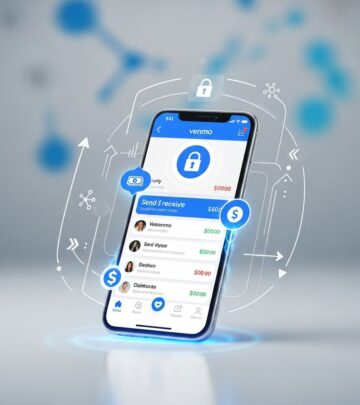
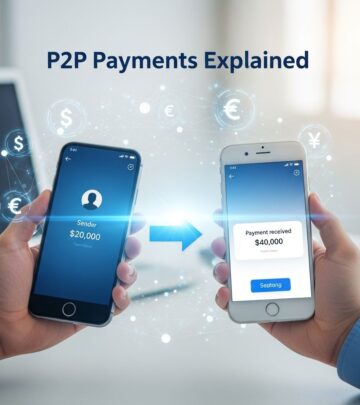
Using Venmo to transfer money is straightforward and user-friendly. To make a payment to another Venmo user, all you have to do is select the “Pay/Request” button at the bottom of the Venmo app. On the next page, you input the username of the person you want to pay, the amount, and a note describing the payment. Then, you simply tap “Pay,” and the payment immediately goes to the user you selected.
If you’re requesting money from someone, the process is equally simple. The user you requested the payment from will get an alert from Venmo about your request, and they have the opportunity to pay you the amount you asked for quickly. Just be aware that a request is no guarantee of payment—it’s up to the recipient to fulfill the request.
Venmo also allows you to track your card activity from within the app and even disable it if you lose it. You can set up the card to be reloaded automatically too, with Venmo sourcing the remainder of the money for a payment from your preferred funding method if your balance isn’t sufficient.
Key Features of Venmo
Splitting Bills and Shared Expenses
One of Venmo’s most popular features is its ability to help you easily split the cost of anything among friends and family. Whether it’s a dinner bill, the fare for activities like theme park rides, rent, road trips, or any other shared expense, Venmo makes it simple to divide costs and settle up with multiple people at once. This functionality has made Venmo indispensable for group outings and shared living situations.
Venmo Balance and Payment Storage
Within the Venmo app, you can see your balance when you scroll to the top of your personal transactions on the right of your friends feed or when you tap on your profile photo in the upper left corner. Once you verify your identity, you’ll be able to use your Venmo balance to make payments to friends. This money can also be used at the checkout of apps and mobile websites that are authorized to receive payments through Venmo.
Keep in mind that the Venmo balance can only be used if it’s enough to cover the payment. Otherwise, Venmo will resort to your other specified payment methods like a debit or credit card.
The Venmo Debit Card
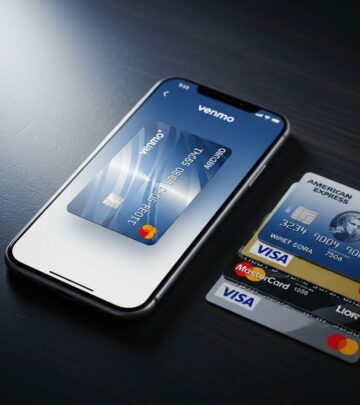
The Venmo debit card serves as a physical method of making payments straight off your Venmo balance, powered by MasterCard. It enables you to take your Venmo balance with you and pay at your favorite stores, bars, restaurants, and other merchants. You can also earn cashbacks on your payments when using the debit card at participating retailers.
The Venmo debit card can be used for contactless payments, as it doesn’t require swiping or inserting. You can even use it to make cash withdrawals from ATMs, and you won’t be charged when using a MoneyPass ATM in the US. Additionally, there are no monthly or annual fees for maintaining the debit card.
Social Features and Privacy Settings
Venmo enables you to connect your bank account and move money back and forth so that it’s where you want it when you want it. You can use it to receive payments and also make payments either with the money in your Venmo account or from a funding source you’ve connected, like a debit card.
The app allows you to share the payments you make to friends, family, or approved businesses with a comment, just like the way you make a typical social media post. You have three privacy options when making payments:
- Public: In the default setting, selecting Public means that anyone on the internet can see your Venmo payments in the public feed.
- Friends: If you choose friends as your payment settings option, only Venmo friends and the other party’s Venmo friends will see your Venmo payments in the social feed.
- Private: Private payment settings mean that each payment you make through the app is only visible to you and the person you paid.
Payment amounts are always private, and you can change your settings anytime.
Paying for Goods and Services
Beyond peer-to-peer transfers, you can also use Venmo to pay for goods and services from millions of participating vendors. Venmo recently launched a feature that allows users to pay with Venmo on Amazon, and Venmo is a payment option on popular sites like Poshmark, Uber Eats, Grubhub, and Hulu. This integration makes Venmo a versatile payment method for everyday purchases and subscriptions, allowing you to consolidate your spending in one app.
Getting Started with Venmo
Account Setup
Setting up a Venmo account is quick and simple. Venmo lets you connect to friends on the app by syncing your phone or Facebook contacts. You can skip this step if you’re not interested in connecting your social media accounts. The next thing you must do to create your account is choose your payment settings, which determines the default privacy level for your transactions.
Venmo Fees
Understanding Venmo’s fee structure is important for managing your finances effectively. The good news is that standard peer-to-peer transfers between friends are free when using your Venmo balance or a linked bank account. However, there are fees associated with certain transactions:
- Sending money using your credit card: 3%
- Adding money to your Venmo balance using the cash-a-check feature for payroll and government checks: 1% with a $5 minimum
- Adding money to your Venmo balance using the cash-a-check feature for all other accepted checks: 5% with a $5 minimum
- Cryptocurrency purchases or sales: between $0.49 and 1.8%, depending on the purchase or sale amount
Security and Compliance
Venmo offers a wide range of security and privacy features, from identity verification to disabling of cards and limiting visibility of payments. Venmo is regulated by the Consumer Financial Protection Bureau (CFPB), ensuring that the platform meets strict financial standards and consumer protection requirements. This regulatory oversight provides users with confidence that their personal and financial information is protected.
Transaction Limits
Venmo sets transaction limits for all users to protect against fraud and manage risk. For users with a verified identity, the limit for transferring money to a bank account is $19,999.99 per week, with a maximum single transfer amount of $5,000. For those who haven’t completed the verification process, the limit is $999.99 per week. A similar situation applies to person-to-person payments, where verified users have a limit of $60,000 per week, while unverified users have a limit of $299.99 per week.
Venmo Credit and Debit Cards
Beyond the debit card, Venmo also offers a Visa® Credit Card that provides additional benefits. With this card, you can earn up to 3% cash back on eligible purchases. There is no annual fee, no limit to the cash back you can earn, and no impact to your credit score if your application is declined.
The Venmo Debit Card offers even more generous rewards. With the Venmo Debit Card, you can instantly pay for whatever you want with the money in your Venmo balance and earn up to 5% cash back from some of your favorite brands. There is no monthly fee or minimum balance required.
Wide Acceptance and Integration
Venmo allows for seamless money transfers, and with funds in your Venmo balance, you do not need to leave home to send money to another account or pay for a purchase. You also do not need an intermediary to send money to a family member or a friend’s card. Signing up for the app only takes a few clicks, enabling quick and easy transactions.
Venmo facilitates payment for goods and services at companies such as Hulu, Uber, Foot Locker, Poshmark, and others, making it a convenient option for shopping and subscriptions. You can place your orders quickly and seamlessly without needing to enter payment information repeatedly.
Frequently Asked Questions
Q: Is Venmo free to use?
A: Venmo is free for standard peer-to-peer transfers between friends when using your Venmo balance or a linked bank account. However, there are fees for credit card payments (3%), check deposits, and cryptocurrency transactions.
Q: Can I use Venmo on a computer?
A: You can sign into your Venmo account on a computer to view your transaction history, but you can only complete transactions using the mobile app.
Q: Is my payment information private?
A: Payment amounts are always private. You can choose between Public, Friends, or Private settings for visibility of your transactions, allowing you to control who can see your payment activity.
Q: What should I do if I lose my Venmo debit card?
A: You can disable your Venmo debit card directly from within the app if you lose it, preventing unauthorized use.
Q: Can I use Venmo internationally?
A: Venmo is primarily designed for domestic US transfers. For international transfers, you may want to explore other payment options or services specifically designed for cross-border transactions.
Q: What are the transaction limits on Venmo?
A: For verified users, the weekly limit for bank transfers is $19,999.99 with a maximum single transfer of $5,000. Verified users can transfer up to $60,000 per week for person-to-person payments. Unverified users have lower limits of $999.99 per week for bank transfers and $299.99 for person-to-person payments.
Q: How do I verify my identity on Venmo?
A: Identity verification typically involves providing personal information and documentation. The exact process may vary, but you can usually complete this through your Venmo account settings.
References
- What is Venmo and how does it work? — Wise. Retrieved from https://wise.com/us/blog/what-is-venmo
- What Is Venmo: How It Works — Money Magazine. Retrieved from https://money.com/what-is-venmo-how-it-works/
- Pros and Cons of Using Venmo [2025] — Rates. Retrieved from https://rates.fm/payment-systems/venmo-review-pros-and-cons-of-choosing-this-payment-app/
- Venmo: Pay Friends | Payments App — Venmo Official Website. Retrieved from https://venmo.com
- Contactless Payments | QR Code Payment – Venmo — Venmo Business. Retrieved from https://venmo.com/business/tap-to-pay/
Similar Articles








Read full bio of Sneha Tete