What Is CVV2? Credit Card Security Code Explained
Understand CVV2 security codes, their location, and how they protect your card from fraud.
What Is CVV2?
CVV2, which stands for Card Verification Value 2, is a numeric authentication code printed on credit and debit cards. This security feature was developed by credit card companies to reduce fraudulent transactions, particularly in card-not-present scenarios such as online shopping and phone transactions. The CVV2 serves as proof that you physically possess the card when making purchases where the card is not physically presented to the merchant.
Credit card companies have made the CVV2 a standard security requirement for online transactions. When you enter your CVV2 during checkout, you’re verifying that you have the physical card in your possession and are authorized to use it. This extra layer of security significantly reduces the risk of fraudulent charges and unauthorized transactions.
Understanding CVV2 Terminology
The CVV2 goes by several different names depending on the credit card company and industry standards. Understanding these alternative terms can help you navigate banking and payment scenarios more effectively. The following abbreviations all refer to the same security feature:
– Card Security Code (CSC)- Card Verification Code (CVC or CVC2)- Card Verification Value Code (CVVC)- Card Code Verification (CCV)- Card Identification Number (CID)- Verification Code (V-Code or V Code)
While CVV2 technically refers specifically to Visa’s version of the security code, the term is commonly used generically across all card types. Each card network has its own proprietary terminology: Visa uses CVV2, Mastercard uses CVC2 or Card Validation Code 2, and American Express uses CID or Card Identification Number.
Locating Your CVV2 Security Code
The location of your CVV2 depends on your card issuer. Knowing where to find this code is essential for making online purchases and managing your account securely.
Visa, Mastercard, and Discover Cards
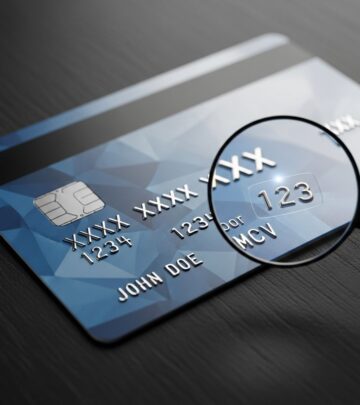
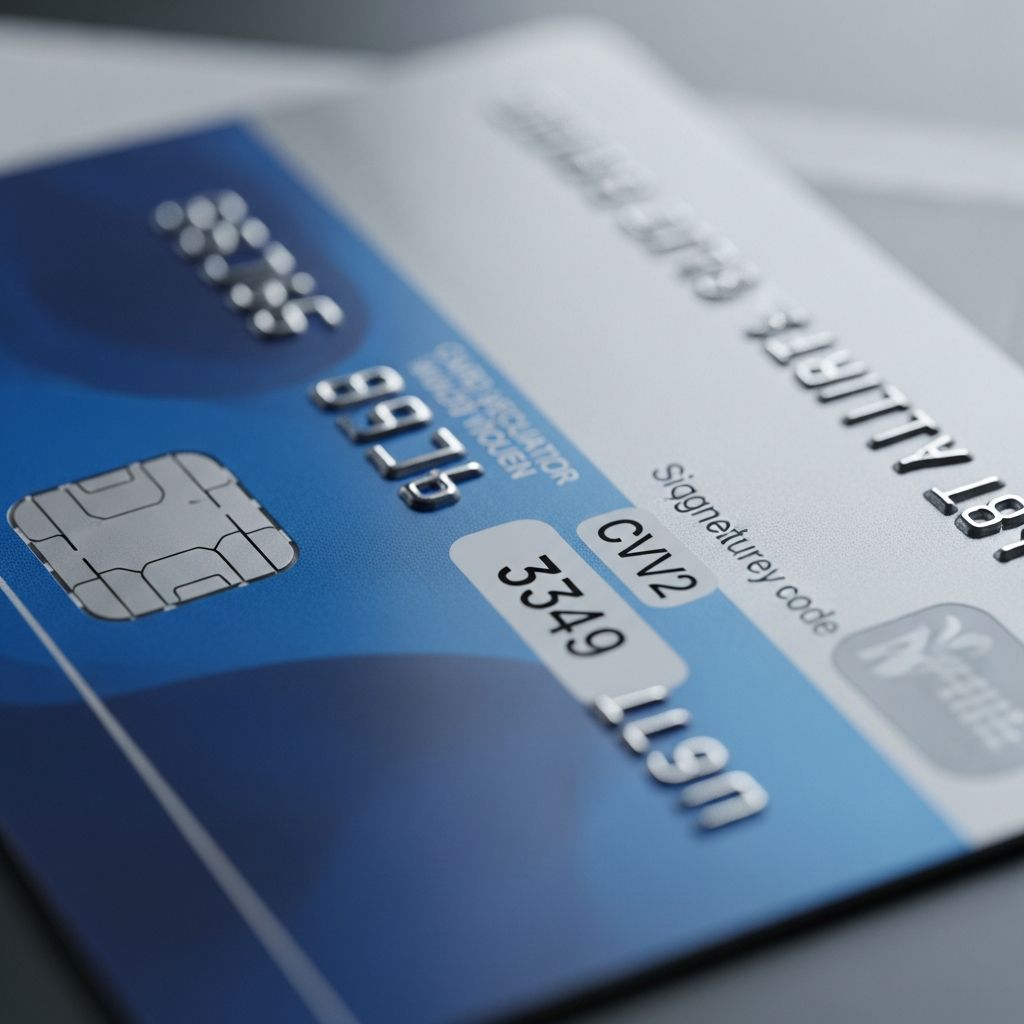
For Visa, Mastercard, and Discover credit cards, the CVV2 code consists of three digits located on the back of the card. You’ll find it in the signature panel area, positioned to the right of the signature box or immediately after the card number. This placement ensures the code is visible but not as prominent as the main card number.
American Express Cards
American Express distinguishes itself by placing the security code on the front of the card rather than the back. American Express cards feature a four-digit security code instead of the standard three digits. This code appears on the front-right corner of the card, positioned above or near your card account number.
CVV2 vs. CVV1: Understanding the Difference
While both CVV codes serve security purposes, they function differently and are used in distinct transaction scenarios. Understanding the difference between CVV1 and CVV2 helps clarify how modern card security works.
CVV1 (Card Verification Value 1) is encoded on the magnetic stripe of your credit card. When you swipe or insert your card in-person at a physical point of sale, the CVV1 is automatically transmitted to the bank for validation. This code is invisible to cardholders and works behind the scenes during in-person transactions with signature verification.
CVV2 (Card Verification Value 2) is the visible code you see printed on your card. You must manually enter the CVV2 during online transactions or when your card is not physically present. This manual entry requirement ensures that only someone with physical possession of the card can complete the transaction.
How CVV2 Protects Your Card
The CVV2 security code provides critical protection against credit card fraud through several mechanisms:
Physical Possession Verification
By requiring the CVV2 during online transactions, merchants verify that the person making the purchase has the physical card in their possession. A criminal who obtains only your card number and expiration date cannot complete a transaction without this code.
Difficult to Obtain Through Data Breaches
According to Payment Card Industry Data Security Standard (PCI DSS) regulations, merchants are strictly prohibited from storing CVV2 codes in their systems. This means that even if a hacker breaches a merchant’s database, they cannot retrieve CVV2 codes because they were never saved. While hackers might find your card number and expiration date, the CVV2 remains secure and uncompromised.
Encryption During Transmission
CVV2 codes are verified using advanced encryption technology during the checkout process. Although the code is transmitted along with other transaction data, it is encrypted and never stored by the merchant after transaction authorization.
Comparing Card Security Codes Across Networks
Different card networks implement their own security codes with slightly different specifications. The following table outlines key differences:
| Card Issuer | Code Length | Location | Primary Name |
|---|---|---|---|
| Visa | 3 digits | Back of card, signature panel | CVV2 |
| Mastercard | 3 digits | Back of card, signature panel | CVC2 |
| Discover | 3 digits | Back of card, signature panel | CVC |
| American Express | 4 digits | Front of card, above account number | CID |
Why Merchants Request Your CVV2
When you shop online or provide payment information over the phone, merchants request your CVV2 for legitimate security reasons. By requiring this code, merchants can verify your identity and reduce the possibility of fraudulent transactions. The CVV2 requirement helps protect both the merchant from chargebacks and you from unauthorized charges.
However, it’s important to note that legitimate merchants will never ask for your CVV2 via email or unsolicited phone calls. This is a major red flag for potential fraud.
Protecting Your CVV2 Security Code
While the CVV2 itself is designed with security in mind, you must take additional steps to protect your payment information:
Secure Your Home WiFi Network
Password-protect your home WiFi router to prevent unauthorized access. Anyone with access to your unsecured network can potentially intercept payment information. Never enter card information over public WiFi networks, such as those at coffee shops or airports.
Avoid Phishing Websites
Phishing sites are malicious websites designed to appear legitimate, sometimes using SSL certificates and HTTPS connections. Always verify you’re on the correct website before entering payment information. Double-check URLs and look for the padlock icon in your browser’s address bar.
Never Share Card Information Unsolicited
Be wary of requests to share card information via email or phone, especially if you didn’t initiate the contact. Legitimate companies will never ask for your CVV2 through these channels. Always ignore unsolicited requests for payment information.
Use Antivirus Software
Install and maintain current antivirus and anti-malware software on your computer. These programs detect malicious software that hackers may attempt to install to capture your payment information.
Monitor Your Account Regularly
Review your credit card statements and account activity on a regular basis. Early detection of fraudulent charges allows you to report them immediately to your bank. If you notice charges you didn’t authorize, contact your bank immediately to request a new card and dispute the charges.
CVV2 and Automatic Payments
Some users experience issues with automatic payment failures even when they have sufficient funds. This often occurs because the card issuer requires CVV2 verification for every transaction. Since merchants cannot store CVV2 codes for recurring payments, the system cannot process automatic charges using the stored CVV2.
If you experience this issue, you have limited options: use a different payment method, switch to a different card, or process payments manually each time. Contact your credit card issuer to understand their specific policies regarding recurring transactions.
PCI DSS Standards and CVV2
The Payment Card Industry Data Security Standard (PCI DSS) establishes strict regulations governing how merchants must handle payment card information. These standards explicitly prohibit merchants from storing CVV2 codes after a transaction is authorized.
This restriction applies regardless of whether the purchase is one-time or recurring, and merchants cannot retain CVV2 data in tokenized or encrypted formats. This intentionally strict standard ensures that CVV2 codes remain secure even in the event of a data breach or cyberattack.
Frequently Asked Questions About CVV2
Q: Is it safe to provide my CVV2 online?
A: Yes, it is generally safe to provide your CVV2 on legitimate, secure websites. Look for the padlock icon and HTTPS in the URL. Only enter your CVV2 on official websites of merchants you trust. Never provide it to unsolicited emails or phone calls.
Q: What should I do if someone asks for my CVV2 via email?
A: Do not provide your CVV2 under any circumstances via email. Legitimate companies never request CVV2 information via email. This is a common phishing scam tactic. Report the email to your bank and the company supposedly requesting the information.
Q: Can merchants store my CVV2 for future transactions?
A: No, merchants are prohibited by PCI DSS standards from storing CVV2 codes. Merchants must delete the CVV2 immediately after transaction authorization. You will need to re-enter your CVV2 for each transaction.
Q: Why does American Express use a 4-digit code instead of 3?
A: American Express uses a 4-digit security code for additional security. This longer code provides enhanced protection against fraud. The location on the front of the card also adds an extra security layer compared to codes on the back.
Q: What’s the difference between CVV and CVV2?
A: CVV (Card Verification Value) generally refers to any card security code, while CVV2 specifically refers to the visible code you manually enter for online transactions. CVV1 is the encoded magnetic stripe code used in-person. In common usage, CVV and CVV2 are often used interchangeably.
Q: If my card is declined, could it be a CVV2 issue?
A: Yes, an incorrect or missing CVV2 can cause a card to be declined. Ensure you’ve entered the correct code for your card type. If problems persist, contact your credit card issuer, as your bank may have placed restrictions on the card or there could be other security concerns.
References
- What is CVV2 Security Code? — HostGator. 2024. https://www.hostgator.com/help/article/what-is-cvv2-security-code
- What is CVV2 Code? — ScalaHosting Knowledge Base. 2024. https://www.scalahosting.com/kb/what-is-cvv2-code/
- CVV2: How it Works | Rules & What Comes Next — Chargebacks 911. 2024. https://chargebacks911.com/cvv2/
- Why Card Security Codes Matter In Online Shopping — Shift4. 2024. https://www.shift4.com/blog/why-card-security-codes-matter-online-shopping
- Card security code — Wikipedia. 2024. https://en.wikipedia.org/wiki/Card_security_code
- Guide to credit card security codes: What they are, where to find — The Points Guy. 2024. https://thepointsguy.com/credit-cards/credit-card-security-code/
Similar Articles








Read full bio of Sneha Tete