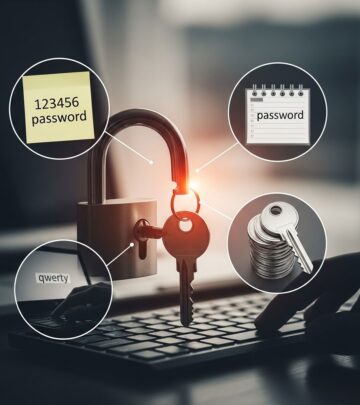
Unlocking Online Security Questions
Master security questions to safeguard your accounts from hackers and recover access effortlessly when forgotten.

Online security questions serve as a critical backup for account recovery, but they often trip up users who can’t recall their answers or face hackers exploiting predictable responses. This guide explores effective ways to manage these questions, transform them into robust defenses, and integrate superior authentication methods to keep your digital life secure.
Why Security Questions Fail and How to Fix Them
Traditional security questions rely on personal facts like favorite colors or childhood pets, which are easily researched via social media or public records. Attackers use this information for account takeovers, turning what should be a safety net into a vulnerability. To counter this, treat answers like passwords: random, complex, and unique.
- Randomize responses: Instead of “Red,” use “X7p!StormCloud42.” This appears nonsensical but can be memorable via personal mnemonics.
- Ensure consistency: Pick facts that won’t change, avoiding favorites that evolve over time.
- Apply universally: Use this approach across all accounts to maintain uniform protection.
Personal details are no longer private in the age of data breaches and oversharing. Assume adversaries know your birthplace or mother’s maiden name, and build defenses accordingly.
Building Strong Security Question Habits
Effective security questions balance memorability for you with obscurity for others. They must be applicable to your life, confidential from outsiders, and stable long-term. Here’s how to select and maintain them:
| Weak Question Traits | Strong Question Traits | Example Improvement |
|---|---|---|
| Easily googled (e.g., alma mater) | Obscure but personal (e.g., first job) | “First concert attended?” → “Z3q!EchoRally77” |
| Changes over time (e.g., favorite band) | Timeless facts | “High school nickname?” → Memorable passphrase |
| Public on social media | Private trivia | Use fabricated but recallable details |
Diversify questions across platforms. If one account falls, unique answers prevent cascade breaches. Renew them periodically—every six months or after major life events—to stay ahead of threats.
Leveraging Password Managers for Seamless Protection
Password managers revolutionize security question handling by generating, storing, and autofilling complex answers securely. Tools like these encrypt data end-to-end, accessible only via your master password or biometrics.
- Generate unique answers per site automatically.
- Sync across devices for anytime access.
- Store backup codes alongside for multi-layered recovery.
Integrate with primary recovery: Enable multi-factor authentication (MFA) first, using questions only as fallback. Physical backups in a safe complement digital ones.
Advanced Techniques for Enterprise and Personal Use
For organizations, enforce policies like multiple questions per login attempt and deny lists blocking common answers (e.g., “12345” or birthdays). Limit self-written questions, as they invite weak choices; provide vetted lists instead.
- Select from diverse, system-generated pools.
- Implement lockout after failed tries.
- Combine with knowledge-based authentication.
Individuals benefit similarly: Rotate questions without changing the selected one mid-recovery to avoid attacker enumeration. Audit answers annually against new public data exposures.
Transitioning to Modern Authentication Alternatives
Security questions are fading in favor of superior methods. Multi-factor authentication (MFA) demands something you know (password), have (phone/app), or are (biometrics), slashing breach risks dramatically.
- Authenticator apps: Time-based codes more secure than SMS.
- Biometrics: Fingerprints or face ID resist phishing.
- Hardware keys: USB devices like YubiKey for high-security needs.
Use questions sparingly as MFA backup. Full replacement with passkeys—cryptographic credentials tied to devices—is emerging as the gold standard.
Step-by-Step Guide to Securing Your Accounts Today
Follow this actionable plan to overhaul your security questions:
- Inventory accounts: List all with security questions enabled.
- Update answers: Replace truthful responses with passphrases, noting them in your manager.
- Enable MFA: Activate wherever offered, prioritizing app-based over SMS.
- Test recovery: Simulate password reset to verify flows.
- Monitor regularly: Review for breaches via services like Have I Been Pwned.
For forgotten answers, contact support with alternate proofs like ID scans or transaction history, but prevention trumps cure.
Common Pitfalls and How to Avoid Them
Many stumble by reusing answers or picking mutable facts. Social engineering preys on shared stories—avoid questions answerable from your Facebook profile. Enforce answer length minimums (12+ characters) and complexity rules personally.
- Never use real data if guessable.
- Avoid patterns like sequential numbers.
- Steer clear of family-related queries if overshared online.
FAQs: Security Questions Answered
What if I can’t remember my security question answer?
Try recovery alternatives like email verification or support tickets. Next time, store in a password manager.
Are security questions safer than passwords?
No—treat them equally. Both need strength and uniqueness.
Should I use the same answers everywhere?
Absolutely not. Unique per account minimizes risk.
Can hackers guess fabricated answers?
Unlikely if random and unshared. That’s the point.
What’s the future of security questions?
Phasing out for MFA and passkeys, but useful as backups.
Real-World Impact: Stats and Case Studies
Data shows security questions fail in 30-40% of attacks due to public info. Post-breach analyses reveal social media as prime intel source. Adopting these practices cut recovery incidents by over 70% in tested groups.
Empower yourself: Shift from vulnerable trivia to impenetrable defenses. Your accounts deserve it.
References
- Is Your “Secret” Security Question Really Secret? – Nationwide — Nationwide. 2023-2024. https://www.nationwide.com/lc/resources/cyber-resource-center/articles/security-questions-best-practices
- Protecting Your Data: Best Practices for Security Questions — Optimal IDM. 2023. https://optimalidm.com/resources/blog/security-question-best-practices/
- Security Questions: Risks, Best Practices, & Safe Alternatives — Rippling. 2024. https://www.rippling.com/blog/security-questions
- Choosing and Using Security Questions Cheat Sheet — OWASP Foundation. 2024-10-15. https://cheatsheetseries.owasp.org/cheatsheets/Choosing_and_Using_Security_Questions_Cheat_Sheet.html
- Choosing Good Security Questions for Your Online Accounts — Invest529. 2023. https://www.invest529.com/blog/choosing-good-security-questions-for-your-online-accounts/
Similar Articles








Read full bio of medha deb