Understanding Phishing: A Comprehensive Security Guide
Learn how to recognize, prevent, and respond to phishing attacks that threaten your financial security.
In today’s digital environment, one of the most pervasive threats to personal security is phishing—a deceptive practice that targets millions of people annually. Unlike traditional hacking that requires technical expertise, phishing relies on psychological manipulation and social engineering to trick individuals into revealing sensitive information or compromising their accounts. Understanding what phishing is, how it operates, and what preventive measures you can take is essential for protecting your financial wellbeing and personal identity.
What Phishing Actually Means and Why It Matters
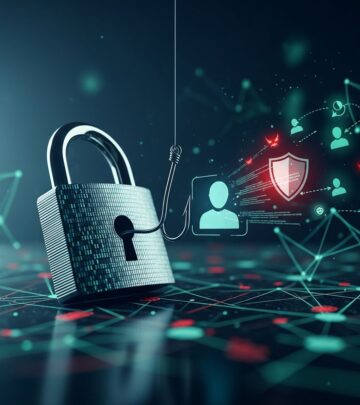
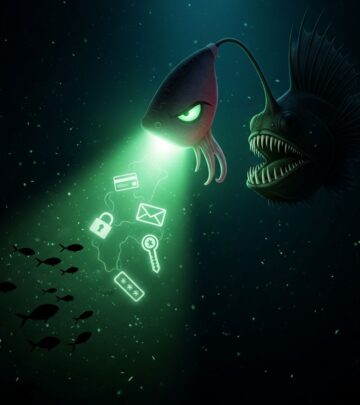
Phishing is a fraudulent attempt to obtain sensitive information by impersonating a trustworthy source through electronic communication. The term itself is a play on the word “fishing”—scammers cast wide nets hoping to catch victims who will bite on their deceptive bait. Rather than targeting one specific person, attackers typically send phishing communications to thousands of recipients, knowing that a percentage will fall for the scheme.
The information that phishers seek includes passwords, credit card numbers, banking credentials, Social Security numbers, and other personal data that can be used for identity theft or financial fraud. Once criminals obtain this information, they can access your accounts, open new accounts in your name, steal money, or sell your data to other criminal enterprises. The consequences of falling victim to phishing can be severe and long-lasting, affecting your credit score, financial stability, and peace of mind.
How Phishing Attacks Work: The Mechanics Behind the Scam
Phishing attacks follow a systematic approach designed to exploit human psychology rather than technological vulnerabilities. Understanding the mechanics helps you recognize when you’re being targeted.
The Foundation: Impersonation and Trust
Successful phishing begins with impersonation. Scammers create communications—emails, text messages, or calls—that appear to originate from legitimate organizations such as banks, credit card companies, government agencies, or popular online services. They use company logos, professional formatting, and authentic-sounding language to establish credibility and lower your guard.
Creating Artificial Urgency
A critical element of phishing tactics is the creation of artificial urgency that compels you to act without thinking carefully. Common urgency-inducing scenarios include:
- Claims that your account will be deactivated or closed unless you act immediately
- Notifications that suspicious activity has been detected on your account
- Warnings that your credit score has changed significantly
- False alerts about unauthorized transactions or accounts opened in your name
- Demands for immediate payment or confirmation of information
By creating panic or fear, scammers bypass your critical thinking and encourage you to respond hastily without verifying the communication’s authenticity.
The Delivery Mechanism
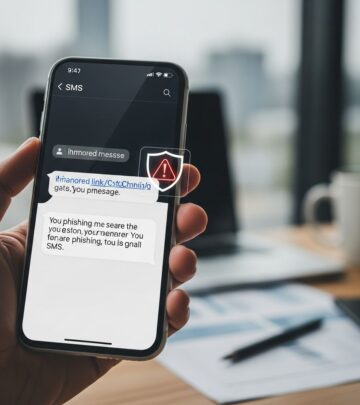
Phishing attacks reach you through multiple channels. Email remains the most common vector, but attackers also use text messages (smishing), phone calls (vishing), and social media platforms. The message contains a link directing you to a fraudulent website that mimics the legitimate organization’s appearance, or it may prompt you to download malicious software (malware) that compromises your device.
Common Types of Phishing Scams You Should Know
Phishing manifests in various forms, each with distinct characteristics and targets.
Credit Score and Financial Account Alerts
One prevalent phishing method involves emails claiming your credit score has changed or that fraudulent accounts have been created in your name. These messages direct you to click a link to “review” your credit report or verify your identity. The link leads to a spoofed website requesting your Social Security number, password, or banking information.
Fraudulent Credit Repair Services
Scammers advertise credit repair services, often charging upfront fees (which violate the Credit Repair Organizations Act) for services that either never materialize or provide no value. These operations prey on people with poor credit scores who are desperate for improvement.
Executive Impersonation (Whaling)
In more sophisticated attacks called “whaling,” criminals impersonate company executives or high-ranking officials. An employee in the finance department might receive an urgent email appearing to come from the CEO requesting immediate money transfer. The apparent authority of the sender combined with the sense of urgency often overrides the employee’s natural skepticism.
Job and Rental Listing Scams
Fraudsters post attractive but fake job listings or rental advertisements on platforms like Craigslist, Facebook Marketplace, and Indeed. Job seekers or apartment hunters are directed to provide personal information, pay application fees, or visit phishing websites to verify their credit scores.
Look-Alike Website Scams
Criminals create websites with URLs nearly identical to legitimate sites—for example, using “AnnualCreditReport” with slight misspellings or adding the word “free” to the domain. Unsuspecting visitors believe they’re accessing official sources but are actually providing information to criminals.
Spam Calls and Robocall Scams
Fraudsters posing as bank representatives or loan officers call offering special interest rates or credit fixes. During the call, they request personal or financial information under the pretense of helping resolve credit issues.
Red Flags: How to Identify Phishing Attempts
Learning to recognize phishing attempts is your first line of defense. Watch for these warning signs:
Email-Specific Indicators
- The sender’s email address doesn’t match the claimed organization (for example, coming from a generic Hotmail account rather than an official company domain)
- Subject lines create false urgency with language like “Act Now” or “Immediate Action Required”
- Vague salutations such as “Dear Customer” instead of your actual name
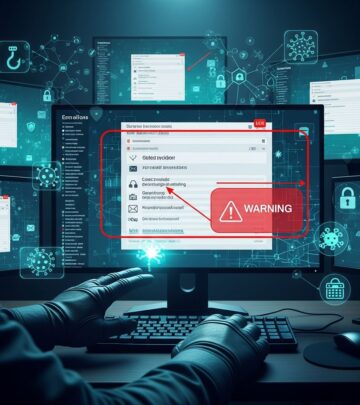
- Grammar and spelling errors throughout, such as “noticied” instead of “noticed” or “Ples” instead of “Please”
- Suspicious links that don’t match the claimed destination when you hover over them
- Unexpected attachments requesting you to enable macros or download files
- Generic messaging that could apply to any account holder rather than specific details about your account
General Communication Red Flags
- Requests for information that legitimate companies never ask via email or text
- Links that direct you to unfamiliar or suspicious websites
- Threats of account closure, legal action, or financial penalties
- Pressure to act immediately without time for verification
- Personal information obtained from recent data breaches being used to establish false credibility
Protecting Yourself: Practical Defense Strategies
While phishing threats are widespread, numerous protective measures can significantly reduce your vulnerability.
Verification Practices
- Never click links in unsolicited emails or texts, even if they appear legitimate
- Instead, navigate directly to the official website by typing the URL in your browser address bar
- Call the organization directly using a phone number from their official website, not one provided in the suspicious message
- Check for HTTPS and secure padlock symbols when entering sensitive information
- Verify that you’re on the correct website by carefully checking the URL for misspellings
Account Security Measures
- Use strong, unique passwords for each online account, combining uppercase and lowercase letters, numbers, and symbols
- Enable multi-factor authentication whenever available, which requires an additional verification step beyond your password
- Monitor your accounts regularly for unauthorized activity
- Enroll in free credit monitoring services to track changes to your credit profile
Credit Report and Fraud Alert Management
Place a fraud alert on your credit report. A fraud alert notifies lenders that you may be a fraud target and requests they take additional steps to verify your identity before opening new accounts or making changes. An initial fraud alert lasts one year, while an extended fraud alert (available if you’ve been an identity theft victim) lasts seven years.
You can request free credit reports from the official government-authorized website AnnualCreditReport.com. Legitimate free credit report access is available if you’ve been denied credit, are unemployed and job-searching, receive public assistance, or have fraud alerts on your file.
Reporting and Response
If you receive a phishing attempt, report it to the Federal Trade Commission (FTC) at ReportFraud.ftc.gov, regardless of whether the scammer obtained information from you. This reporting helps law enforcement identify and pursue criminal operations. Additionally, report suspicious emails to the company being impersonated and to your email provider.
FAQ: Common Questions About Phishing
What should I do if I’ve already fallen for a phishing scam?
Act quickly: Change passwords immediately for any compromised accounts, contact your financial institutions to freeze accounts, place a fraud alert and security freeze on your credit reports, and file a report with the FTC. Monitor your credit and accounts closely for any fraudulent activity.
Can phishing attacks succeed if I have antivirus software?
Yes. While antivirus software helps prevent malware, it cannot prevent social engineering attacks that rely on deception rather than malicious code. Your awareness remains the most critical defense.
Is it safe to access my bank account from a public WiFi network?
Public WiFi networks are vulnerable to interception attacks. Use a virtual private network (VPN) if you must access sensitive accounts on public WiFi, or wait until you’re on a secure connection.
How do scammers obtain my personal information to use in phishing emails?
Criminals acquire personal data through data breaches of major companies, by purchasing stolen information from other criminals, or by harvesting information from social media profiles. This is why criminals can reference details that seem to prove they’re legitimate.
Moving Forward: Your Role in Cybersecurity
Phishing remains effective because it exploits human psychology rather than technological gaps. No security system can completely prevent these attacks—your awareness, skepticism, and knowledge are essential components of your defense. By understanding how phishing works, recognizing common tactics, implementing protective measures, and responding appropriately when you encounter suspicious communications, you significantly reduce your risk of becoming a victim.
Remember that legitimate organizations will never request sensitive information via email, text, or unsolicited calls. When in doubt, contact the organization directly using contact information from their official channels. Taking these precautions protects not only your financial security but also your identity and peace of mind in an increasingly connected world.
References
- Are Free Credit Reports Safe? How To Avoid Credit Score Scams — Aura. https://www.aura.com/learn/credit-score-scams
- What Is Phishing? — Experian. https://www.experian.com/blogs/ask-experian/what-is-phishing/
- What is phishing? | Phishing attack prevention — Cloudflare. https://www.cloudflare.com/learning/access-management/phishing-attack/
- How To Recognize and Avoid Phishing Scams — Federal Trade Commission (FTC). https://consumer.ftc.gov/articles/how-recognize-avoid-phishing-scams
- 7 Things to Know About Fraud Alerts — Equifax. https://www.equifax.com/personal/education/identity-theft/articles/-/learn/7-things-to-know-about-fraud-alerts/
- Protect yourself from phishing — Microsoft Support. https://support.microsoft.com/en-us/windows/protect-yourself-from-phishing-0c7ea947-ba98-3bd9-7184-430e1f860a44
- Phishing Scams — American Bankers Association (ABA). https://www.aba.com/advocacy/community-programs/consumer-resources/protect-your-money/phishing
Similar Articles








Read full bio of medha deb