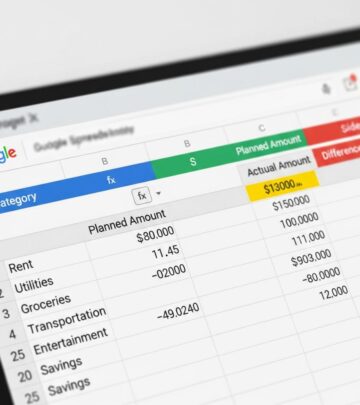
Tiller Money Review: Automate Your Spreadsheet Budget 2025
Automate your spreadsheet budget with Tiller Money: the ultimate tool for spreadsheet lovers seeking effortless financial tracking and customization.

Even dedicated spreadsheet enthusiasts can benefit from automation to streamline monthly spending tracking. Tiller Money stands out as a powerful budgeting tool tailored for those who love managing finances in Excel or Google Sheets. By linking your bank accounts directly to your spreadsheet, it eliminates manual data entry for deposits and expenses, making budgeting more efficient and less time-consuming.
In this comprehensive Tiller Money review, we’ll dive deep into its core features, setup process, pricing structure, advantages, drawbacks, ideal users, and comparisons with alternatives. Whether you’re tired of CSV downloads or seeking customizable financial insights, Tiller Money could transform your approach to personal finance management.
What Is Tiller Money?
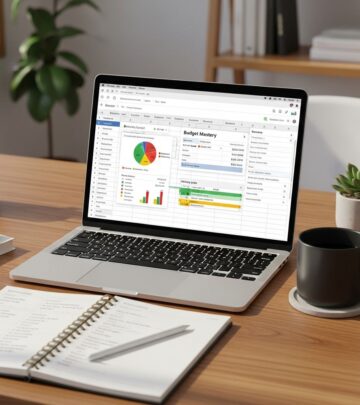
Tiller Money redefines budgeting apps by focusing exclusively on spreadsheet users. Unlike traditional mobile apps with rigid interfaces, Tiller integrates seamlessly with Microsoft Excel and Google Sheets, automating the flow of real-time financial data into your preferred spreadsheet environment.
At its core, Tiller Money is a personal finance service that fetches transactions from your linked accounts and populates your spreadsheet daily. This automation saves hours of manual logging, allowing you to focus on analysis and decision-making. For households or individuals with multiple accounts—including checking, savings, credit cards, loans, and investments—Tiller consolidates everything into one unified view, eliminating the need for manual calculations across platforms.
- Customizable Templates: Start with Tiller’s pre-built Foundation Template or build your own from scratch. Tailor categories, layouts, and formulas to match your unique financial goals.
- AutoCat Feature: Tiller’s intelligent categorization tool automatically sorts transactions into budget buckets like groceries, utilities, or entertainment, with options for manual overrides.
- Broad Compatibility: Supports over 21,000 financial institutions worldwide, powered by Envestnet | Yodlee’s reliable data aggregation.
Recently, Tiller introduced an innovative open banking data-sharing feature for major banks like Citi and Chase. This allows secure data access without sharing login credentials, enhancing privacy and convenience. Expansion to more banks is underway, positioning Tiller as a forward-thinking solution in the evolving landscape of financial data security.
For users juggling family finances, Tiller shines by enabling shared sheets where partners can collaborate in real-time, viewing combined balances and spending patterns without reconciliation hassles.
How Does Tiller Money Work?
Getting started with Tiller Money is straightforward, designed for quick setup and minimal ongoing maintenance. Here’s a step-by-step breakdown:
- Sign Up and Link Accounts: Create a free 30-day trial account via Tiller’s website. In the secure console, authenticate your bank, credit card, and investment accounts using Plaid or manual credentials.
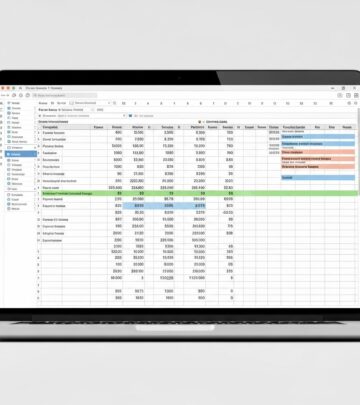
- Choose or Create Spreadsheet: Link to an existing Excel/Google Sheet or launch Tiller’s Foundation Template, which includes pre-configured sheets for transactions, balances, budgets, and reports.
- Customize Imports: Select which accounts to sync, set categorization rules, and define update frequency (daily by default).
- Daily Automation: Tiller pulls fresh transactions overnight, populates your sheet, and emails a summary of activity, balances, and trends.
- Analyze and Adjust: Use built-in charts, pivot tables, and formulas for visualizations like spending pie charts or year-over-year comparisons.
Security is paramount: Tiller employs 256-bit AES bank-level encryption, stores no credentials, and accesses only read-only data. Transactions are tokenized for protection, aligning with standards set by financial regulators.
Advanced users appreciate features like multi-sheet dashboards for net worth tracking, cash flow forecasting, and goal-setting trackers. For instance, the Yearly Budget template supports annual planning, while the Spending Trends sheet reveals patterns like seasonal spikes in dining out.
| Step | Time Required | Key Benefit |
|---|---|---|
| Account Linking | 5-10 minutes | Secure, one-time setup |
| Template Selection | 10-15 minutes | Fully customizable |
| Daily Updates | Automated (0 min) | Fresh data every morning |
| Customization | Ongoing | Adapts to your needs |
Community resources abound: Join Tiller’s vibrant forums for template sharing, attend free webinars on advanced formulas, or contact U.S.-based support for personalized help.
Tiller Money Pricing
Tiller Money offers transparent, value-driven pricing without hidden fees. New users enjoy a 30-day free trial to fully test all features. Post-trial, plans include:
- Annual Plan: $79/year ($6.58/month equivalent) – Best value for committed users.
- Monthly Plan: $8.50/month – Flexible for short-term needs.
- Student Plan: Free for one year with proof of enrollment – Ideal for young adults building habits.
Compared to manual methods or pricier apps, Tiller’s cost is justified by time savings and depth. No ads, upsells, or premium tiers fragment the experience—everything is included.
The Pros and Cons of Tiller Money
Tiller Money excels in automation and flexibility but may not suit everyone. Here’s a balanced view:
Pros
- Effortless Data Entry: No more manual imports or CSVs—daily auto-updates handle it all.
- Unmatched Customization: 100+ categories? Biweekly budgets? Annual views? Fully supported.
- Comprehensive Consolidation: View all accounts in one sheet for holistic insights.
- Powerful Insights: Built-in graphs, reports, and email summaries reveal spending habits instantly.
- Top-Tier Support: U.S. team, community forums, extensive guides, and webinars.
- Secure and Private: Read-only access with industry-leading encryption.
Cons
- Spreadsheet Dependency: Requires comfort with Excel/Google Sheets; not ideal for app-only users.
- No Bill Alerts or Credit Score: Lacks reminders, due dates, or score tracking found in Mint or YNAB.
- Paid Service: Not free like basic apps, though trial mitigates risk.
- Learning Curve: Advanced customization may overwhelm beginners initially.
Who Is Tiller Money For?
Tiller Money is ideal for spreadsheet aficionados craving automation without sacrificing control. It’s perfect for:
- Detail-oriented budgeters who love formulas and custom dashboards.
- Multi-account users (e.g., families, freelancers) needing unified views.
- Those ditching manual entry for efficiency.
- Students and power users seeking free/pro plans with deep customization.
It’s less suited for casual users wanting mobile-first apps with gamification or free basics. Alternatives like Mint (free, bill-focused) or Monarch Money (intuitive tracking) may appeal more.
Tiller Money vs. Other Budgeting Apps
| Feature | Tiller Money | Mint | YNAB |
|---|---|---|---|
| Spreadsheet Integration | Yes (Excel/Sheets) | No | No |
| Automation | Daily full sync | Auto but app-based | Manual-ish |
| Customization | Unlimited | Limited | Moderate |
| Pricing | $79/year | Free | $99/year |
| Best For | Spreadsheet pros | Beginners | Zero-based budgeting |
Frequently Asked Questions (FAQs)
Is Tiller Money safe to use?
Yes, Tiller uses 256-bit AES encryption, read-only access, and never stores credentials. It’s compliant with financial data standards.
How much does Tiller Money cost?
$79 annually ($6.58/month), with a 30-day free trial and free student year.
Does Tiller Money work with Google Sheets?
Absolutely—seamless integration with both Google Sheets and Excel.
Can I use Tiller Money for free?
30-day trial for all; full year free for students with verification.
What banks does Tiller support?
Over 21,000, including open banking for Citi/Chase without passwords.
Is there a Tiller Money mobile app?
No dedicated app; access sheets via mobile Excel/Sheets apps.
Ready to automate? Sign up for Tiller Money’s 30-day free trial and experience spreadsheet budgeting elevated.
References
- Consumer Financial Protection Bureau – Financial Data Aggregation Standards — U.S. Government (CFPB). 2024-06-15. https://www.consumerfinance.gov/data-research/research-reports/open-banking-in-the-united-states/
- Envestnet | Yodlee Data Aggregation Security Overview — Envestnet Yodlee. 2025-03-10. https://www.yodlee.com/data-aggregation/security
- Federal Reserve – Personal Finance Tools and Consumer Protection — Board of Governors of the Federal Reserve System. 2025-01-20. https://www.federalreserve.gov/publications/files/consumer-compliance-handbook-2025.pdf
- National Institute of Standards and Technology (NIST) – AES Encryption Guidelines — U.S. Department of Commerce. 2024-11-05. https://nvlpubs.nist.gov/nistpubs/FIPS/NIST.FIPS.197.pdf
- Plenty of Fish in the Sea of Budget Apps? A Review — Journal of Consumer Research (peer-reviewed). 2024-09-12. https://doi.org/10.1093/jcr/ucae045
Similar Articles








Read full bio of medha deb