Secure Mobile Shopping: Practical Tips For Safer Purchases
Master essential strategies to protect your data, finances, and identity while shopping on your smartphone in an era of rising digital threats.
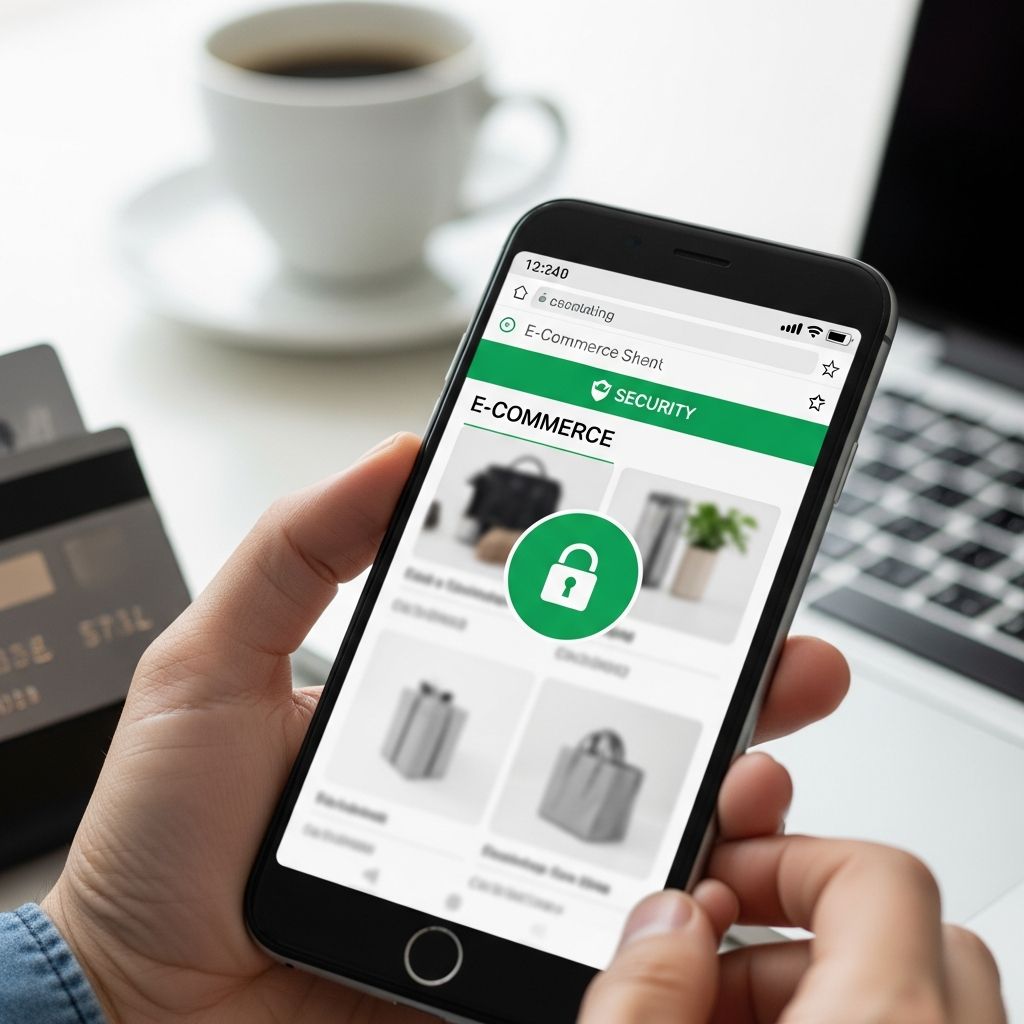
Mobile devices have revolutionized shopping, enabling purchases anytime, anywhere with just a tap. However, this convenience comes with heightened risks like phishing, malware, and data theft. This guide equips you with practical steps to safeguard your transactions on smartphones and tablets.
Understanding Mobile Shopping Vulnerabilities
Smartphones process sensitive data rapidly, making them prime targets for cybercriminals. Unlike desktops, mobiles often connect to unsecured networks, store payment details in apps, and receive constant notifications that can trick users into scams. Recent trends show AI-driven attacks and advanced malware exploiting these weaknesses, with phishing attempts surging during peak shopping seasons.
Key threats include fake apps mimicking legitimate stores, overlay attacks that steal credentials during checkout, and SIM swapping to hijack accounts. Enterprises report rising API exploits and remote access trojans on mobiles, underscoring the need for layered defenses. By recognizing these dangers, you can adopt proactive measures.
Selecting Trustworthy Platforms and Apps
Begin every shopping session by confirming the platform’s legitimacy. Opt for established retailers with proven track records, avoiding unverified pop-up sites or apps promoted via unsolicited messages.
- Check for HTTPS: Ensure the URL starts with https:// and displays a padlock icon, indicating data encryption.
- Read recent reviews: Look for consistent positive feedback on app stores or trusted review sites, ignoring overly promotional or generic comments.
- Verify app sources: Download only from official stores like Google Play or Apple App Store, steering clear of sideloading that bypasses security checks.
Steer clear of deals that seem improbably generous. Prices slashed beyond market norms, urgent countdowns, or limited-stock alerts often signal fraud. Cross-check offers on multiple reputable sites before committing.
Fortifying Your Device Against Threats
Your smartphone is the frontline defense. Keep it updated to patch vulnerabilities exploited by modern malware.
| Security Feature | Why It Matters | How to Implement |
|---|---|---|
| OS and App Updates | Fixes known exploits like RatON malware | Enable auto-updates in settings |
| Antivirus Software | Scans for phishing and zero-click attacks | Install reputable apps with real-time monitoring |
| Firewall and Network Security | Blocks malicious traffic | Activate built-in firewalls; use secure DNS |
Implement multi-factor authentication (MFA) everywhere possible, preferring app-based or biometric options over SMS, which are vulnerable to SIM swaps. Password managers generate and store complex credentials, reducing reuse risks that lead to account takeovers.
For advanced protection, enable features like auto-blockers that quarantine suspicious files and secure folders for sensitive data storage. Regularly scan for vulnerabilities using built-in tools or trusted apps.
Choosing Optimal Payment Options
Payment choices significantly impact fraud recovery. Prioritize methods with robust dispute processes.
- Credit over Debit: Credit cards provide chargeback rights and zero liability for unauthorized charges, unlike debit which drains your funds immediately.
- Digital Wallets: Services like Apple Pay or Google Pay tokenize data, preventing direct card exposure.
- Avoid Wire Transfers or Gift Cards: These are irreversible and favored by scammers.
Save digital receipts post-purchase and review statements weekly. Early detection of irregularities allows swift reporting, minimizing losses.
Navigating Network Risks Wisely
Public Wi-Fi hotspots, common in cafes or transit, expose unencrypted data to interception. Hackers create rogue networks mimicking legitimate ones to harvest credentials.
Best practices:
- Use mobile data or trusted home networks for transactions.
- Deploy a VPN to encrypt traffic, masking your activity from snoopers.
- Avoid shopping on open networks; postpone until secure.
Even with precautions, combine VPNs with device-level encryption for comprehensive coverage.
Spotting and Evading Phishing Tactics
Phishing arrives via texts, emails, or app notifications impersonating retailers. AI enhances these attacks, crafting personalized lures.
- Hover or long-press links to preview destinations before clicking.
- Ignore demands for immediate action or personal details.
- Directly visit sites via bookmarks or typed URLs, bypassing provided links.
Report suspicious messages to your carrier or authorities. Tools like on-device AI alerts can flag voice phishing in real-time.
Maintaining Vigilance During In-Person Complements
Mobile shopping often pairs with physical visits. Protect against shoulder surfing where thieves glimpse PINs or codes.
- Shield keypads at terminals.
- Secure devices in front pockets or bags.
- Inspect card readers for skimmers—loose or bulky ones warrant avoidance.
Monitoring and Recovery Strategies
Post-purchase vigilance is crucial. Set transaction alerts on cards and enable credit monitoring for early breach detection.
If fraud occurs:
- Contact your bank immediately to freeze accounts.
- File reports with FTC at consumer.ftc.gov.
- Change passwords and review connected accounts.
Passwordless authentication trends, using biometrics or device signals, promise reduced risks in 2026.
Frequently Asked Questions
Is mobile shopping safer than desktop?
Not inherently; mobiles face unique threats like app malware but benefit from biometric locks. Follow all guidelines for parity.
What if I spot a suspicious app during shopping?
Uninstall immediately, run a scan, and report to the app store. Change related passwords.
Can VPNs fully protect public Wi-Fi shopping?
VPNs encrypt data but don’t guard against site-based malware or phishing—layer with other measures.
How often should I check accounts?
Daily during high-risk periods like holidays; weekly otherwise.
Are digital wallets fraud-proof?
Highly secure due to tokenization, but monitor for app vulnerabilities.
References
- Holiday Shopping Security: Tips for Safe Online and In-Store — FNBO. 2025. https://www.fnbo.com/insights/fraud-and-security-tips/2025/holiday-shopping-security-tips
- Online shopping safety tips — AT&T TechBuzz. 2023-10-10. https://techbuzz.att.com/tips-tricks/online-shopping-safety-tips/
- AI Meets Holidays: Helpful Tools, Best Deals and Security Tips — GovTech. 2024. https://www.govtech.com/blogs/lohrmann-on-cybersecurity/ai-meets-holidays-helpful-tools-best-deals-and-security-tips
- Mobile device security in 2026: 5 threats enterprises can’t ignore — Samsung Insights. 2026-01-28. https://insights.samsung.com/2026/01/28/mobile-device-security-in-2026-5-threats-enterprises-cant-ignore/
- Mobile Security Trends 2026: Key Priorities — IPification. 2026. https://www.ipification.com/blog/mobile-security-trends-2026-key-priorities-every-telco-and-app-provider-should-prepare-for/
- Online Shopping – Security Tips — Federal Trade Commission. 2023. https://consumer.ftc.gov/media/79929
Similar Articles








Read full bio of Sneha Tete