6 Ways to Save Money on Home Entertainment
Cut home entertainment costs without sacrificing your favorite shows, movies, sports, or family fun time.

Home entertainment doesn’t have to drain your budget. With streaming services, free apps, and clever alternatives, you can enjoy movies, TV shows, sports, and games without overspending. These six strategies help families and individuals cut costs significantly while keeping the fun alive.
1. Download Free TV Apps
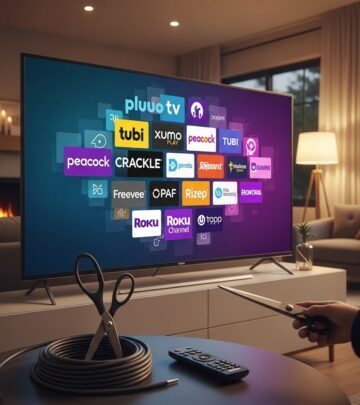
Free TV apps provide endless hours of content without a subscription fee, making them an excellent starting point for savings. Apps like Tubi, Pluto TV, and Freevee offer thousands of movies, shows, and live channels completely free, supported by ads rather than your wallet.
Pluto TV stands out with over 250 live channels, including news, movies, and niche content like classic TV reruns. Tubi boasts a library of 50,000+ titles, from blockbusters to indie films. These platforms update regularly, ensuring fresh content without cost. Families report saving $100+ monthly by replacing one streaming service with these apps.
- Tubi: Ad-supported movies and series, no sign-up required.
- Pluto TV: Live TV channels mimicking cable lineups.
- Freevee (Amazon): Prime-like content for free users.
- Crackle: Sony-owned with originals and classics.
Pro tip: Download multiple apps to create a custom free lineup. Combine with a smart TV or streaming device for seamless access. This switch alone can eliminate $15-20 monthly fees from basic streaming plans.
2. Ditch Cable for Streaming Services
Cable bills average $217 monthly, but streaming bundles cost under $100 for similar access. Services like Sling TV ($40/month), Hulu + Live TV ($77), or YouTube TV ($73) deliver live TV, on-demand, and DVR without contracts.
Compare plans carefully: Sling Orange suits sports fans, while Philo ($25/month) excels for entertainment channels. Bundle with Netflix or Disney+ for $10-15 extra. Annual savings hit $1,000+ by cutting cable. Negotiate or switch providers yearly for promos—many offer first-month free trials.
| Service | Base Price | Key Features | Best For |
|---|---|---|---|
| Sling TV | $40/mo | 30+ channels, no contract | Budget live TV |
| YouTube TV | $73/mo | 100+ channels, unlimited DVR | Families |
| Hulu + Live | $77/mo | Live + on-demand bundle | Shows & movies |
| Philo | $25/mo | 70+ entertainment channels | Light viewers |
Track usage with apps like Rocket Money to cancel unused services, saving another $360 yearly.
3. Watch NFL Games Without Cable
NFL fans don’t need cable’s $100+ sports packages. Stream games via NFL+ ($7/month), YouTube TV, or free over-the-air antennas for local games.
NFL+ offers mobile live games, replays, and condensed highlights. Pair with Paramount+ ($6/month) for CBS games or Peacock ($6) for NBC. Free options include antenna for FOX/CBS/ABC locals and NFL YouTube for international highlights. Black Monday savings: Full season access under $100 vs. cable’s $1,300.
- Antenna: Free HD locals (FOX, CBS, NBC, ABC).
- NFL+: All out-of-market games on mobile.
- Peacock/Paramount+: Affordable NBC/CBS streams.
- ESPN+: College + select NFL for $11/month.
Combine with free trials during playoffs for zero-cost viewing peaks.
4. Use Your Local Library’s Streaming Services
Libraries offer free access to Kanopy, Hoopla, and Libby—platforms rivaling Netflix with zero fees using your library card.
Kanopy features Criterion Collection films, documentaries, and kids’ content (4-10 credits/month). Hoopla provides unlimited movies, TV, ebooks, and music. Libby excels in audiobooks and magazines. Most libraries participate; check online or visit your branch. This perk saves $180+ yearly vs. one streaming sub.
Expand beyond digital: Libraries lend DVDs, video games, board games, and even telescopes or ukuleles for family nights. Community workshops and events add free entertainment value.
- Get your free library card today.
- Browse apps via library website.
- Holds and notifications keep you organized.
5. Rotate Streaming Services and Share Passwords
Don’t subscribe to everything simultaneously. Rotate: Netflix one month, Disney+ the next, using family sharing or promos.
Netflix allows two households to share; Hulu and Max offer add-ons for $8. Apps like Together Price facilitate safe sharing groups ($5-10/month per service). Annual rotation saves $200-400. Watchlists ensure you catch must-sees before switching.
Bonus: Use promo credits from phone plans (e.g., Verizon bundles Disney+ free). Audit statements monthly to avoid overlaps.
6. Buy Used Electronics and Games
Thrift stores, Facebook Marketplace, and GameFly slash costs on TVs, consoles, and games. A used PS5 ($300) vs. new ($500) saves $200; retro games under $10.
GameFly rents discs/buys used. Decluttr buys your old DVDs/games for cash. Repair over replace—new controllers $20 vs. $70. Seasonal sales amplify deals: Black Friday TVs drop 30%.
| Item | New Price | Used Price | Savings |
|---|---|---|---|
| 4K TV (55″) | $500 | $300 | $200 |
| PS5 Console | $500 | $350 | $150 |
| Video Game | $70 | $20 | $50 |
Frequently Asked Questions (FAQs)
Can I really watch NFL games for free?
Yes, use an over-the-air antenna for local games on FOX, CBS, NBC, or ABC. Apps like NFL YouTube offer free highlights and international streams.
Are free TV apps legal and safe?
Yes, apps like Tubi and Pluto TV are fully legal, ad-supported from major studios. Download from official app stores.
How much can I save ditching cable?
Average cable is $217/month; switch to Sling at $40 for $2,052 yearly savings.
Do all libraries offer free streaming?
Most do via Kanopy or Hoopla. Confirm with your local branch; even small ones participate.
Is sharing streaming passwords allowed?
Netflix permits two households; others vary. Use sharing platforms for compliance.
Implementing these tips can save $1,000+ annually. Start with free apps and library access for immediate wins, then optimize streaming. Track progress monthly for ongoing tweaks.
References
- How to Save Money: 25 Proven Tips That Actually Work — The Penny Hoarder. 2023-01-01. https://www.thepennyhoarder.com/save-money/how-to-save-money/
- 6 Ways to Save Money on Home Entertainment — The Penny Hoarder. 2023-01-01. https://www.thepennyhoarder.com/save-money/save-money-on-home-entertainment/
- 6 Ways to Save Money on Home Entertainment — MoneyTalksNews (citing The Penny Hoarder). 2022-10-28. https://www.moneytalksnews.com/slideshows/6-ways-to-save-money-on-home-entertainment/
Similar Articles








Read full bio of Sneha Tete