Resume Formats with Examples and Formatting Tips
Master modern resume formats with expert examples and formatting tips to land your next job in 2025.
Your resume is often your first opportunity to make a lasting impression on potential employers. In today’s competitive job market, understanding how to structure and format your resume effectively can significantly increase your chances of landing an interview. Whether you’re entering the workforce for the first time, making a career change, or seeking advancement in your current field, selecting the right resume format is crucial. This comprehensive guide explores the most effective resume formats, provides practical examples, and shares essential formatting tips to help you create a compelling resume that stands out to both recruiters and applicant tracking systems (ATS).
Understanding Resume Basics
A resume is a concise, informative summary of your abilities, education, and experience that highlights your strongest assets and skills. The primary purpose of a resume is to showcase your professional qualifications and convince hiring managers that you’re worth interviewing. Your resume should be tailored to the specific job you’re applying for, emphasizing relevant experience and skills that align with the position’s requirements.
Modern resumes serve as marketing documents designed to grab attention within seconds. Most hiring managers spend only a few seconds reviewing each resume, so clarity, organization, and strategic formatting are essential. Additionally, many organizations use Applicant Tracking Systems (ATS) to screen resumes before human eyes ever see them, making it critical to format your resume in an ATS-friendly manner.
The Five Dominant Resume Formats in 2025
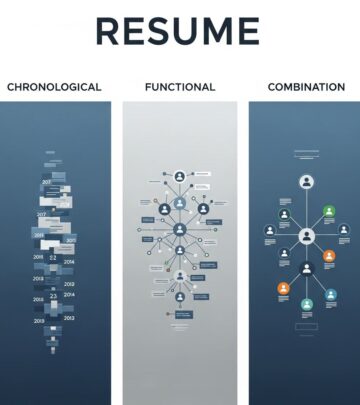
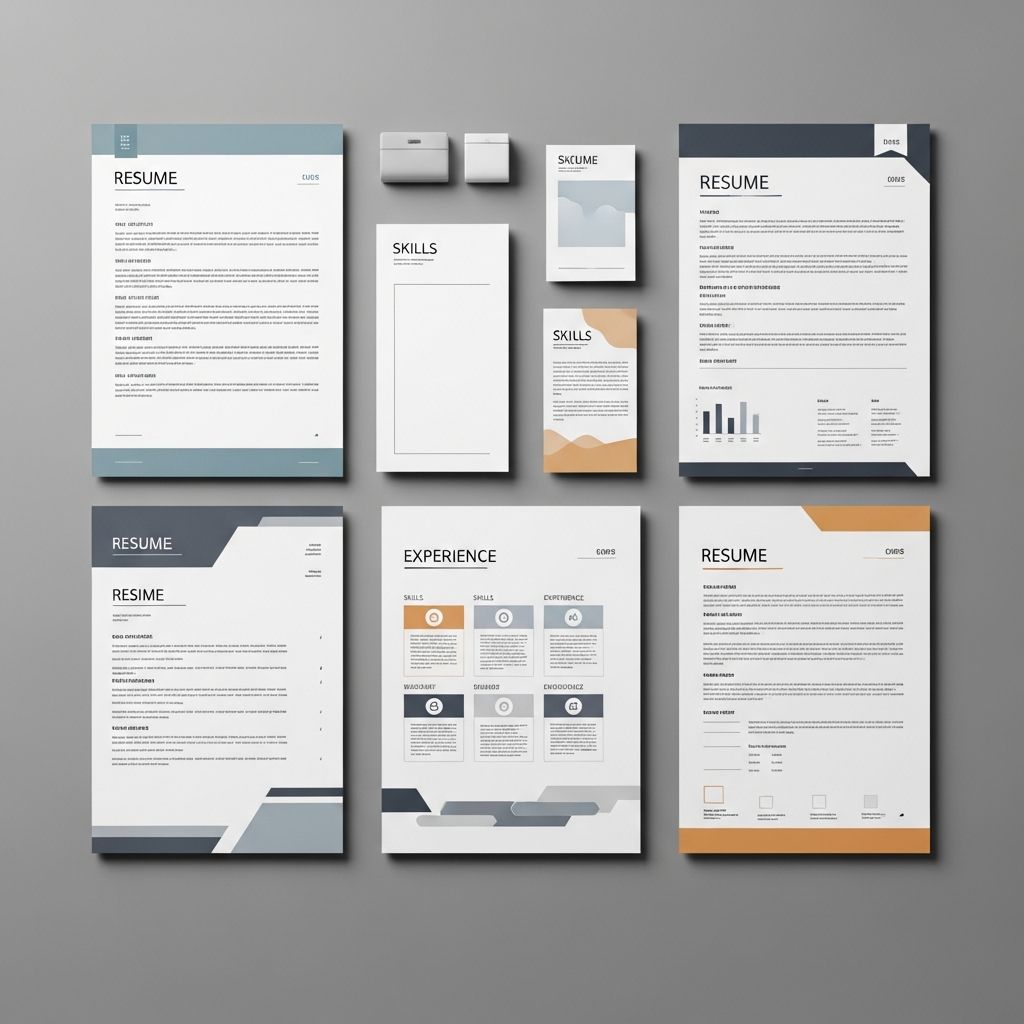
The resume landscape has evolved significantly, with five modern formats now dominating professional job searches. Each format serves different purposes and works better for specific career situations, industries, and experience levels.
1. Enhanced Chronological Format
The Enhanced Chronological Format represents the evolution of the traditional reverse-chronological resume. This format maintains the familiar timeline structure that recruiters appreciate while incorporating strategic elements that optimize it for modern hiring processes. It lists your work history starting with your most recent job, emphasizing achievements and metrics relevant to your target position.
Best for: Professionals with consistent career progression, stable employment history, and traditional industry backgrounds. This format works particularly well for candidates in finance, law, and healthcare sectors.
Key features:
- Reverse-chronological work history with most recent positions listed first
- Strong emphasis on quantifiable achievements and results
- Strategic use of keywords relevant to the target job
- Clear presentation of career progression and growth
- Integration of metrics throughout the professional experience section
2. Strategic Hybrid Format
The Strategic Hybrid Format addresses a core challenge many professionals face: how to showcase both valuable skills and relevant experience in a balanced way. This format gives equal weight to skills and work experience, typically leading with a robust skills section followed by a chronological work history.
Best for: Career changers, professionals re-entering the workforce, and those with diverse skill sets. This format is increasingly popular among candidates applying to innovative companies and startups.
Key features:
- Balanced emphasis on skills and experience
- Prominent skills section highlighting transferable abilities
- Chronological work history providing context and validation
- Clear connection between skills and professional achievements
- Flexibility to highlight non-traditional experience
3. ATS-Optimized Format
As technology plays an increasingly important role in recruitment, the ATS-Optimized Format has become essential for job seekers navigating modern hiring processes. This format prioritizes compatibility with applicant tracking systems while maintaining readability for human reviewers.
Best for: Any candidate applying through online job boards or large corporations that use automated screening systems. This format is particularly important for competitive positions with high application volumes.
Key features:
- Simple, clean formatting without graphics or special characters
- Strategic keyword placement matching job descriptions
- Standard fonts and traditional structure for easy parsing
- Clear section headings and logical organization
- Bullet points formatted for optimal ATS readability
4. Visual-Strategic Format
The Visual-Strategic Format balances design aesthetics with strategic content organization, making it ideal for creative professionals. This format incorporates thoughtful design elements while maintaining ATS compatibility and professional standards.
Best for: Creative professionals including designers, marketers, photographers, and other roles where visual presentation matters. Industries like advertising, design, media, and entertainment particularly appreciate this format.
Key features:
- Strategic use of color and visual hierarchy
- Professional design elements that enhance readability
- Balanced layout that combines aesthetics with functionality
- Visual representation of skills or achievements when appropriate
- Maintained ATS compatibility despite design elements
5. Skills-Based Hybrid Format
The Skills-Based Hybrid Format has emerged as a powerful option for professionals in technical fields and specialized roles where specific capabilities matter more than chronological experience. This format leads with detailed, categorized skills sections followed by supporting work experience.
Best for: Technical professionals, software developers, data scientists, and engineers. This format is also valuable for specialists with highly technical expertise or those in rapidly evolving fields.
Key features:
- Comprehensive skills sections organized by category
- Technical proficiencies with proficiency levels indicated
- Work history reinforcing and validating claimed skills
- Emphasis on continuous learning and skill development
- Clear demonstration of technical expertise and capabilities
Choosing the Right Resume Format for Your Situation
Selecting the appropriate resume format depends on several factors including your career stage, industry, employment history, and the specific position you’re pursuing. Consider these guidelines when making your decision:
Industry Expectations: Traditional sectors like finance, law, and healthcare generally prefer the Enhanced Chronological Format. Creative industries typically value the Visual-Strategic Format. Technical fields like IT, engineering, and data science often respond well to the Skills-Based Hybrid Format. Fast-growing startups and innovative companies often appreciate the Strategic Hybrid Format.
Career Situation: If you have consistent career progression and stable employment, the Enhanced Chronological Format works well. If you’re changing careers or have employment gaps, the Strategic Hybrid or Functional Format highlights your transferable skills. If you’re a recent graduate or have limited work experience, consider moving your education section higher and focusing on relevant coursework, honors, and academic projects.
Essential Resume Sections and Organization
Regardless of which format you choose, your resume should include several key sections organized strategically:
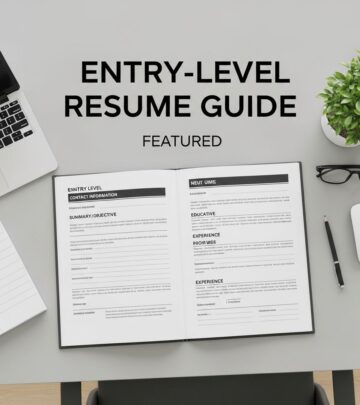
Contact Information
Place your name, phone number, email address, and city/state at the top of your resume. Include a link to your professional website or LinkedIn profile if relevant. Ensure your email address is professional and your voicemail greeting is appropriate for business calls.
Professional Summary or Objective
A brief 2-3 line summary highlighting your most relevant qualifications and career goals. This section should be tailored to each position and should immediately convey why you’re an excellent fit for the role.
Work Experience
List your work experience starting with your most recent job. For each position include your job title, employer name, location, and dates of employment. Use bullet points to describe your responsibilities and accomplishments, emphasizing measurable results and relevant achievements. Quantify your work experience bullet points to demonstrate accomplishments and success, such as “Cut costs by 23% in Q1 of 2025.”
Skills Section
Clearly list any technical skills you have that align with the job description. Organize skills by category such as technical skills, software proficiency, languages, or specialized abilities. Include proficiency levels when relevant, particularly for technical skills.
Education
Include your highest degree first, along with the institution’s name, location, and graduation date. If you’re a recent graduate, you might also want to move this section higher up on your resume and include relevant coursework, honors, or activities.
Resume Formatting Tips for Success
Beyond choosing the right format, several formatting principles can enhance your resume’s effectiveness:
Use ATS-Friendly Templates
Pick an ATS-friendly resume template to ensure your resume passes through automated screening systems. Avoid overly complex designs, graphics, or unusual fonts that may not parse correctly in applicant tracking systems.
Optimize Your Work History
Limit your work history to three to four of your most relevant jobs. If you lack experience, discuss academic or personal projects instead. Focus on positions that directly relate to the role you’re pursuing rather than listing every job you’ve ever held.
Quantify Your Achievements
Use specific metrics and numbers to demonstrate your impact. Instead of “Improved sales performance,” write “Increased quarterly sales by 35% through implementation of new client retention strategies.” Quantifiable results provide concrete evidence of your abilities and accomplishments.
Maintain Clean Formatting
Use consistent formatting throughout your resume with clear headings, appropriate white space, and logical organization. Choose readable fonts like Arial, Calibri, or Times New Roman in 10-12 point size. Maintain consistent bullet point styles and spacing between sections.
Tailor for Each Position
Customize your resume for each job application by emphasizing skills and experience most relevant to the specific position. Mirror language from the job description to improve ATS compatibility and show hiring managers that you understand the role’s requirements.
Common Resume Examples by Industry
Different industries and job titles have unique expectations for resume formatting and content. Here are examples of how to approach resumes for various professions:
Administrative Roles
Administrative assistant resumes should showcase administrative and clerical knowledge throughout the resume summary, work history, and skills sections. Emphasize organizational abilities, multitasking capabilities, and proficiency with office software.
Healthcare Positions
Healthcare resumes should emphasize patient care skills, clinical expertise, and compassionate approach to healthcare. Include relevant certifications, licenses, and specialized medical knowledge. For CNAs, highlight patient care experience and clinical competencies.
Technical and IT Roles
IT resumes should highlight technical skills, problem-solving abilities, and knowledge of updating software and hardware. Include specific programming languages, software platforms, and technical certifications. Emphasize your ability to solve complex technical problems and implement solutions.
Management Positions
Management resumes should cover transferable leadership and organizational skills. Whether you have previous management experience or you’re looking for a promotion, emphasize your ability to lead teams, manage projects, and achieve organizational goals.
Creative and Media Roles
Creative professionals including designers, writers, producers, and video editors should showcase their portfolio work and creative achievements. Use the Visual-Strategic Format when appropriate to demonstrate design skills and aesthetic sensibility.
Mistakes to Avoid When Formatting Your Resume
Several common formatting mistakes can undermine your resume’s effectiveness:
- Inconsistent formatting: Maintain consistent font sizes, spacing, and styling throughout your resume
- Too much information: Keep your resume to one page if you have less than five years of experience, two pages maximum for more experienced professionals
- Poor organization: Use clear headings and logical section ordering to make your resume easy to scan
- Weak action verbs: Start bullet points with strong action verbs like “developed,” “implemented,” or “achieved” rather than passive language
- Spelling and grammar errors: Proofread carefully and use spell-check tools to eliminate mistakes
- Outdated information: Remove irrelevant old positions and keep your resume current
- Graphics and complex design: Avoid excessive graphics, colored text, or unusual formatting that may not work in ATS systems
Frequently Asked Questions About Resume Formats
Q: How long should my resume be?
A: Most resumes should be one page for candidates with less than five years of experience and no more than two pages for more experienced professionals. Some specialized fields may allow for longer formats, but brevity is generally preferred as it forces you to highlight only your most important qualifications.
Q: Should I use a resume template?
A: Yes, using a professional resume template is highly recommended. Templates ensure consistent formatting, proper organization, and ATS compatibility. Many free, high-quality templates are available online that balance professional appearance with functionality.
Q: How do I make my resume ATS-friendly?
A: Use standard fonts, avoid graphics and special characters, include relevant keywords from the job description, use clear section headings, and format bullet points simply. Save your resume as a PDF or Word document and test it by submitting to an ATS scanner if possible.
Q: Should I include a cover letter with my resume?
A: While not always required, cover letters can provide valuable context about your qualifications and genuine interest in the position. Include one when specifically requested in the job posting or when applying directly to a hiring manager or recruiter.
Q: How often should I update my resume?
A: Update your resume as significant accomplishments, new skills, or job changes occur. At minimum, review and refresh your resume every six months to ensure it accurately reflects your current qualifications and achievements.
Q: What font should I use for my resume?
A: Use professional, readable fonts such as Arial, Calibri, Helvetica, or Times New Roman in 10-12 point size. Avoid decorative or unusual fonts that may not display properly in ATS systems or appear unprofessional to hiring managers.
Q: Should I include references on my resume?
A: No, you do not need to include references on your resume. Instead, prepare a separate reference list and provide it only when specifically requested by an employer. Having “References available upon request” is optional and generally understood.
Final Recommendations for Resume Success
Creating an effective resume requires thoughtful consideration of format, content, and presentation. Start by understanding the requirements of your target position and industry, then select the resume format that best showcases your qualifications. Remember that your resume is a marketing document designed to secure an interview, not a comprehensive autobiography of your career.
Invest time in tailoring your resume for each position, quantifying your achievements, and maintaining professional formatting. Keep your resume concise and focused, highlighting only your most relevant and impressive qualifications. Finally, proofread thoroughly and consider having others review your resume for clarity and effectiveness before submitting it to employers.
By following these guidelines and selecting the right resume format for your situation, you’ll create a compelling document that increases your chances of landing interviews and advancing your career goals in 2025 and beyond.
References
- Free Resume Examples by Job Title for 2025 — BeamJobs. 2025. https://www.beamjobs.com/resume-examples
- The Best Resume Format for 2025 (Templates & Examples) — Resume Genius. 2025. https://resumegenius.com/blog/resume-help/resume-format
- 1000+ Professional Resume Examples for 2025 — Job Hero. 2025. https://www.jobhero.com
- 5 Resume Formats That Will Dominate 2025 — The Interview Guys. 2025. https://blog.theinterviewguys.com/5-resume-formats-that-will-dominate/
- Create a Strong Resume — Harvard University Mignone Center for Career Success. 2025. https://careerservices.fas.harvard.edu/resources/create-a-strong-resume/
Similar Articles








Read full bio of medha deb