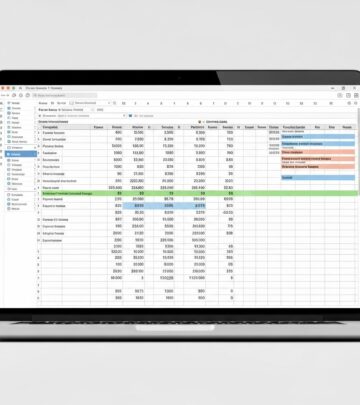
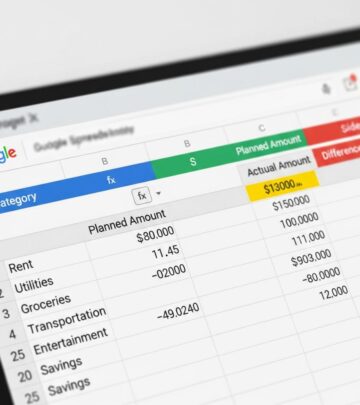
PearBudget: Free Budget Spreadsheet for Money Management
Master your finances with PearBudget's simple, free budget spreadsheet solution.

PearBudget: The Simple Solution to Budget Spreadsheet Management
Managing personal finances can be overwhelming, especially when you’re juggling multiple expense categories, income sources, and financial goals. Many people turn to complex financial software or hire professional advisors to help organize their money, but there’s a simpler solution available: PearBudget. This comprehensive household finance management spreadsheet offers an intuitive approach to budgeting that doesn’t require downloading software or understanding complex financial terminology. Whether you’re new to budgeting or a seasoned financial manager, PearBudget provides the tools you need to understand where your money goes each month and make informed decisions about your spending habits.
What Is PearBudget?
PearBudget is a free, easy-to-use budgeting program designed to help you track where your money is going. Created by Charlie Park, PearBudget started as a simple spreadsheet that has since been downloaded over 100,000 times. The tool is available in two formats: a downloadable spreadsheet template and an online web-based application. Unlike complex financial software such as Quicken or Microsoft Money, PearBudget maintains simplicity while still offering a comprehensive suite of tools that anyone can manage without extensive financial knowledge or technical expertise.
The spreadsheet version works seamlessly with Microsoft Excel, Google Sheets, and OpenOffice, making it accessible to virtually anyone with basic computer skills. The online version offers enhanced functionality, including mobile app compatibility and automatic synchronization across devices. What truly sets PearBudget apart is its focus on simplicity and ease of use, eliminating the steep learning curve associated with traditional personal finance software.
Key Features and Benefits of PearBudget
Straightforward Setup Process
One of PearBudget’s greatest strengths is how quickly you can get started. The setup process involves just three simple steps. First, you select your spending categories that match your lifestyle and financial obligations. The spreadsheet comes with suggested budgeting areas including regular expenses, irregular expenses, and variable expenses, which you can customize to reflect your actual financial situation. Whether you need categories for rent, groceries, utilities, entertainment, or healthcare, PearBudget allows you to modify these categories with ease. Simply click on any cell and type in the category you want to add or remove.
Envelope Budgeting System
PearBudget utilizes the envelope budgeting method, a proven technique that helps control spending and prevent overspending. With this system, you create your “envelopes” and assign money at the beginning of the month. As you record deductions throughout the month, the spreadsheet automatically deducts the amount from your envelope and shows what is left at a quick glance. This visual representation of remaining budget helps you make better spending decisions in real-time. The system even automatically generates a “spending report” for month-to-month comparison, allowing you to identify spending patterns and trends over time.
Automatic Calculations and Reporting
PearBudget eliminates manual calculations by automating percentage changes and spending goal tracking. The spreadsheet performs all mathematical computations automatically, meaning you don’t need to understand complex formulas or programming. Every transaction is automatically tracked, and the system calculates totals, differences between budgeted and actual spending, and remaining balances without requiring any effort on your part. This automation saves significant time each week and reduces the likelihood of calculation errors.
Multi-Currency Support
For individuals who work with multiple currencies or send funds internationally, PearBudget offers a valuable feature: the ability to enter and manage multiple currency types. This capability is particularly useful if you accept payments in different currencies or regularly send money to family members abroad. Unlike many other budgeting tools that assume a single currency, PearBudget recognizes the global nature of modern finances.
Mobile Application Integration
The online version of PearBudget includes a mobile app that makes it easy to upload and input expenses on-the-go. Rather than waiting until you’re at a computer to record transactions, you can enter expenses immediately after making purchases. The app syncs with your online sheets automatically, creating a streamlined experience that keeps your budget current and accurate. This real-time tracking helps prevent the common budgeting pitfall of forgetting transactions and having to reconstruct spending at month’s end.
How to Use PearBudget Effectively
Step 1: Identify Your Spending Categories
Begin by reviewing your financial habits and identifying all expense categories relevant to your life. Common categories include housing, transportation, food, utilities, insurance, entertainment, personal care, and debt payments. The beauty of PearBudget is flexibility—there are no required categories. You determine what matters for your budget. If you have unique expenses like pet care, hobbies, or educational costs, add them to your spreadsheet.
Step 2: Determine Monthly Budget Amounts
For each category, decide how much money you want to budget for that month. If you’re unsure about appropriate amounts, review your historical spending from previous months or years. For irregular expenses, divide the annual cost by 12 to determine a monthly budget. For example, if you plan to spend $1,200 on Christmas gifts, budget $100 per month throughout the year, and you’ll be fully prepared when the holiday arrives. This approach prevents the financial stress of unexpected large expenses.
Step 3: Record Your Expenses
As you spend money throughout the month, record each transaction in the appropriate category. If you’re using the spreadsheet version, dedicate 5 to 10 minutes each week to entering expenses. This regular, small time commitment prevents receipts from stacking up and makes the process manageable. The online version with mobile app integration can dramatically reduce this burden by allowing real-time entry.
Step 4: Review Monthly Analysis
At month’s end, review the “Analysis” page to understand how your actual spending compared to your budget. The analysis shows which categories you overspent, which ones came under budget, and where you can make adjustments for future months. This regular review builds financial awareness and helps you identify spending patterns you may not have noticed otherwise.
Pricing and Plans
Spreadsheet Version
The downloadable PearBudget spreadsheet is completely free to download and use indefinitely. Once you download the file, there are no ongoing costs or subscription fees. This makes it an excellent choice for budget-conscious individuals or those who want to try budgeting before committing to paid software.
Online Version
PearBudget offers a free 30-day trial of its online application with no credit card required. After the trial period, the online version costs $8.99 per month or approximately $49.50 per year if paid annually. This pricing is competitive compared to other budgeting tools—many people pay more for a single meal than they do for a month of PearBudget service. The company confidently asserts that most users save 10 to 100 times the subscription cost each month when actively using the tool, and they even offer a money-back guarantee if you’re unsatisfied.
Previous Pricing Note
Some sources reference older pricing of approximately $5 per month or $4.95 monthly for the online version, but the current pricing is $8.99 monthly, reflecting feature enhancements and platform improvements over time.
PearBudget vs. Other Budgeting Tools
| Tool | Price | Format | Key Advantage |
|---|---|---|---|
| PearBudget Spreadsheet | Free | Excel/Google Sheets | Zero cost, simple setup |
| PearBudget Online | $8.99/month | Web-based + mobile | Automatic syncing, mobile app |
| Google Sheets Templates | Free | Cloud-based | Easy family sharing, free storage |
| Tiller Money | $6.58/month | Automated spreadsheets | Automatic transaction import |
| Vertex42 | Free | Excel/Google Sheets | Multiple template options |
Limitations and Considerations
Category Limitations in Spreadsheet Version
The PearBudget spreadsheet is designed to work with a maximum of 30 categories, and adding beyond this limit becomes increasingly difficult. If you have an unusually complex financial situation requiring more than 30 categories, the online version offers unlimited categories, making it a better choice for those with diverse spending needs.
Spreadsheet Software Compatibility
While PearBudget works with Excel, Google Sheets, and OpenOffice, some advanced features may not function optimally across all platforms. For instance, certain features such as red triangles that indicate specific conditions may not work properly in Google Docs, and some formatting might appear unusual depending on the platform used.
Manual Data Entry
Unlike some premium budgeting tools, PearBudget’s spreadsheet version requires manual entry of transactions. There is no automatic bank account connectivity to import transactions automatically. This means you need to actively record each expense, which requires discipline and regular attention to your budget. However, the online version does offer manual receipt entry and planning features without automatic bank connections, respecting user privacy.
Privacy and Security
An important distinction of the online PearBudget tool is that it does not access your bank accounts directly. Your data remains in your control, and the platform focuses on privacy protection. You maintain complete visibility and management of all information entered, and no automatic account connections mean reduced security risks associated with providing financial institution credentials to third-party services.
Who Should Use PearBudget?
PearBudget is ideal for several types of users. Individuals new to budgeting appreciate the simplicity and lack of overwhelming features. People on tight budgets value the free spreadsheet version with no subscription cost. Those managing household finances with multiple people benefit from the easy sharing capabilities, especially with Google Sheets integration that allows family members to access and update the budget collaboratively. International workers and digital nomads appreciate multi-currency support, and anyone seeking privacy and control over their financial data values the non-intrusive approach.
Getting Started with PearBudget Today
To begin using PearBudget, visit the official website and choose between the free spreadsheet download or the 30-day free trial of the online version. The spreadsheet is immediately usable without creating an account, while the online version requires email registration. Both options come with “getting started” resources to guide you through the initial setup process. Within minutes, you can have your budget framework established and ready for use.
Frequently Asked Questions
Q: Is PearBudget completely free?
A: The spreadsheet version is completely free to download and use indefinitely with no subscription costs. The online version offers a 30-day free trial, after which it costs $8.99 per month or $49.50 annually.
Q: Can I use PearBudget with Google Sheets?
A: Yes, the PearBudget spreadsheet works with Google Sheets, Microsoft Excel, and OpenOffice. You can upload the downloaded file to Google Drive and edit it there, with the added benefit of easy sharing with family members.
Q: How much time does PearBudget take to maintain?
A: Maintaining your PearBudget takes approximately 5 to 10 minutes per week if you don’t let receipts accumulate. Regular, small time commitments are more manageable than trying to catch up on months of transactions at once.
Q: What is the envelope budgeting method?
A: Envelope budgeting is a system where you allocate specific amounts to different spending categories (envelopes) at the start of each month. As you spend, money is deducted from each envelope, helping you stay within your predetermined limits.
Q: Can I share PearBudget with my spouse?
A: Yes, the online version and Google Sheets versions allow easy sharing with other family members. You can invite them to view and edit the budget collaboratively, making budgeting a joint effort.
Q: Does PearBudget connect to my bank account?
A: No, PearBudget does not automatically connect to bank accounts. The online version maintains privacy by allowing only manual receipt entry and planning features without automatic bank connectivity.
Q: How many categories can I have in PearBudget?
A: The spreadsheet version supports up to 30 categories comfortably, with difficulty adding more beyond that point. The online version offers unlimited categories for more complex financial situations.
Conclusion
PearBudget represents an excellent entry point into personal budgeting, offering simplicity, affordability, and effectiveness in a single package. Whether you choose the completely free spreadsheet version or invest in the online application with mobile integration, you gain access to proven budgeting methodology without overwhelming complexity. The envelope system, automatic calculations, and straightforward design help you develop genuine awareness of your spending patterns while maintaining control over your financial data. For anyone looking to take charge of their finances without expensive software or complicated interfaces, PearBudget delivers real value and practical tools for financial success.
References
- The Best Free or Low-Cost Budget Spreadsheets for 2025 — Benzinga. 2025. https://www.benzinga.com/money/best-budget-spreadsheets
- PearBudget 3.1 — PearBudget Official. https://pearbudget.com/PearBudget.xls
- PearBudget: Really Simple Budgeting — PearBudget Official. https://pearbudget.com
- The 9 Best Budgeting Spreadsheets and Money Management Apps — Earnin. https://www.earnin.com/blog/best-budgeting-spreadsheets
Similar Articles








Read full bio of medha deb