Mobile Check Deposit Guide: 6 Pro Tips For Flawless Deposits
Unlock the convenience of depositing checks instantly from your phone with secure, anytime banking solutions.
Mobile Check Deposit Guide
Mobile check deposit allows users to deposit checks into their bank accounts using a smartphone or tablet camera via a banking app, eliminating the need for physical bank visits.
Understanding Remote Check Depositing
Remote check depositing, often called mobile deposit, leverages digital imaging technology to capture check details. Users photograph the front and back of a check, which the bank then processes electronically. This method has gained popularity, with 63% of U.S. bank account holders using mobile banking in 2024, reflecting a shift toward digital financial services.
The process integrates seamlessly with mobile banking platforms, making it accessible for individuals and businesses handling paper checks. Banks convert these images into electronic files for clearing through systems like the Federal Reserve or Clearing House Interbank Payments System (CHIPS).
Step-by-Step Process for Depositing Checks via App
To deposit a check remotely:
- Log into your bank’s mobile app using secure credentials.
- Select the mobile deposit or check deposit option.
- Endorse the check physically by signing it and writing “For Mobile Deposit Only” if required.
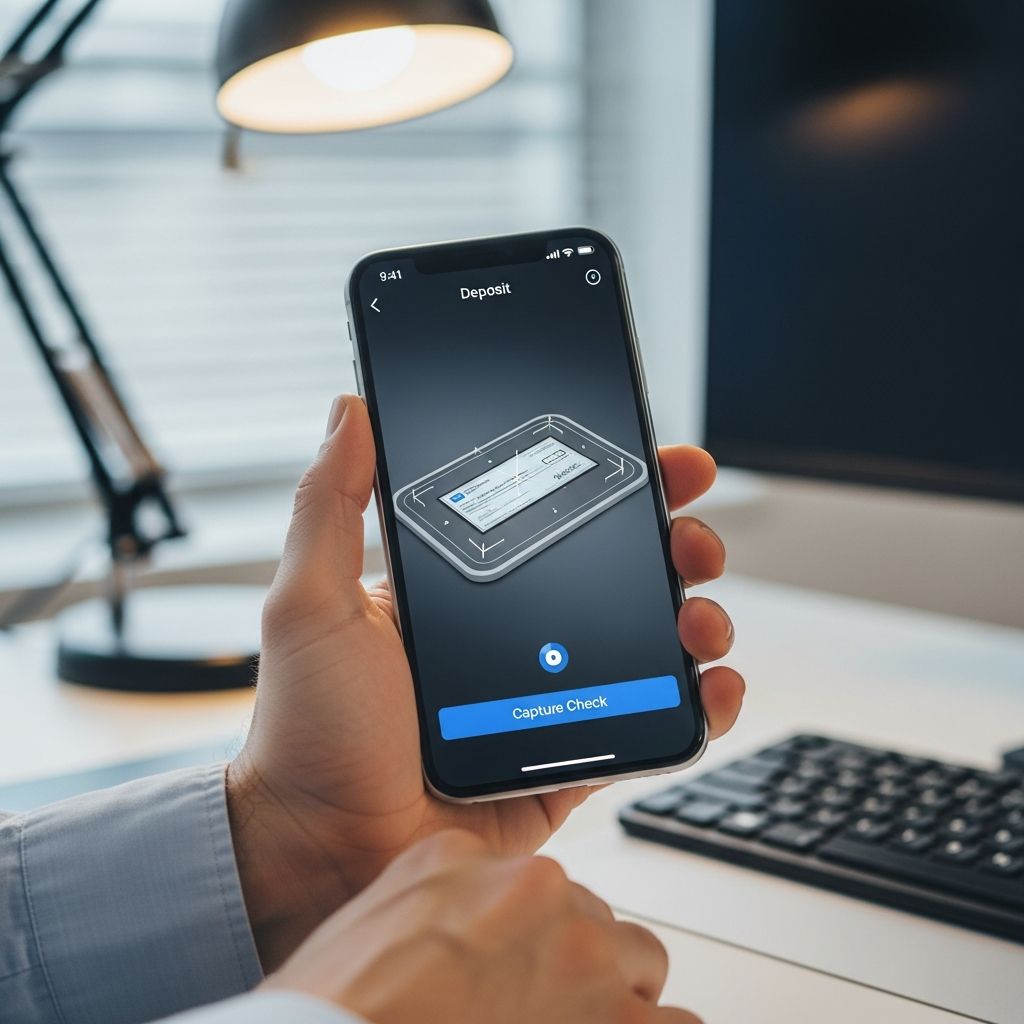
- Capture clear photos of the front and back; the app guides alignment and focus.
- Enter the check amount and account details.
- Review and submit; receive instant confirmation.
Funds typically become available within one to two business days, though some banks offer immediate access for smaller amounts under their policies.
Key Advantages of Digital Check Deposits
Mobile deposits offer transformative benefits for modern banking:
- Anytime Accessibility: Deposit checks 24/7 from anywhere, ideal for travelers or those with irregular schedules.
- Time Savings: Skip branch lines, ATMs, or mailing checks, freeing up hours weekly.
- Cost Efficiency: Reduce fuel, parking, or courier expenses, especially for businesses processing high volumes.
- Digital Tracking: Apps generate timestamped records with check images for easy reconciliation and audits.
- Interest Acceleration: Funds enter accounts faster, starting interest accrual sooner on eligible accounts.
| Traditional Deposit | Mobile Deposit |
|---|---|
| Requires branch/ATM visit | Phone-based, location-independent |
| Business hours only | 24/7 availability |
| Manual slips needed | App-guided, automated |
| No instant records | Digital trail with images |
Robust Security Measures Protecting Your Deposits
Banks prioritize security in mobile deposit features. Data encryption scrambles check images and account details during transmission, rendering them indecipherable to interceptors.
Multifactor authentication (MFA) is standard, requiring biometrics, PINs, or one-time codes beyond passwords. Fraud detection systems monitor for anomalies like duplicate deposits or unusual patterns, triggering alerts or holds.
Each transaction creates an audit trail with timestamps and images. Device-level protections, such as biometric locks and remote wipe, add layers if a phone is lost. Businesses can assign user permissions to limit access.
Common Limitations and Hold Policies
Despite conveniences, restrictions apply:
- Daily/Per-Check Limits: Often $5,000 daily or $2,500 per check, varying by bank and account history.
- Fund Availability: Next-day access common, but new accounts or large checks may face 2-7 day holds per Regulation CC.
- Cutoff Times: Deposits after 5 p.m. or on non-business days process next day, delaying availability.
- Eligible Checks: Personal, payroll, or government checks accepted; exclude third-party or damaged ones.
Overdrafts or fraud flags can extend holds. Always verify your bank’s specific rules via app or customer service.
Pro Tips for Flawless Mobile Deposits
Maximize success with these practices:
- Ensure good lighting and steady hands for sharp images; use app overlays for positioning.
- Endorse correctly and double-check amounts to avoid rejections.
- Deposit promptly to minimize loss/theft risks and speed fund access.
- Keep physical checks until confirmation of clearance, typically 30 days.
- Update your app and OS for latest security patches.
- Opt for direct deposit for recurring payments to bypass checks entirely.
Business Applications and Scalability
For companies, mobile deposit streamlines accounts receivable. Teams deposit vendor payments remotely, reducing administrative burdens. High-volume users benefit from lower processing costs versus lockbox services. Integration with accounting software enhances record-keeping, aiding cash flow management.
Scalable permissions allow role-based access, ensuring compliance. As check usage declines, this feature bridges traditional and digital payments effectively.
Comparing Mobile Deposit Across Major Banks
| Bank | Daily Limit | Hold Time | Unique Feature |
|---|---|---|---|
| Chase | $2,000 (new), up to $25,000 | 1-2 days | QuickPay integration |
| Citi | Varies by account | Next business day | Image review tool |
| General | $5,000 avg | 1-5 days | MFA standard |
Frequently Asked Questions
What if my mobile deposit is rejected?
Common reasons include blurry images, incorrect amounts, or exceeded limits. Resubmit with better photos or contact support.
Is mobile deposit free?
Most banks offer it at no cost, though premium accounts may have higher limits.
How long to get funds?
Provisional credit often same day; full availability 1-2 business days.
Can I deposit international checks?
Typically no, due to clearing complexities; confirm with your bank.
What about joint accounts?
Authorized users can deposit if permissions are set.
Evolving Role in Digital Banking Landscape
Mobile deposit exemplifies banking’s digital evolution, complementing ACH, wires, and peer-to-peer apps. While checks diminish, this tool ensures smooth transitions, saving time and reducing errors. Future enhancements may include AI image validation and instant clearances.
Adopt it confidently with best practices for secure, efficient fund management.
References
- What is a mobile check deposit? Here’s what you need to know — Stripe. 2024. https://stripe.com/resources/more/what-is-a-mobile-check-deposit-here-is-what-you-need-to-know
- What are the Advantages of Mobile Deposit? — Belco Community Credit Union. 2020-10-08. https://belco.org/advantages-of-mobile-deposit/
- Pros and Cons of Mobile Check Deposit — Spero Financial. N/A. https://spero.financial/the-benefits-of-mobile-check-deposit/
- Mobile Check Deposit & Tips to Ensure Smooth Transactions — MyFirst Bank. N/A. https://www.myfirst.bank/articles/mobile-check-deposit-and-tips-to-ensure-smooth-transactions
- Pros and Cons of Mobile Check Deposit — Consumer Reports. 2014. https://www.consumerreports.org/cro/magazine/2014/10/pros-and-cons-of-mobile-check-deposit/index.htm
- What Is Mobile Check Deposit? — Citi. N/A. https://www.citi.com/banking/personal-banking-guide/basic-finance/what-is-mobile-check-deposit
Similar Articles








Read full bio of medha deb