McDonald’s App Mobile Ordering: Smart Savings And Faster Pickup
Unlock savings and convenience with McDonald's mobile app: order ahead, earn rewards, and skip the lines at your favorite locations.
The McDonald’s mobile app has transformed how millions order their favorite fast food, combining convenience, exclusive deals, and rewards to help you spend less while enjoying more. Available nationwide, this free app lets you order ahead, pay digitally, and pick up without waiting in line—perfect for busy lifestyles. But beyond speed, it’s a powerful tool for savings if used strategically.
How the McDonald’s Mobile App Works
Downloading the McDonald’s app from the App Store or Google Play is your first step to unlocking its features. Once installed, create an account or log in with your email. The intuitive interface shows nearby locations, menus, and personalized deals based on your past orders.
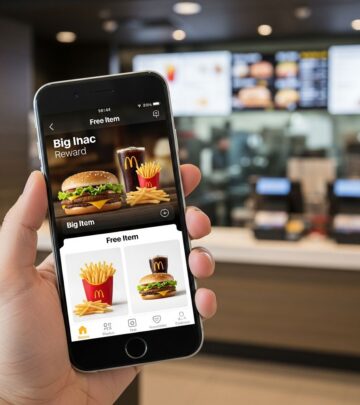
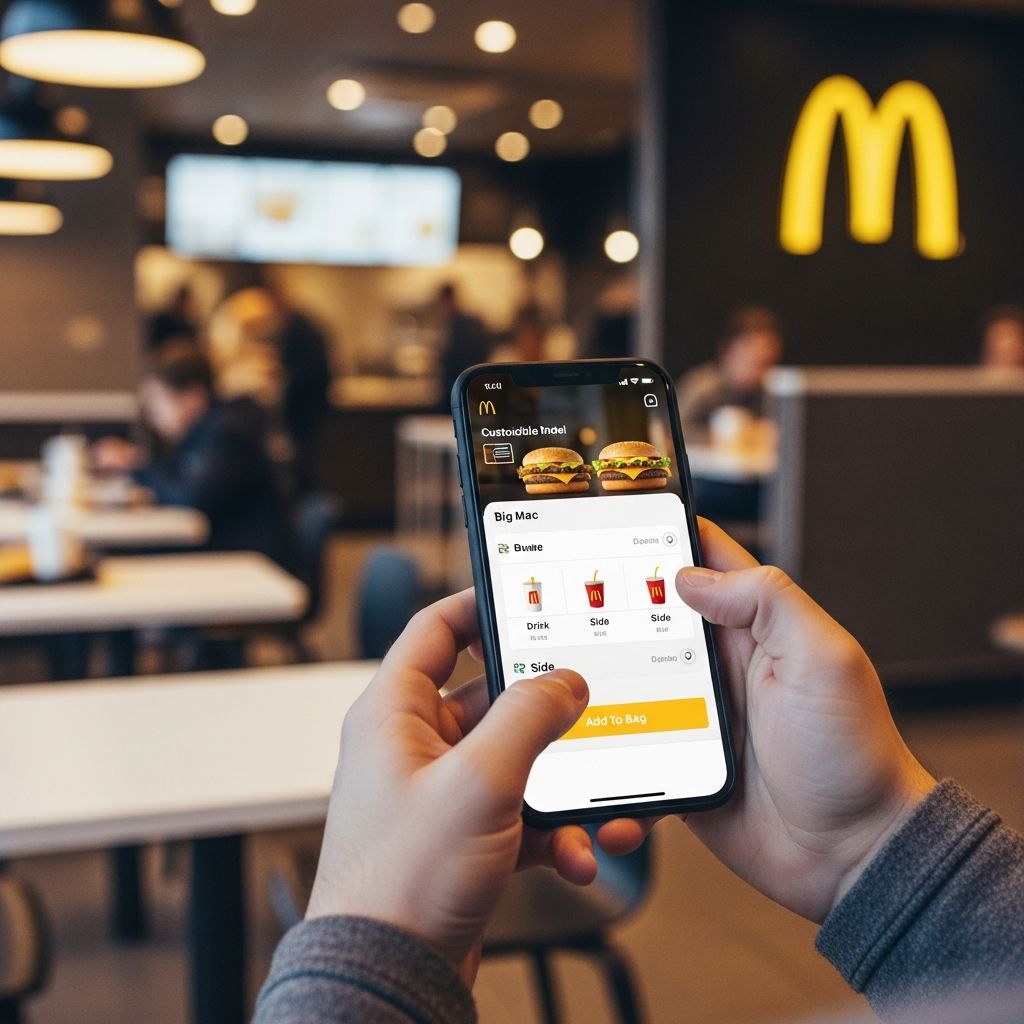
Mobile ordering is simple: browse the digital menu, customize your Big Mac or McNuggets, add to cart, and checkout with Apple Pay, Google Pay, or card. Select ‘Curbside’, ‘Drive-Thru’, or ‘In-Store’ pickup. The app notifies the restaurant of your arrival via geolocation, ensuring your food is ready.
- Key Features: Order ahead to skip lines, track order status in real-time, and access McDelivery via Uber Eats integration.
- Rewards Program: Earn 100 points per $1 spent; redeem for free items like fries or McFlurries at 1500 points.
- Deals Section: Daily offers like Buy One Get One Free sandwiches, valid only via app.
Since its nationwide rollout post-2017 pilots, the app has driven massive adoption, with over 40 million active users by recent estimates, boosting order accuracy and reducing wait times by up to 30%.
Setting Up Your McDonald’s App Account
Getting started takes under 2 minutes. Open the app, tap ‘Sign Up’, enter your phone number for verification, and set a PIN. Link payment methods for seamless checkout. Enable location services for ‘Order Ahead’ and nearby deals.
Pro Tip: Join MyMcDonald’s Rewards immediately—it’s free and links your spending history for tailored suggestions, like upsell alerts for your usual coffee add-ons.
| Step | Action | Time Saved |
|---|---|---|
| 1 | Download & Sign Up | 1 minute |
| 2 | Add Payment & Location | 30 seconds |
| 3 | First Order Placed | Skip 5-10 min line |
This setup mirrors successes at Starbucks, where app users now comprise 25% of transactions, proving digital ordering’s efficiency.
Finding and Using McDonald’s App Deals to Save Big
The app’s ‘Deals’ tab is a goldmine for penny pinchers. Offers rotate daily, like $1 Large Fries or free hashbrowns with breakfast. Tap to ‘Clip’ a deal—it auto-applies at checkout, no codes needed.
Common Deals Include:
- Free Medium Fries with $1+ purchase (every Friday).
- Buy One Get One 50% off McDoubles.
- $2.99 Any Big Mac or Quarter Pounder meal.
- Exclusive app-only: Free Apple Pie with $5 spend.
Users report saving 20-40% per visit by stacking deals with rewards. For families, multi-item BOGO offers cut costs on Happy Meals or nuggets. Avoid the pitfall: App menus tempt upsells like ‘Add a McFlurry for $1’—stick to your list.
Earning Free Food with McDonald’s Rewards
MyMcDonald’s Rewards is the app’s loyalty powerhouse. Points accrue automatically: 100 per dollar on food, drinks, and exclusives (50 on shipping/tax). Silver status starts at signup; Gold at 2500 points unlocks higher redemptions.
Redemption Tiers:
| Points | Reward Examples |
|---|---|
| 1500 | Free Medium Fries, Apple Pie, or McChicken |
| 4000 | Free Big Mac, Quarter Pounder, or 40-pc Nuggets |
| 6000 | Free Breakfast Meal or $10 value |
Birthday freebies (e.g., free medium fries) add extra perks. Unlike physical receipts, app tracks everything digitally—no lost tickets. Starbucks’ model inspired this, holding billions in customer funds via app.
Step-by-Step Guide to Mobile Ordering
- Select Location: App auto-detects; choose ‘Mobile Order’ lane.
- Build Order: Customize (e.g., no pickles), clip deals.
- Pay & Confirm: Secure checkout; get QR code or order number.
- Pickup: Park in labeled spot; show code. Food arrives hot.
Pro Hacks: Order during off-peak (10-11 AM) for fewer errors. Use ‘Curbside’ at busy spots to save gas.
Tips to Avoid Overspending with the App
Convenience can lead to extras—data shows app users spend 10-15% more due to easy add-ons. Counter this:
- Pre-Plan Orders: Screenshot your usual combo.
- Disable Upsells: Ignore ‘Recommended’ items.
- Set Budget Alerts: App shows total before checkout.
- Rewards Only: Redeem points before splurging.
Track via ‘Order History’ to analyze habits. Many save $5-10 weekly by focusing on deals.
McDonald’s App vs. Drive-Thru: Cost and Time Comparison
| Method | Avg. Wait Time | Deals Access | Avg. Savings |
|---|---|---|---|
| App Mobile Order | 2-5 min | Exclusive | $3-7/visit |
| Drive-Thru | 8-15 min | Limited | $1-2 |
| In-Person | 10-20 min | Menu Only | $0 |
App wins for value: faster, cheaper, accurate.
Common App Issues and Fixes
- No Deals Showing? Update app, clear cache, check location.
- Order Not Ready? Confirm via notifications; busy times add 2-3 min.
- Points Missing? Contact support via app chat—resolves 90% cases.
App ratings hover at 4.8/5, with updates fixing geo-bugs quarterly.
Frequently Asked Questions (FAQs)
Is the McDonald’s app free to download and use?
Yes, completely free on iOS and Android. No subscription fees; earn rewards from first order.
Can I use the app at all McDonald’s locations?
Yes, available at 95%+ U.S. stores, including drive-thrus and curbside where marked.
How do I get free food with the McDonald’s app?
Earn 100 points/$1; redeem at 1500 for fries/pie, 4000 for sandwiches. Clip daily deals too.
Does mobile ordering save money?
Absolutely—exclusive app deals and rewards cut 20-40% off bills vs. counter orders.
What if my app order is wrong?
Support via app; most fix on-site with receipt code. Rare errors due to high accuracy.
Why Mobile Ordering Revolutionized McDonald’s (History & Impact)
Launched pilots in 2016, full U.S. rollout by 2017 addressed long waits plaguing 70% drive-thru sales. CEO Steve Easterbrook pushed digital amid kiosk investments ($125K/unit), but app proved cheaper, scalable. By 2018, 20K+ global spots; now core to turnaround, rivaling Starbucks’ 6% order-ahead rate.
Benefits: Cuts labor at registers, tracks data for targeted promos, boosts frequency. Users reorder favorites 2x faster, fueling loyalty.
Advanced Savings Strategies for Power Users
Combine apps: McDonald’s + Ibotta for cashback. Family sharing via group orders splits deals. Monitor ‘Personalized Offers’—data-driven, like free Coke for soda lovers.
Annual Savings Potential: Weekly $5 deal + 2 free items/month = $300+/year for average user.
In 2026, expect AR menu previews and voice ordering, per industry trends.
References
- McDonald’s Mobile Ordering Is Coming — Business Insider. 2016-11. https://www.businessinsider.com/mcdonalds-mobile-ordering-is-coming-2016-11
- McDonald’s App is in the Works, and it Could Make You Spend More — The Penny Hoarder. Pre-2017. https://www.thepennyhoarder.com/save-money/mcdonalds-app-mobile-ordering/
- How to Get Free Food With the New McDonald’s App — The Penny Hoarder. Pre-2017. https://www.thepennyhoarder.com/save-money/mcdonalds-app/
Similar Articles








Read full bio of Sneha Tete