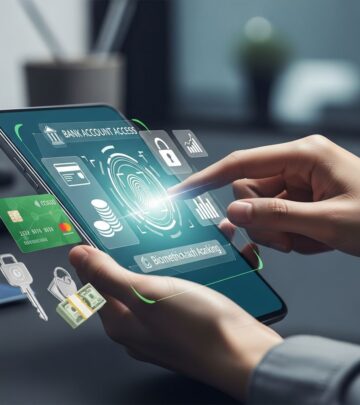
Linking Bank Accounts: Secure Step-By-Step Guide
Master the process of connecting your bank accounts securely across institutions, apps, and services for seamless money management.

Connecting your bank accounts enables efficient money movement, better budgeting, and streamlined payments. Whether consolidating views of multiple accounts or setting up automatic transfers, linking provides centralized control over your finances. This guide explores methods for linking accounts within the same institution, across different banks, and with third-party apps, emphasizing security and verification processes.
Why Connect Your Financial Accounts?
Linking accounts simplifies daily financial tasks. For instance, you can automate transfers from checking to high-yield savings, schedule bill payments, or track spending across institutions from one dashboard. Businesses benefit by disbursing payments to multiple accounts or integrating with payment processors. Consumers gain visibility into balances and transactions, aiding budgeting and debt management.
- Convenience: View all balances in one place without multiple logins.
- Automation: Set recurring transfers or split direct deposits.
- Efficiency: Quick fund moves between savings, checking, and investment accounts.
- Insights: Aggregate data for better financial planning.
Financial institutions and apps use secure protocols like Plaid for instant connections, reducing manual entry errors.
Connecting Accounts at the Same Bank or Credit Union
Most banks automatically display all your accounts in online banking once you open them under the same profile. If not visible, contact customer service. A representative can link them internally, ensuring statements and dashboards reflect everything.
Steps typically involve:
- Logging into your primary account portal.
- Navigating to account settings or overview.
- Requesting linkage via chat, phone, or branch visit.
This process avoids external verification since accounts share security under one institution.
Steps to Link Accounts Across Different Banks
Linking external accounts from separate banks requires routing and account numbers, followed by verification. Banks verify ownership to prevent fraud.
| Step | Description | Timeframe |
|---|---|---|
| 1. Gather Details | Collect routing number (9 digits), account number, and login credentials for the external account. | Immediate |
| 2. Access Linking Option | Log into your main bank’s app or site; find “Add External Account,” “Link Accounts,” or “Transfers.” | Immediate |
| 3. Enter Information | Input external bank’s details; some use Plaid for login-based connection without manual numbers. | 1-2 minutes |
| 4. Verify Ownership | Confirm micro-deposits (e.g., $0.12 and $0.34) or Plaid instant auth. Check external account in 2-3 days. | 1-4 business days |
| 5. Activate Transfers | Once verified, initiate transfers (1-5 days processing). | Immediate post-verification |
U.S. Bank, for example, lists institutions for selection post-dashboard access. J.P. Morgan allows manual entry if the bank isn’t listed.
Integrating Bank Accounts with Payment and Budgeting Apps
Apps like PayPal, Venmo, PocketGuard, or Quicken mirror bank linking processes. Access “Wallet,” “Settings,” or “Accounts” to add banks.
- Payment Apps: In PayPal, go to Wallet > Link Bank; verify via micro-deposits or Plaid.
- Budgeting Tools: Apps read-only access balances/transactions for tracking without transfer capabilities.
- Brokerages: Under “Move Money,” link for deposits/withdrawals (e.g., Schwab).
Square recommends Plaid for business payouts, supporting multiple locations. Sequence app syncs checking, savings, credit cards, and investments via partners like Plaid.
Advanced Linking: Brokerages, Investments, and Businesses
Investment platforms (e.g., Charles Schwab) offer “Transfers & Payments” for external links. Businesses link via dashboards for disbursements.
For complex setups:
- Multiple accounts per location (Square).
- Liabilities like loans/mortgages (Sequence).
- Manual destinations for rent or custom transfers.
Private banking like J.P. Morgan provides overview screens post-linking.
Security Best Practices When Linking Accounts
Linking is safe with proper precautions, as banks use encryption and multi-factor authentication. Plaid secures over 12,000 institutions without storing credentials.
- Use official apps/sites; avoid public Wi-Fi.
- Enable 2FA on all accounts.
- Monitor for unauthorized micro-deposits.
- Revoke access promptly if unused (e.g., PayPal Wallet > Remove Bank).
- Understand read-only vs. transfer permissions.
Bankrate notes delays in transfers (up to 3 days) as a built-in safeguard.
Managing and Editing Linked Accounts
Regular maintenance prevents issues. Edit via settings:
- Square: Dashboard > Banking > Update Linked Account.
- General: Find “Manage External Accounts” to add/remove/verify.
Update for new accounts or changes; confirm balances post-edit.
Common Challenges and Solutions
Issues arise from verification delays or unsupported banks.
| Problem | Solution |
|---|---|
| Micro-deposits not appearing | Wait 3-5 days; ensure $1+ balance; contact support. |
| Institution not listed | Manual entry of routing/account (J.P. Morgan). |
| Transfer delays | Standard 1-5 days; use same-day options if available. |
| Sync errors in apps | Reconnect via Plaid; clear cache. |
FAQs
How long does bank account verification take?
Instant with Plaid; 2-4 business days for micro-deposits.
Is it free to link and transfer between banks?
Usually yes, but check for fees on expedited transfers.
Can I link international accounts?
Most U.S. banks require domestic routing numbers.
What if I want to unlink an account?
Access settings > External Accounts > Remove/Disconnect.
Does linking give apps full access to my money?
No; specify permissions—read-only for budgeting, transfer for payments.
Linking empowers proactive finance management. Start with your primary bank dashboard for quick setup.
References
- How to Link Your Bank Accounts — Experian. 2023-01-15. https://www.experian.com/blogs/ask-experian/how-to-link-bank-accounts/
- Link and edit your transfer methods — Square Support Center. 2024-05-10. https://squareup.com/help/us/en/article/3896-link-and-edit-your-bank-account
- Link bank accounts for one simple view — U.S. Bank. 2024-08-20. https://www.usbank.com/online-mobile-banking/link-external-accounts-faq.html
- How to Connect Your Bank Accounts in Sequence — YouTube (Sequence). 2024-03-12. https://www.youtube.com/watch?v=bj7_dwI9a0k
- Is it safe to link bank accounts? — Bankrate. 2024-11-05. https://www.bankrate.com/banking/is-it-safe-to-link-bank-accounts/
- How to link external accounts — J.P. Morgan Private Bank. 2023-09-18. https://privatebank.jpmorgan.com/nam/en/services/banking/online-tools/link-external-accounts
- How to link accounts and transfer money — Charles Schwab. 2024-02-28. https://www.schwab.com/content/how-to-link-accounts-and-transfer-money
Similar Articles








Read full bio of medha deb