Is Mobile Banking Secure? Essential Guide To Staying Safe
Discover proven strategies to protect your finances with mobile banking while enjoying its unmatched convenience.
Is Mobile Banking Secure?
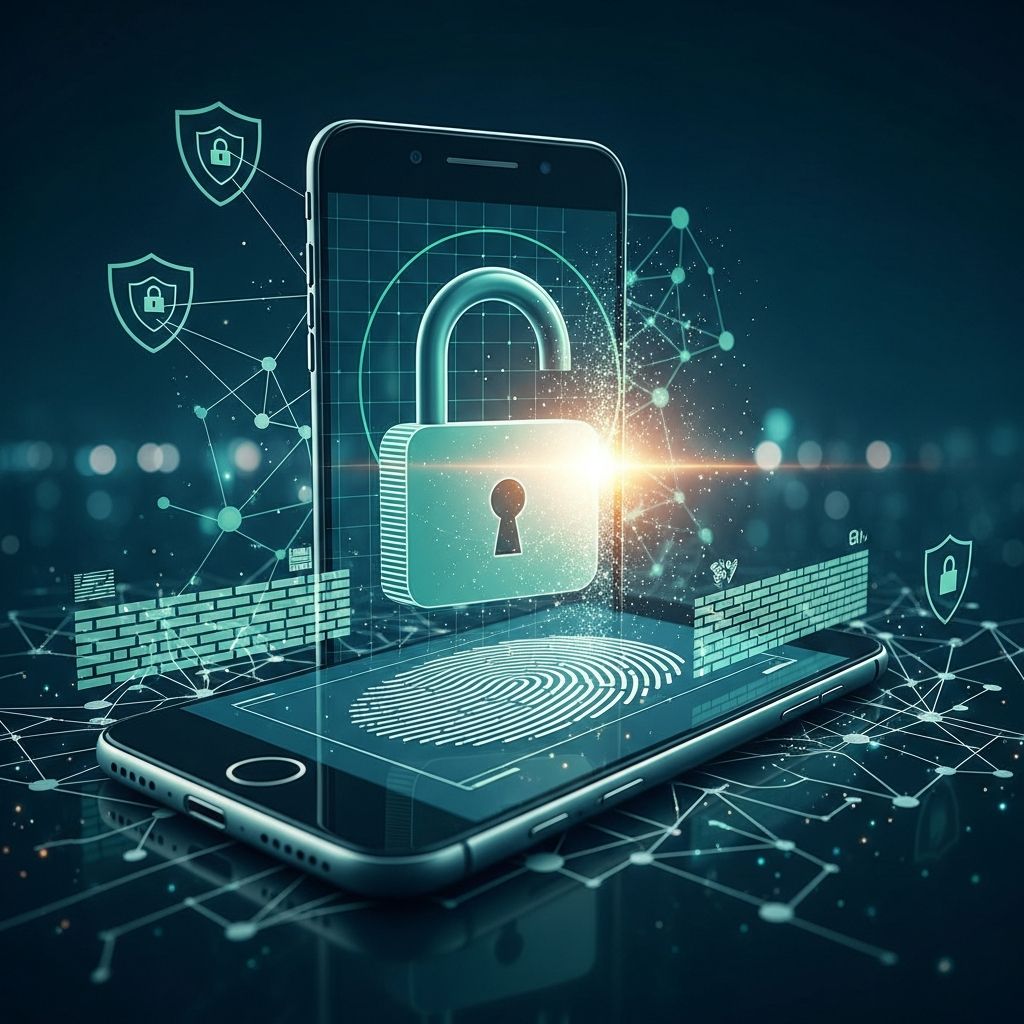
Mobile banking provides convenient access to financial accounts from smartphones, protected by robust security protocols that make it as safe as traditional methods when used properly. Banks employ advanced technologies to shield user data, though personal vigilance remains essential to counter evolving digital threats.
Core Security Technologies in Mobile Apps
Financial institutions integrate multiple defense layers into their mobile applications to prevent unauthorized access and data breaches. These features ensure that everyday transactions occur without exposing sensitive information.
Data Encryption Standards
Encryption transforms financial details into unreadable code during transmission between devices and servers, rendering intercepted data useless to cybercriminals. This process applies to login credentials, transaction records, and balance inquiries, maintaining confidentiality across networks.
Advanced Authentication Protocols
Login systems go beyond basic passwords, incorporating biometrics like fingerprints or facial scans that verify unique physical traits. Multi-factor authentication adds verification steps, such as one-time codes sent via SMS or email, creating barriers against stolen credentials.
- Biometric options reduce reliance on memorizable passwords.
- One-time passcodes expire quickly, limiting reuse risks.
- Session timeouts automatically end inactive logins.
Real-Time Fraud Detection Systems
Banks deploy algorithms that analyze spending patterns and flag anomalies, such as unusual locations or amounts, triggering immediate alerts. This proactive monitoring allows users to intervene before losses occur.
Device-Level Protections for Optimal Safety
Your smartphone serves as the gateway to banking services, so fortifying it with built-in safeguards enhances overall security. Simple configurations can prevent most unauthorized access attempts.
| Protection Feature | Benefits | Implementation Steps |
|---|---|---|
| Device Passcode or Biometrics | Blocks access if phone is lost or stolen | Enable in settings; avoid simple patterns |
| Automatic OS Updates | Patches vulnerabilities promptly | Turn on auto-updates for apps and system |
| Remote Wipe Capability | Erases data if device is compromised | Activate via carrier or device manager |
Additionally, contacting your carrier to set a security PIN prevents SIM swaps, where fraudsters hijack phone numbers to intercept codes.
Navigating Network Risks Effectively
Public Wi-Fi hotspots pose interception dangers, as hackers can eavesdrop on unencrypted traffic. Opt for cellular data or verified private networks to minimize exposure during banking sessions.
- Disable Wi-Fi when unnecessary to avoid auto-connections.
- Use VPNs sparingly, as they may introduce new vulnerabilities.
- Verify HTTPS indicators in app connections.
Best Practices for App Installation and Management
Downloading apps from official stores ensures authenticity, avoiding malware-laden fakes that mimic legitimate interfaces. Banks recommend direct links from their websites rather than third-party sources.
Avoiding Jailbroken or Rooted Devices
Modifying devices to bypass restrictions disables core security features, making them prime targets for exploits. Stick to unmodified hardware for banking activities.
Regular Maintenance Routines
Update apps immediately upon notifications, as patches address newly discovered flaws. Delete unused apps to shrink the attack surface.
Recognizing and Countering Phishing Threats
Scammers impersonate banks via texts (smishing) or calls (vishing), urging clicks on malicious links. Legitimate institutions never request credentials through unsolicited messages.
- Examine sender details and URLs before interacting.
- Report suspicious contacts to your bank promptly.
- Use in-app reporting tools for quick triage.
Leveraging Alerts and Monitoring Tools
Customize notifications for deposits, withdrawals, and logins from new devices. These instant updates empower rapid responses to irregularities.
Review statements weekly, even with alerts, to spot subtle patterns like micro-transactions used for testing stolen access.
Responding to Potential Breaches
If unauthorized activity appears, lock accounts via app controls or customer service. Banks often reverse fraudulent charges if reported swiftly, per federal regulations.
- Contact support 24/7 using verified numbers.
- Change all related passwords securely.
- Monitor credit reports for identity theft signs.
Future-Proofing Your Mobile Banking Experience
Emerging technologies like passkeys and AI-driven threat detection promise even stronger protections. Stay informed through bank communications to adopt these enhancements early.
Businesses handling mobile payments should layer employee training with enterprise-grade tools for amplified security.
Frequently Asked Questions
Can hackers access my bank account through mobile apps?
Hackers require overcoming encryption, authentication, and monitoring hurdles, which legitimate apps design to thwart. User errors like weak passwords amplify risks.
Is it safe to receive banking alerts via text?
Alerts themselves are read-only and safe, but verify actions through official channels rather than replying to texts.
What if I lose my phone with the banking app open?
Biometrics and remote lock features, combined with carrier blocks, protect accounts. Report loss immediately.
Should I use mobile banking on shared devices?
Avoid entirely; dedicated personal devices minimize cross-contamination risks.
How often should I change my banking password?
Upon suspicion or every 90 days, using a password manager for complexity.
References
- Is Mobile Banking Safe? What To Know About Security and Protection — MIDFLORIDA Credit Union. 2024. https://www.midflorida.com/resources/insights-and-blogs/insights/consumer-education/is-mobile-banking-safe-security-tips-and-what-to-know
- Safe Practices for Mobile Banking — American National Bank of Texas. 2024. https://knowledge.anbtx.com/money-management/banking/article/safe-practices-for-mobile-banking
- Is Mobile Banking Safe? — Bar Harbor Bank & Trust. 2024. https://www.barharbor.bank/personal/is-mobile-banking-safe
- Mobile Banking Safety — Wells Fargo. 2024. https://www.wellsfargo.com/privacy-security/fraud/articles/mobile-banking-safety/
- Security Check: When it Comes to Mobile Banking, Data Safety Depends on You — Customers Bank. 2024. https://www.customersbank.com/security-check-when-it-comes-to-mobile-banking-data-safety-depends-on-you/
- Mobile Security and Online Banking Best Practices — The Royal Bank. 2024. https://trb.bank/security/mobile-security-and-online-banking-best-practices/
Similar Articles





Read full bio of Sneha Tete