Infotainment Systems Guide: 2025 Expert Features And Picks
Unlock the Power of Modern Car Infotainment: Features, Top Systems, and Smart Buying Tips for 2025
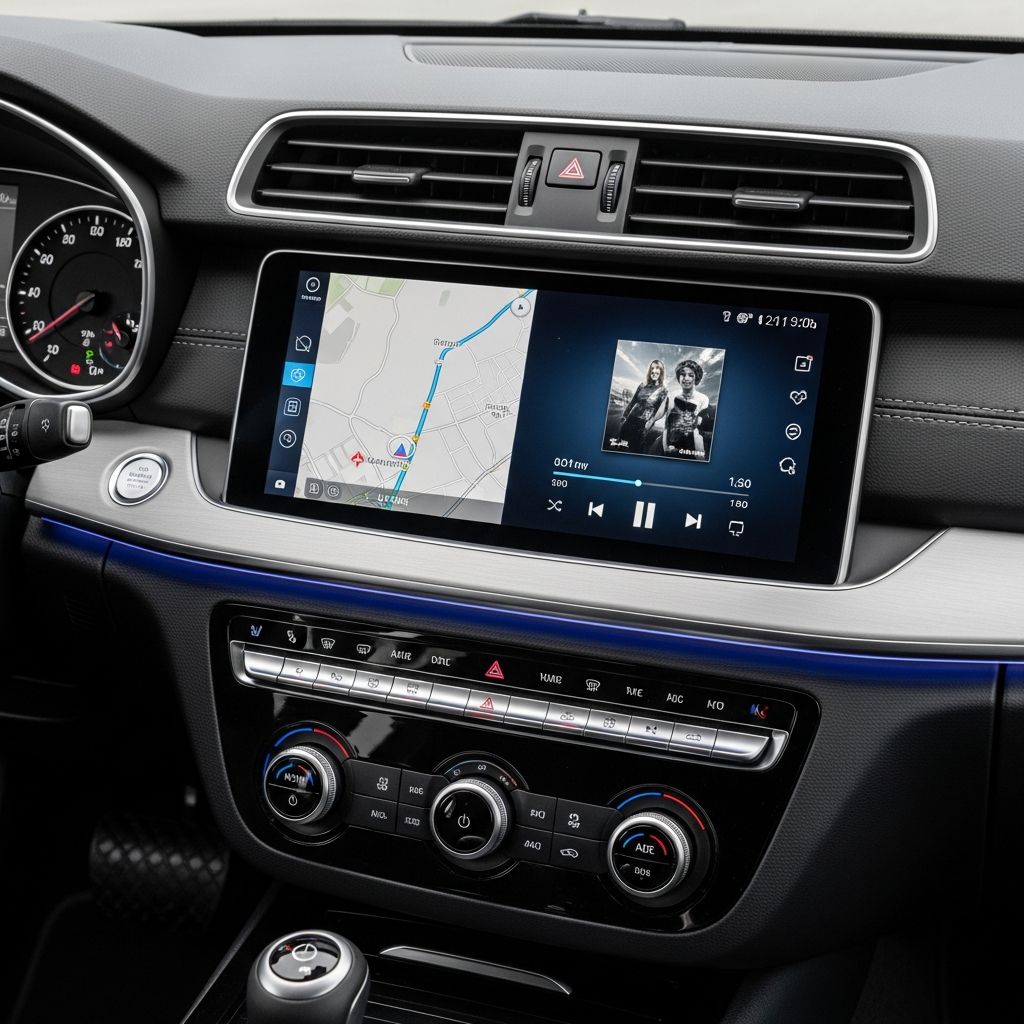
Modern vehicles are no longer just about getting from point A to B; they are mobile entertainment hubs, navigation centers, and connectivity portals. At the heart of this transformation lies the
infotainment system
, a sophisticated interface that blends media playback, smartphone integration, vehicle controls, and advanced driver assistance into one cohesive platform. These systems have evolved rapidly, with 2025 models showcasing larger screens, faster processors, and intuitive designs that prioritize safety and user satisfaction.Defining Infotainment in Today’s Automobiles
Infotainment systems serve as the central nervous system of a car’s interior, managing everything from music streaming to climate adjustments. Unlike older radios or basic CD players, contemporary setups feature high-resolution touchscreens, voice recognition, and wireless connectivity. They must balance feature richness with ease of use to minimize driver distraction, a critical factor endorsed by automotive safety standards.
Key components include central displays, digital instrument clusters, heads-up displays (HUDs), and auxiliary passenger screens. Systems like Stellantis’ UConnect 5 excel by supporting split-screen multitasking, allowing navigation and media to run side-by-side on a 14-inch vertical touchscreen in vehicles such as the Ram 1500. Similarly, BMW’s iDrive 8.5 offers a curved display setup with a 12.3-inch cluster and 14.9-inch infotainment screen, praised for sharp graphics and responsive touch inputs.
Core Features Driving Innovation
Today’s infotainment prioritizes seamless integration and minimalism. Here’s a breakdown of standout capabilities:
- Smartphone Mirroring: Apple CarPlay and Android Auto remain staples, but advancements like CarPlay Ultra expand control to gauge clusters, climate, and drive modes without exiting the interface. Traditional CarPlay limits to the central screen, requiring switches for native functions, while Ultra enables Siri-controlled adjustments for seats, lights, and more.
- Native Navigation and AI: Google Built-In in Ford, Lincoln, and Volvo models embeds Google Maps directly into clusters and screens, reducing the need for phone projections. Conversational AI, such as Google Assistant, handles voice commands intuitively.
- Multi-Screen Setups: Oversized displays and passenger screens, as in the Lucid Air or Porsche Macan EV, allow independent use for movies or controls.
- Physical Controls Hybrid: Systems retain knobs for volume and climate to complement touch interfaces, enhancing safety.
| Feature | Description | Examples |
|---|---|---|
| Screen Size | Up to 14+ inches, vertical/horizontal | Ram 1500 (14in vertical), BMW (14.9in curved) |
| Voice Control | Conversational AI for hands-free operation | Google Assistant in Ford/Volvo |
| Wireless Connectivity | CarPlay/Android Auto without cables | Hyundai ccNC, Porsche |
| Split-Screen | Multitask apps simultaneously | UConnect 5, Toyota Multimedia |
Top-Rated Infotainment Systems for 2025
Automakers compete fiercely in this arena. UConnect 5 tops lists for its adaptable interface across screen shapes, simple menus, and split-screen prowess in Ram trucks and Jeep Grand Cherokees. Its tile-based layout and physical climate buttons make it accessible.
BMW iDrive 8.5 shines with hotkey shortcuts, fewer glitches, and a premium curved display in models like the X5 and 5 Series. Toyota’s 14-inch Multimedia System offers simplicity with sticky climate controls, ideal for everyday drivers.
Ford’s Digital Experience leverages Android Automotive for native Google services, nearly obviating CarPlay needs in Explorer and Lincoln Aviator. Volvo’s implementation adds minimalist luxury. Hyundai’s ccNC brings overdue wireless mirroring to curved dual-screen setups.
Mercedes MBUX impresses with haptic feedback, customization, and speed. Porsche’s Driver Experience in the Macan EV integrates deep CarPlay into clusters with responsive 10.9-inch screens and abundant physical buttons.
Balancing Technology with Driver Safety
While enticing, infotainment must not compromise safety. Large touchscreens demand glance times under 2 seconds per NHTSA guidelines. Systems succeeding here use haptic feedback, voice priority, and physical redundancies. For instance, Lucid Air minimizes button reliance but pairs screens with volume wheels.
Test drives reveal usability: UConnect’s bottom-row shortcuts enable quick access without deep menus. Buyers should assess lag, menu depth, and distraction potential. Wireless charging and projector HUDs further reduce interactions.
How to Evaluate During Car Shopping
Prioritize hands-on testing:
- Connect your phone wirelessly and navigate split-screens.
- Test voice commands in noisy simulations.
- Adjust climate/media while ‘driving’ to check intuitiveness.
- Verify passenger screen utility for long trips.
Consider future-proofing: Over-the-air (OTA) updates, like those in Tesla or Ford, keep systems current without dealer visits.
Aftermarket Enhancements and Alternatives
Not every car ships with premium infotainment. Upgrades include dash kits for larger screens, AI voice modules, or full Android head units. Popular add-ons mirror factory Google Built-In or CarPlay. However, integration risks void warranties; opt for certified installers.
| Upgrade Type | Pros | Cons |
|---|---|---|
| Screen Expansion | Larger displays, modern UI | High cost, fit issues |
| Wireless Adapters | Adds cable-free CarPlay/AA | Potential lag |
| AI Voice Boxes | Conversational control | Compatibility limits |
Future Horizons in Infotainment
By 2026, expect augmented reality HUDs, biometric personalization, and AR navigation overlays. CarPlay Ultra’s dashboard dominance signals deeper iPhone fusion. Electric vehicles like Kia EV9 pioneer mode-switchable dual screens. Sustainability drives efficient processors, reducing energy draw.
Customization expands with mood lighting synced to audio and user profiles remembering seat/media prefs.
Frequently Asked Questions (FAQs)
What is the best infotainment system?
UConnect 5 leads for versatility and ease, per expert rankings.
Do I need Apple CarPlay or Android Auto?
Essential for app access; Ultra version adds vehicle controls.
Are large touchscreens safe?
When paired with voice/physical controls, yes; test for quick access.
Can infotainment be upgraded post-purchase?
Yes, via aftermarket kits, but check warranty.
How do OTA updates work?
Wireless software refreshes, like smartphone OS, improving features over time.
References
- Cars with the Best Infotainment Systems for 2025 — Road & Track. 2025. https://www.roadandtrack.com/rankings/g63285338/cars-best-infotainment-screen/
- Best car infotainment systems: From UConnect to MBUX — Autoblog. 2025. https://www.autoblog.com/features/best-infotainment-systems
- CarPlay Vs. CarPlay Ultra: Five Differences Most Users Don’t Know — SlashGear. 2025. https://www.slashgear.com/2090716/carplay-vs-ultra-little-known-differences/
- 5 Popular Car Infotainment Features and 3 Aftermarket Upgrades — Driveway. 2025. https://www.driveway.com/learn/lifestyle/5-popular-car-infotainment-features-and-3-aftermarket-upgrades
Similar Articles








Read full bio of medha deb