How to Write a Resume: 12 Steps to Your Next Job
Master the art of resume writing with these 12 proven steps to land interviews and secure your dream job faster.
Your resume is your ticket to the interview door. In today’s competitive job market, a well-crafted resume can make the difference between being overlooked and standing out. This comprehensive guide outlines
12 essential steps
to create a professional resume that highlights your strengths, experiences, and achievements. Whether you’re a recent graduate, career changer, or seasoned professional, these steps will help you build a document that speaks directly to hiring managers and applicant tracking systems (ATS).Resumes should be concise, typically one page for most professionals, focusing on relevance to the job you’re applying for. Avoid generic templates; tailor each resume to the position. Let’s dive into the step-by-step process.
Step 1: Gather Your Information
Before writing, collect all necessary details. List your contact information, work history, education, skills, certifications, and achievements. Review old resumes, performance reviews, and job descriptions to jog your memory. Organize this into categories: personal info, professional experience, education, and extras like volunteer work or awards.
- Contact details: Full name, phone, professional email, LinkedIn profile, and city/state (no full address needed for privacy).
- Work history: Job titles, companies, dates, and key responsibilities/accomplishments.
- Education: Degrees, institutions, graduation dates.
- Skills: Technical and soft skills relevant to the job.
This preparation prevents omissions and ensures your resume flows logically.
Step 2: Choose the Right Format
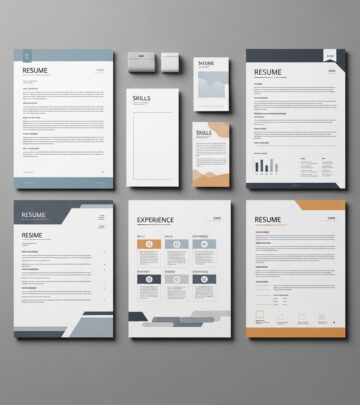
Select a format that suits your experience level. Common types include:
| Format | Best For | Pros | Cons |
|---|---|---|---|
| Chronological | Steady career progression | Easy to read, ATS-friendly | Highlights gaps |
| Functional | Career changers, gaps | Emphasizes skills | Can seem evasive |
| Combination | Skilled professionals | Balances skills and history | Longer |
Use a clean, professional layout with 10-12 pt font (Arial or Times New Roman), 1-inch margins, and ample white space. Save as PDF to preserve formatting.
Step 3: Create a Strong Header with Contact Information
Start with a bold header featuring your name (larger font), followed by phone, email, LinkedIn, and location. Center or left-align for impact. Example:
John Doe
Phone: (123) 456-7890 | Email: john.doe@email.com | LinkedIn: linkedin.com/in/johndoe | City, State
Ensure your email is professional (no fun@party.com). Include a portfolio link if relevant.
Step 4: Write a Compelling Objective or Summary
The top section grabs attention. Use a
professional summary
for experienced candidates (3-5 sentences highlighting years of experience, key skills, and career goals). For entry-level, use anobjective
stating the position and what you bring.- Summary example: “Results-driven marketing manager with 8+ years in digital campaigns, boosting ROI by 40%. Skilled in SEO, content strategy, and team leadership seeking to drive growth at innovative firms.”
- Avoid vague phrases; quantify achievements.
Step 5: Detail Your Employment History
List jobs in reverse chronological order. For each:
- Job title, company, location, dates (month/year).
- 3-5 bullet points starting with action verbs (e.g., “Led”, “Developed”).
- Focus on accomplishments, not duties: Use metrics like “Increased sales 25%” instead of “Handled sales.”
Prioritize recent/relevant roles. For older jobs, summarize. Omit irrelevant or short-term gigs unless space allows.
Step 6: Highlight Your Education
Place after experience if you have 5+ years professionally; otherwise, lead with it. Include degree, major, school, location, graduation year (omit if 10+ years ago). Add GPA if 3.5+, relevant coursework, honors, or thesis.
- Bachelor of Science in Computer Science, University of Example, 2020
- Relevant Coursework: Data Structures, Algorithms, Machine Learning
For non-traditional paths, include certifications or bootcamps.
Step 7: Showcase Skills and Certifications
Dedicate a section to 8-12 key skills matching the job description. Categorize if helpful:
- Technical: Python, SQL, Adobe Suite
- Soft: Leadership, Communication
List certifications with issuing body and date: “Google Analytics Certified, 2025.” This beats vague terms like “experienced”—show proof.
Step 8: Include Awards, Publications, and Volunteer Work
Add a section for extras that demonstrate value:
- Awards: “Employee of the Year, XYZ Corp, 2024”
- Publications: Journal articles or blogs with links
- Volunteer: “Mentored 50+ students at Code for Kids, 2023-2025”
These fill gaps and show well-roundedness. Quantify impact where possible.
Step 9: Tailor for Applicant Tracking Systems (ATS)
80% of resumes are scanned by ATS. Use standard headings (e.g., “Work Experience”), incorporate job description keywords naturally, avoid tables/graphics in ATS versions. Test with free ATS scanners.
Step 10: Eliminate Problematic Words and Phrases
Avoid overused, vague terms that dilute impact:
- No “responsible for”, “experienced”, “team player”, “detail-oriented”—show, don’t tell.
- Skip “utilize” (use “use”), first-person pronouns, clichés.
- Instead: “Directed team of 10 to deliver project 20% under budget.”
Step 11: Proofread and Edit Ruthlessly
Errors kill credibility. Read aloud, use tools like Grammarly, get feedback. Cut fluff—aim for one page. Ensure consistent tense (past for old jobs, present for current). Spell-check company names/job titles.
Step 12: Get Feedback and Iterate
Share with mentors, use LinkedIn groups, or career services. Track application success and refine. Create multiple versions for different roles.
Frequently Asked Questions (FAQs)
Q: How long should a resume be?
A: One page for most; two for 10+ years experience. Focus on relevance.
Q: Should I include references?
A: No, say “References available upon request” or omit. Provide separately if asked.
Q: What if I have employment gaps?
A: Use functional format or note freelance/volunteer work. Be honest in interviews.
Q: Is a photo necessary?
A: No, especially in the US—avoids bias. Include only if standard in your industry/country.
Q: How do I handle multiple jobs at one company?
A: List as one entry with sub-bullets or separate promotions.
Mastering these 12 steps transforms your resume from a list of jobs into a compelling story of your value. Customize relentlessly, quantify wins, and watch interviews roll in.
References
- How To Write A Resume: 12 Steps To Your Next Job — Wise Bread. 2008-06-11. https://www.wisebread.com/how-to-write-a-resume-12-steps-to-your-next-job
- 12 Words You Need to Delete From Your Resume Right Now — Wise Bread. N/A. https://www.wisebread.com/12-words-you-need-to-delete-from-your-resume-right-now
- 12 Tips to craft a PERFECT Resume — YouTube (CareerVidz). 2025. https://www.youtube.com/watch?v=2UsiLw4YX7Y
- 10 Resume Mistakes That Will Hurt Your Job Search — Wise Bread. N/A. https://www.wisebread.com/10-resume-mistakes-that-will-hurt-your-job-search
- How to Get Your Resume Past the Resume Filter — Wise Bread. N/A. https://www.wisebread.com/how-to-get-your-resume-past-the-resume-filter
- 6 Effective Ways to Make Yourself More Employable — Wise Bread. N/A. https://www.wisebread.com/6-effective-ways-to-make-yourself-more-employable
Similar Articles








Read full bio of medha deb