How to Use Coinbase: A Complete Beginner’s Guide
Master Coinbase: Learn to buy, sell, and trade crypto safely as a complete beginner.
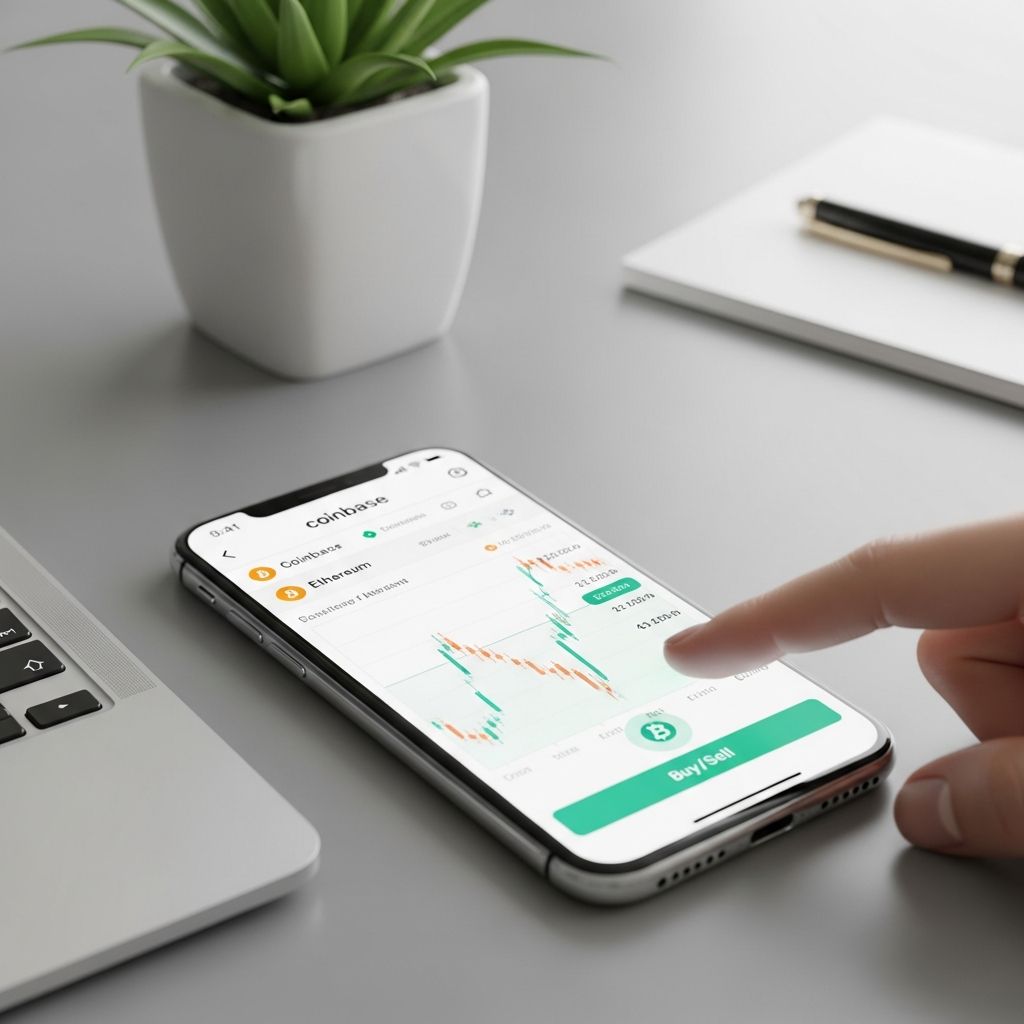
Coinbase has emerged as one of the most user-friendly platforms for beginners entering the cryptocurrency market. Whether you’re interested in buying Bitcoin, Ethereum, or exploring other digital assets, this comprehensive guide will walk you through every step of using Coinbase effectively and securely. From account creation to your first trade and eventual withdrawal, we’ll cover everything you need to know to start your crypto journey with confidence.
Getting Started: Creating Your Coinbase Account
The first step in your Coinbase journey is creating an account. The process is straightforward and designed for simplicity. Visit the Coinbase website or download the mobile app and click on the sign-up option. You’ll need to provide your first and last name, a valid email address, and create a strong password. Coinbase will also require you to verify that you’re at least 18 years old and agree to their terms of service.
After entering your basic information, you’ll receive a verification email. Click the link in that email to confirm your account. Once verified, you’ll be prompted to complete identity verification, which is a regulatory requirement. This process involves providing your government-issued ID and may include a video verification step, depending on your location.
Securing Your Account: Essential Security Measures
Security should be your top priority when dealing with cryptocurrency platforms. Coinbase offers several security features that you should enable immediately upon account creation.
Two-Factor Authentication (2FA)
Two-factor authentication adds an extra layer of security to your account. When you log in, after entering your password, you’ll be required to enter a code from a separate device or application. Coinbase supports authentication apps like Google Authenticator or Authy, as well as SMS verification. We recommend using an authenticator app rather than SMS, as it’s generally more secure.
Biometric Verification
For mobile users, enable biometric verification using your fingerprint or face recognition. This ensures that only you can access your account on your device, even if someone gains access to your password.
Security Alerts
Enable notifications for account activities such as login attempts, withdrawals, and trades. This allows you to immediately identify any unauthorized access to your account.
Navigating the Coinbase Interface
Understanding the Coinbase interface is crucial for efficient trading. The platform features a clean, intuitive design with several key sections.
The homepage displays your portfolio overview, showing your total balance and recent activities. You’ll see a navigation menu with options like “Buy,” “Sell,” “Convert,” and “Earn.” At the top of the screen, you’ll find a search function to discover specific cryptocurrencies, a notification bell for alerts, and your profile menu where you can access settings and account information.
The “My Assets” page shows all cryptocurrencies you currently hold, organized by their current value and percentage of your total portfolio. Each asset displays its current price, your holdings, and quick action buttons for buying, selling, or converting.
Adding Payment Methods
Before you can buy cryptocurrency on Coinbase, you need to connect a payment method. Coinbase accepts several funding options, each with different features and processing times.
Bank Account Transfers
Linking your bank account to Coinbase allows you to deposit larger amounts with lower fees. The process involves providing your bank account details and confirming microdeposits that Coinbase sends to your account. Once verified, transfers typically take 3-5 business days. This method is ideal for long-term investors making larger purchases.
Debit and Credit Cards
Debit cards offer instant purchasing, though fees are higher than bank transfers, typically around 3-4%. This method is convenient for smaller purchases and those who want immediate access to their cryptocurrency. Credit cards are generally not recommended due to even higher fees and potential cash advance charges from your bank.
Coinbase Debit Card
For eligible users, Coinbase offers a debit card that allows you to spend cryptocurrency directly. You can earn rewards on purchases, with rates varying by cryptocurrency held in your account.
Understanding Coinbase: Basic vs. Advanced
Coinbase offers two trading interfaces designed for different experience levels: Coinbase Basic and Coinbase Advanced.
Coinbase Basic
Coinbase Basic is the default interface perfect for beginners. It features a simplified buying and selling experience with a clean interface. You simply select the cryptocurrency you want to buy, enter the amount, and confirm your purchase. The platform handles all the complexity behind the scenes. Basic users benefit from straightforward transactions without advanced charting or technical analysis tools.
Coinbase Advanced
Coinbase Advanced is designed for more experienced traders. It provides professional-grade features including advanced charting powered by TradingView, order books, and technical analysis tools. Advanced users can place different types of orders and trade cryptocurrency pairs directly against each other rather than just against USD.
Fee Comparison
The fee structure differs significantly between the two platforms. Coinbase Basic charges a spread on each transaction—essentially a markup on the current market price. Coinbase Advanced uses a maker-taker fee model. Makers (those adding liquidity) pay lower fees, typically 0.4%, while takers (those taking liquidity) pay 0.6%. For frequent traders, Advanced can result in significant savings.
Making Your First Purchase
Buying cryptocurrency on Coinbase is straightforward. On the homepage, select “Buy” and choose your desired cryptocurrency. Enter the amount you want to purchase or the quantity of coins. Coinbase will show the total cost including fees and current market price.
Review your order carefully, noting the amount of crypto you’ll receive and the total cost. You can set up recurring buys directly from this screen, which is excellent for dollar-cost averaging. Once satisfied, confirm your purchase. Your cryptocurrency will be deposited into your Coinbase wallet immediately, though it may take time to settle depending on your payment method.
Selling and Converting Cryptocurrency
Selling your cryptocurrency is equally simple. Navigate to your assets, select the cryptocurrency you wish to sell, and click “Sell.” Enter the amount, review the details including the USD amount you’ll receive, and confirm. The proceeds will be credited to your USD wallet on Coinbase and can be withdrawn to your bank account.
The “Convert” feature allows you to exchange one cryptocurrency for another directly without selling to USD first. This can be more efficient and may result in lower fees compared to selling one asset and buying another separately.
Understanding Transaction Fees
Coinbase employs different fee structures depending on your trading method. On Coinbase Basic, fees are built into the spread—the difference between the buying and selling price you see. On Coinbase Advanced, fees are more transparent and vary based on your trading volume and whether you’re a maker or taker.
To minimize fees, consider using bank transfers rather than cards, consolidating transactions, and potentially upgrading to Coinbase Advanced if you trade frequently. Coinbase One membership offers additional benefits including reduced trading fees, though there’s a monthly subscription cost.
Earning Interest on Your Crypto Holdings
Coinbase Earn allows users to generate passive income on their cryptocurrency holdings through staking and lending programs. Staking involves holding certain cryptocurrencies in your Coinbase account to support blockchain networks and earn rewards. The rate varies by cryptocurrency but can range from 3-6% annually for supported assets.
Before enabling staking, understand that your crypto remains locked during the staking period and you won’t be able to trade it immediately. However, you can typically unstake at any time, though there may be a waiting period for the funds to become available.
Sending and Receiving Cryptocurrency
Coinbase allows you to send cryptocurrency to external wallets and receive crypto from others. To receive cryptocurrency, go to the “Receive” section and select the asset you want to receive. Coinbase will generate a unique wallet address for that specific cryptocurrency. Share this address with the sender—be absolutely certain it’s correct, as sending to the wrong address will result in permanent loss of funds.
To send cryptocurrency, select “Send,” choose the asset and amount, and enter the recipient’s wallet address. Double-check the address, as blockchain transactions are irreversible. Confirm the transaction, and the crypto will be transferred from your Coinbase wallet to the external address.
Withdrawing Your Funds
When you’re ready to convert your cryptocurrency back to fiat currency, Coinbase makes the process straightforward. You can withdraw USD or other fiat currencies directly to your bank account. In your account settings, navigate to “Withdraw” and select your linked bank account as the destination.
Enter the amount you wish to withdraw and confirm. Standard bank transfers typically take 3-5 business days to appear in your account. Some users may have the option for faster withdrawal methods, depending on their location and account status.
Alternatively, you can withdraw cryptocurrency directly to an external wallet. This is useful if you want to store your crypto in a hardware wallet or use it on another platform.
Using Coinbase Advanced: A Deeper Look
Once comfortable with basic trading, exploring Coinbase Advanced opens up more sophisticated trading options. The interface includes a professional charting system powered by TradingView, allowing you to analyze price movements using technical indicators.
Market Orders vs. Limit Orders
In Coinbase Advanced, you can choose between market and limit orders. A market order executes immediately at the current market price—ideal when you want to buy or sell quickly. A limit order lets you set a specific price at which you’re willing to buy or sell, executing only when that price is reached. Limit orders are useful for disciplined trading and can result in better prices, though there’s no guarantee they’ll execute.
Building Your Watchlist
Create a watchlist in Coinbase Advanced to monitor cryptocurrencies you’re interested in without owning them. This helps you track price movements and identify buying opportunities.
Tax Reporting and Compliance
Coinbase provides tax reporting tools to help you track your gains and losses for tax purposes. At the end of the year, you can download transaction history reports that show all your trades, purchases, and sales. Many users employ third-party tax software that integrates with Coinbase to calculate capital gains and losses automatically.
Remember that cryptocurrency transactions are taxable events in most jurisdictions. Keeping detailed records throughout the year makes tax season significantly easier.
Frequently Asked Questions
How long does it take to buy cryptocurrency on Coinbase?
With a debit card, your purchase is instant. With bank transfers, it typically takes 3-5 business days for the funds to settle and your crypto to be fully available for trading.
Is my cryptocurrency safe on Coinbase?
Coinbase uses industry-standard security measures including cold storage for the majority of customer funds. However, for maximum security, many users transfer their holdings to hardware wallets they control privately.
Can I undo a transaction on Coinbase?
Transactions on the blockchain are permanent and cannot be undone once confirmed. Always verify addresses and amounts before confirming any transaction.
What’s the difference between Coinbase and Coinbase Wallet?
Coinbase is the exchange platform where you buy, sell, and trade cryptocurrency. Coinbase Wallet is a self-custody wallet that gives you complete control of your private keys, though you’re responsible for your own security.
How do I recover my Coinbase account if I forget my password?
Visit the login page and select “Forgot password.” You’ll receive an email with instructions to reset it. This is why having a verified email address and strong account security is crucial.
Are there transfer limits on Coinbase?
Yes, Coinbase enforces transfer limits that increase based on your verification level and account history. Limits vary by country and payment method. You can view your specific limits in your account settings.
Tips for Success as a Coinbase Beginner
Start small and learn before investing significant amounts. Use dollar-cost averaging by making regular small purchases rather than trying to time the market perfectly. Enable all security features immediately and never share your passwords or recovery phrases. Research cryptocurrencies thoroughly before purchasing and only invest money you can afford to lose. Consider using hardware wallets for long-term holdings rather than keeping everything on the exchange.
Join the Coinbase community forums and educational resources to continue learning about cryptocurrency. The space evolves rapidly, and staying informed helps you make better investment decisions.
References
- Coinbase Learn: Your crypto questions, answered — Coinbase Official. 2025-11-29. https://www.coinbase.com/learn
- Coinbase Tips and tutorials — Coinbase Official. 2025-11-29. https://www.coinbase.com/learn/tips-and-tutorials
- Crypto basics — Coinbase Official. 2025-11-29. https://www.coinbase.com/learn/crypto-basics
- Complete Coinbase Tutorial 2025: How to Buy Your First Crypto — Full Value Dan on YouTube. 2025-11-29. https://www.youtube.com/watch?v=uNyyf81-jzk
- Beginners Guide on How to Use Coinbase to Buy, Sell & Trade — YouTube. 2025-11-29. https://www.youtube.com/watch?v=D3xeNvmKoQk
- Coinbase Beginner’s Guide 2025 — YouTube. 2025-11-29. https://www.youtube.com/watch?v=RPchHUMj8oA
Similar Articles








Read full bio of Sneha Tete