How To Stay Safe Online: 9 Essential Tips To Protect Your Money
Essential strategies to protect your money, data, and privacy from online threats in today's digital world.
In an increasingly connected world, staying safe online is crucial for protecting your financial information, personal data, and peace of mind. Cyber threats like phishing scams, data breaches, and malware are on the rise, with the Federal Trade Commission reporting over 2.6 million identity theft complaints in 2024 alone. This guide covers essential strategies to secure your digital life, drawing from expert recommendations and real-world examples. Whether you’re shopping, banking, or browsing, these tips will help you minimize risks and keep your money safe.
Use a Password Manager
Weak or reused passwords are a leading cause of data breaches. A password manager generates, stores, and autofills complex, unique passwords for every site, reducing the risk of account takeovers. According to cybersecurity firm LastPass, using a password manager can prevent up to 81% of hacking-related incidents.
- Choose reputable options like Bitwarden (free and open-source), 1Password, or Dashlane.
- Enable two-factor authentication (2FA) wherever possible for an extra layer of security.
- Avoid password hints that reveal personal information, such as pet names or birthdays.
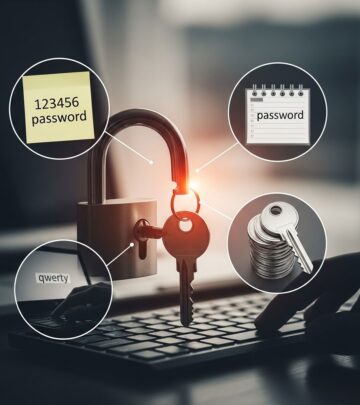
Start by auditing your current passwords: change any that are simple like ‘123456’ or ‘password,’ which top lists of most-hacked credentials annually. Password managers also alert you to compromised passwords from known breaches.
Enable Two-Factor Authentication Everywhere
Two-factor authentication (2FA), also known as multi-factor authentication (MFA), requires a second verification step beyond your password, such as a code sent to your phone or generated by an app. The Department of Homeland Security recommends MFA as a fundamental defense against unauthorized access.
Apps like Google Authenticator or Authy are more secure than SMS-based 2FA, which can be intercepted via SIM-swapping attacks. Enable it on email, banking apps, social media, and investment platforms first.
| Platform | 2FA Method | Security Level |
|---|---|---|
| Email (Gmail) | App or SMS | High |
| Banking Apps | App or Hardware Key | Very High |
| Social Media | SMS or App | Medium-High |
Pro tip: Use hardware keys like YubiKey for maximum protection on critical accounts.
Keep Software Updated
Software updates patch known vulnerabilities that hackers exploit. The Cybersecurity and Infrastructure Security Agency (CISA) notes that unpatched systems account for 60% of breaches. Enable automatic updates on your operating system, browsers, antivirus, and apps.
- On Windows: Settings > Update & Security.
- On macOS: System Preferences > Software Update.
- For browsers like Chrome: Check for updates in settings.
Outdated software like old versions of Flash or Java are prime targets. Regularly restart devices to apply updates seamlessly.
Use a VPN on Public Wi-Fi
Public Wi-Fi networks, like those at coffee shops or airports, are hotspots for man-in-the-middle attacks where hackers intercept your data. A Virtual Private Network (VPN) encrypts your internet traffic, making it unreadable to eavesdroppers. ExpressVPN and NordVPN are top-rated for speed and security.
Always connect to a VPN before accessing sensitive sites. Free VPNs often log data or inject ads, so opt for paid services with no-logs policies audited by third parties.
Be Wary of Phishing Scams
Phishing emails, texts, and calls trick you into revealing sensitive info. The FBI’s Internet Crime Complaint Center received over 300,000 phishing reports in 2024, resulting in $18 million in losses. Look for red flags like urgent language, suspicious URLs, and unsolicited requests for login details.
- Hover over links to check the real destination before clicking.
- Use browser extensions like uBlock Origin or Malwarebytes to block malicious sites.
- Verify sender emails: Official banks never ask for passwords via email.
Real example: Texts mimicking USPS delivery issues lead to fake sites stealing card info, as seen in common scams.
Shop Safely Online
Online shopping is convenient but risky. Stick to HTTPS sites (padlock icon), use credit cards over debit for better fraud protection, and shop during sales from trusted retailers. The Federal Trade Commission advises monitoring statements and setting purchase alerts.
- Enable virtual card numbers via services like Privacy.com for one-time use.
- Avoid public Wi-Fi for transactions.
- Research sites via Better Business Bureau ratings.
Protect Your Devices
Install reputable antivirus software like Bitdefender or Malwarebytes, which detect ransomware and spyware. Back up data to the cloud (e.g., Google Drive) or external drives weekly. Use full-disk encryption: BitLocker on Windows, FileVault on Mac.
For mobile: Keep iOS/Android updated and avoid sideloading apps from untrusted sources.
Monitor Your Accounts and Credit
Regularly check bank statements, credit card activity, and free credit reports from AnnualCreditReport.com (weekly access allowed). Set up alerts for transactions over $1. Services like Credit Karma provide ongoing monitoring.
If compromised, freeze your credit with Equifax, Experian, and TransUnion immediately.
Use Secure Browsing Habits
Clear cookies and cache regularly, use incognito mode for sensitive searches, and install ad blockers. Avoid clicking pop-ups or downloading from torrent sites. Employ browser extensions like HTTPS Everywhere to force secure connections.
Frequently Asked Questions (FAQs)
What is the most common online scam?
Phishing remains the top threat, with scammers impersonating trusted entities to steal credentials.
Is free antivirus enough?
Basic free versions suffice for most, but premium offers better real-time protection and VPNs.
How do I recover from a data breach?
Change passwords, enable 2FA, monitor accounts, and report to FTC at IdentityTheft.gov.
Should I use the same password everywhere?
No—unique passwords per site prevent chain breaches.
Are smart home devices safe?
Change default passwords and segment them on a guest network.
Implementing these habits can drastically reduce your risk. Stay vigilant, educate family members, and review security quarterly for ongoing protection.
References
- Consumer Sentinel Network Data Book 2024 — Federal Trade Commission. 2025-02-28. https://www.ftc.gov/reports/consumer-sentinel-network-data-book-2024
- 2024 State of Password Security — LastPass. 2024-06-15. https://www.lastpass.com/resources/state-of-password-security
- Most Common Passwords 2024 — NordPass. 2024-11-20. https://nordpass.com/most-common-passwords-list
- Cybersecurity Awareness Resources — Federal Trade Commission. 2025-01-10. https://consumer.ftc.gov/articles/how-protect-yourself-online
- Known Exploited Vulnerabilities Catalog — Cybersecurity and Infrastructure Security Agency (CISA). 2025-12-01. https://www.cisa.gov/known-exploited-vulnerabilities-catalog
- Internet Crime Report 2024 — FBI Internet Crime Complaint Center (IC3). 2025-03-15. https://www.ic3.gov/Media/PDF/AnnualReport/2024_IC3Report.pdf
- Stop. Think. Connect. Toolkit — Department of Homeland Security. 2024-09-01. https://www.dhs.gov/stopthinkconnect
Similar Articles








Read full bio of Sneha Tete