How to Sign a Cover Letter: Professional Signature Examples
Master cover letter signatures with professional examples and step-by-step guidance for every format.

When applying for a job, every detail matters—including how you sign your cover letter. Whether you’re submitting your application via email, uploading a document to a job portal, or mailing a physical copy, understanding the proper way to sign your cover letter demonstrates professionalism and attention to detail that can make a significant impact on potential employers. Adding a signature to your cover letter shows you’ve taken the time to personalize your application and adds a professional touch that generic submissions lack.
The way you sign off on your cover letter depends largely on the format and delivery method you’re using. Different scenarios call for different approaches, and knowing which method to use in each situation can help you make the strongest possible first impression. This comprehensive guide will walk you through every scenario and provide real-world examples to ensure your cover letter signature is formatted correctly.
Why Your Cover Letter Signature Matters
A signature on your cover letter serves as a personal touch that transforms your application from a generic document into a customized communication. It signals to hiring managers that you’ve invested effort in your application and understand professional communication standards. Even though cover letters are becoming increasingly digital, the signature remains an important element that can distinguish your application from others.
Many hiring managers receive dozens of cover letters daily, and those that include proper signatures and formatting tend to stand out. A well-formatted signature with complete contact information makes it easy for recruiters to reach you without having to search through your resume or email header for your phone number or email address. This convenience factor can actually influence whether a hiring manager contacts you for an interview.
How to Sign an Email Cover Letter
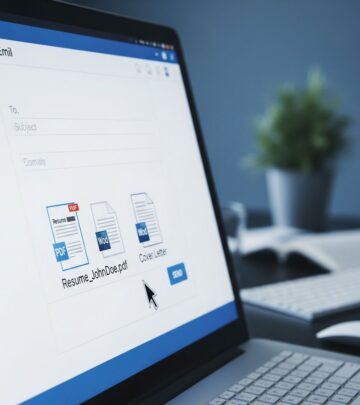
Email cover letters are the most common format for job applications today. When sending your cover letter through email, you don’t need to include a handwritten signature since email is an electronic format. Instead, you should type your full name at the end of the email using the same font you used throughout the rest of your cover letter.
Email Signature Format
The standard format for an email cover letter signature follows this structure:
Regards,
[Your First Name] [Your Last Name]
[Your Email Address]
[Your Phone Number]
Although your contact information should already be included in your cover letter header and resume, repeating it in your email signature makes your information easily accessible and shows professionalism. Some applicants also choose to include their LinkedIn profile URL or personal website in their email signature for additional professional visibility.
Email Signature Examples
Here are professional examples of how to properly sign off on an email cover letter:
Example 1:
Best Regards,
Hector Lopez
hectorlopez@email.com
(812) 876-6721
Example 2:
Sincerely,
Maria Smith
763 Main Street
North Oxford, MA 01540
mariasmith@email.com
(812) 745-6721
Example 3:
Regards,
Samuel Liao
samuelliao@email.com
(147) 369-1701
www.linkedin.com/sliao
www.samuelliao.com
Professional Closing Phrases to Use
Choose a professional closing phrase that is friendly yet formal. Recommended closings include:
– Sincerely
– Regards
– Best
– Respectfully
– Thank you
– Thank you for your consideration
Avoid casual closings such as “Cheers,” “Warm Regards,” or “Yours Truly,” as these may be perceived as too informal for professional job applications.
How to Add an Electronic Signature to Your Cover Letter
If you want to sign a cover letter you’re attaching to an email or uploading to a job portal, you have several options beyond simply typing your name. Electronic signatures add a personal touch while maintaining a professional appearance.
Electronic Signature Options
You can use several methods to add an electronic signature:
– Type your name directly into the document
– Attach a scanned image of your handwritten signature
– Use digital signature software such as Adobe Sign, DocuSign, or OneSpan Sign to electronically sign your cover letter
Electronic signature software has become increasingly popular because it allows you to add an authentic-looking signature to your digital documents while maintaining professionalism. These tools create a visual representation of a signature that looks similar to a handwritten one, adding a personal touch to your application without the complications of scanning or image manipulation.
How to Sign a Cover Letter in Microsoft Word
If you’re attaching your cover letter as a Word document and want to add a personal touch, you can easily insert a handwritten signature digitally. This approach combines the professionalism of a typed document with the personal connection of a signature.
Steps to Insert a Signature in Word
To add a handwritten signature to your Word document, follow these steps:
1. Create an image of your signature by signing a blank piece of paper with black or blue ink
2. Scan the signed page using a scanner or take a clear photograph with your phone
3. Save the image to your computer
4. Open your cover letter in Microsoft Word
5. Position your cursor where you want the signature to appear
6. Go to the “Insert” tab and select “Pictures”
7. Choose your signature image from your saved files
8. Resize the image as needed to fit appropriately at the end of your cover letter
9. Type your full name below the signature image
This method gives your cover letter a more personal appearance while maintaining the professional formatting of a digital document. The scanned signature appears authentic and shows that you’ve taken extra effort to personalize your application.
How to Sign a Printed Cover Letter
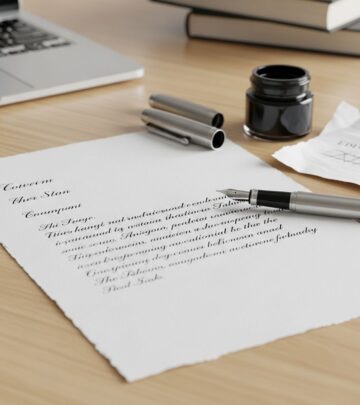
Although less common in today’s digital job market, sometimes you may need to mail your cover letter as a printed copy. When submitting a hard copy by mail, you should always sign your cover letter because it’s more professional and requires minimal effort.
Formatting Your Handwritten Signature
When signing a printed cover letter, follow these guidelines:
– Leave two to three blank lines between your cover letter sign-off and your full name
– Print your cover letter using high-quality paper and a professional printer
– Sign your name using black or dark blue ink (black is preferred)
– Sign within the blank space you’ve left
– Type your full name below your handwritten signature
You don’t need to include your contact information underneath your signature on a printed cover letter because most cover letter templates already have this information at the top of the page. This keeps the bottom of your letter clean and professional while maintaining proper formatting.
Handwritten Signature Examples
Here are examples of how handwritten signatures should appear at the end of a printed cover letter:
Example 1:
Sincerely,
[Handwritten Signature]
Gloria Morales
Example 2:
Sincerely,
[Handwritten Signature]
Ahote Nighthorse
Complete Cover Letter Format Overview
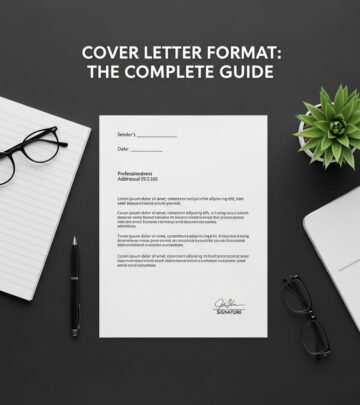
Understanding where your signature fits within the overall structure of your cover letter is essential for proper formatting. A well-structured cover letter includes several key components that work together to create a professional application.
Standard Cover Letter Components
Header Section (Top of Letter):
– Your name
– Your address
– Your city, state, and ZIP code
– Your phone number
– Your email address
– Date
– Hiring manager’s name
– Company name
– Company address
– Company city, state, and ZIP code
Body Sections:
– Professional greeting (e.g., “Dear Mr./Ms. [Last Name]”)
– Opening paragraph introducing yourself and the position
– Middle paragraphs highlighting relevant skills and experience
– Closing paragraph reiterating your interest and call to action
– Professional closing and signature
Professional Greeting and Closing Best Practices
Your greeting and closing frame your cover letter and work together with your signature to create a cohesive, professional appearance.
Recommended Greetings
Start your cover letter by addressing the hiring manager directly. Whenever possible, research the hiring manager’s name through the job description or company website. Use their full name without titles like “Mr.,” “Mrs.,” or “Ms.” If you cannot find the hiring manager’s name, use “Dear Hiring Manager.” Avoid outdated greetings such as “Dear Sir/Madam” or “To Whom It May Concern.”
Recommended Closings
Choose a complementary closing that is friendly yet formal, followed by your first and last name. Professional closings include Sincerely, Regards, Best, Respectfully, or Thank you for your consideration. Avoid casual closings that may undermine your professional image.
Key Considerations for Different Submission Methods
Different delivery methods require different signature approaches. Understanding which method works best for each situation helps you present your cover letter appropriately.
| Submission Method | Signature Type | Include Contact Info |
|---|---|---|
| Typed name only | Yes, include phone and email | |
| Word Document (Attached) | Scanned handwritten or digital signature | No, already in header |
| PDF Upload | Typed name or digital signature | No, already in header |
| Printed/Mailed | Handwritten signature | No, already in header |
Why Every Format Matters
Regardless of which signature method you use, consistency and professionalism should be your primary concerns. Each format serves a different purpose and helps you adapt your application to various submission requirements. The key is ensuring that whatever method you choose reinforces your professional image and makes it easy for hiring managers to contact you.
Frequently Asked Questions About Cover Letter Signatures
Q: Do I need to include my signature on every cover letter?
A: Yes, including a signature or your typed name at the end of your cover letter is always recommended. It adds a professional touch and demonstrates attention to detail. For email cover letters, type your name; for printed letters, add a handwritten signature.
Q: Can I use a digital signature service for all cover letters?
A: Digital signature services like Adobe Sign, DocuSign, or OneSpan Sign work well for attached documents and PDF uploads. However, for email cover letters, a simple typed name is more appropriate and standard practice.
Q: What if I can’t find the hiring manager’s name?
A: If you cannot find the hiring manager’s name despite thorough research, use “Dear Hiring Manager” as your greeting. This is professional and appropriate when a specific name is unavailable.
Q: Should I include my full address in my email cover letter signature?
A: While not required, including your full address in an email cover letter signature can be helpful for hiring managers who need to send materials by mail. At minimum, include your phone number and email address.
Q: Can I use a colored signature on my cover letter?
A: For printed cover letters, stick with black or dark blue ink, with black being the preferred choice for a professional appearance. For digital signatures, maintain a professional look that resembles standard black ink.
Q: How much space should I leave for my handwritten signature?
A: Leave two to three blank lines between your closing phrase (such as “Sincerely,”) and your typed name to provide adequate space for your handwritten signature.
Q: Is it better to attach a cover letter as PDF or Word?
A: PDF format is generally preferred because it preserves formatting across different devices and operating systems. Always save your final cover letter as PDF unless the job posting specifically requests another format.
Final Tips for Professional Cover Letter Signatures
To ensure your cover letter signature makes the best possible impression, keep these final recommendations in mind. Always proofread your entire cover letter, including your closing and signature, for typos and formatting errors. Consistency in font, spacing, and overall presentation demonstrates professionalism and attention to detail. Make sure your signature method matches the submission format you’re using, and don’t overcompose with unnecessary flourishes that could detract from your professional image. Finally, remember that your cover letter signature is just one element of your overall application—the content of your letter, your qualifications, and your fit for the position are ultimately what matter most to hiring managers.
References
- How to Sign a Cover Letter (With Examples of Signatures) — Resume Genius. 2024. https://resumegenius.com/blog/cover-letter-help/how-to-sign-a-cover-letter
- How To Format a Cover Letter (With Outline and Examples) — Indeed. 2024. https://www.indeed.com/career-advice/resumes-cover-letters/how-to-format-a-cover-letter-example
- Email Cover Letter Guide: Samples & How-To’s — LHH. 2024. https://www.lhh.com/en-us/insights/email-cover-letter-samples
Similar Articles








Read full bio of Sneha Tete