How To Share Passwords Securely: 4 Safe Methods
Discover safe methods to share passwords without risking your accounts or personal data security.
Sharing passwords is a common necessity in today’s connected world, whether with family, colleagues, or trusted friends for streaming services, shared accounts, or collaborative projects. However, doing so insecurely can expose you to data breaches, identity theft, and financial loss. This guide explores proven methods to share passwords safely, emphasizing tools like password managers and encryption to minimize risks while maintaining convenience.
With cyber threats on the rise, understanding secure sharing practices is crucial. According to cybersecurity experts, weak password habits contribute to over 80% of breaches. By adopting the right techniques, you can share access without compromising security.
Why Sharing Passwords Is Risky
Passwords are the frontline defense for your online accounts, yet sharing them via email, text, or verbal exchange leaves them vulnerable to interception. Hackers exploit unencrypted channels, and once compromised, a single password can unravel multiple accounts if reused—a habit plaguing 59% of users per recent studies.
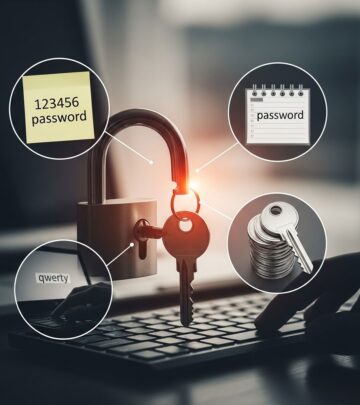
Common pitfalls include using simple passwords like ‘123456’ or ‘password,’ which are easily guessed or cracked. Shared insecurely, these amplify risks, especially in shared household accounts like Netflix, where crackdowns have highlighted the need for alternatives.
- Unencrypted emails and texts: Easily intercepted by network snoopers.
- Reused passwords: One breach exposes everything.
- No expiration: Shared passwords linger indefinitely, increasing exposure time.
The Best Ways to Share Passwords Securely
To mitigate risks, prioritize methods that encrypt data end-to-end and limit access duration. Here’s a breakdown of top strategies.
1. Use a Password Manager
Password managers like LastPass, 1Password, or Bitwarden are the gold standard for secure sharing. They generate strong, unique passwords and allow temporary sharing links that auto-expire.
- Create a shared folder or vault for specific accounts.
- Grant view-only or edit access with one-click links.
- Revoke access instantly if needed—no password changes required.
For teams, enterprise versions offer audit logs and granular permissions, ideal for work collaborations.
2. Encrypted Messaging Apps
Apps like Signal or WhatsApp (with disappearing messages) provide end-to-end encryption. Share passwords via self-destructing notes.
- Enable disappearing messages (e.g., 24 hours).
- Use screen-shot protection where available.
- Avoid SMS, which lacks encryption.
3. Secure File Sharing Services
Tools like OneTimeSecret or Password Pusher generate one-time, expiring links for password delivery.
- Paste password into the service.
- Share the unique URL (password-free).
- Link self-destructs after one view or set time limit.
4. QR Codes for Quick Shares
Generate a QR code containing the password using free online tools. Scan once, and it’s gone from your history.
Pro Tip: Combine with password managers for layered security.
Step-by-Step: Sharing with Popular Password Managers
Let’s dive into practical tutorials for leading tools.
LastPass Sharing Guide
- Log into LastPass and navigate to ‘Sharing Center.’
- Select the password and choose ‘Share.’
- Enter recipient’s email; set permissions (view/edit).
- Send secure link—recipient accepts without seeing your master password.
LastPass notifies you of views and allows instant revocation.
1Password Families or Teams
- Create a shared vault in your family or team plan.
- Add passwords and invite members.
- Members access via their app—no direct password exposure.
| Password Manager | Free Tier Sharing | Expiration Options | Price (Premium) |
|---|---|---|---|
| LastPass | Limited | Yes | $3/mo |
| 1Password | No (Families $4.99/mo) | Custom | $2.99/mo individual |
| Bitwarden | Yes | Yes | $10/year |
Secure Sharing for Streaming Services
Services like Netflix have curbed password sharing, adding fees for extra users. Instead of risking bans, use secure methods or profile transfers.
Netflix’s profile transfer tool lets users migrate watch history to new accounts:
- Enable transfers in account settings.
- Select profile on web, choose ‘Transfer Profile.’
- Enter new account details; wait for approval (instant or 48 hours).
For ongoing shares, password managers ensure compliance without exposure.
Best Practices for Password Hygiene
Beyond sharing, maintain robust habits:
- Use multi-factor authentication (MFA): Adds a second verification layer.
- Never reuse passwords: Unique per account.
- Change shared ones regularly: Rotate every 90 days.
- Audit shares: Review access logs monthly.
Enable MFA on all accounts—it’s 99% effective against automated attacks per NIST guidelines.
Common Mistakes to Avoid
- Sharing via unsecured email or chat apps without encryption.
- Forgetting to revoke access after use.
- Using the same password across services.
- Ignoring update notifications for shared logins.
Frequently Asked Questions (FAQs)
Q: Is it ever safe to share passwords verbally?
A: Only in person with trusted individuals for low-risk accounts; avoid for banking or email.
Q: What if I don’t want a paid password manager?
A: Use free options like Bitwarden or one-time secret services for occasional shares.
Q: How do I handle shared work passwords?
A: Opt for enterprise password managers with role-based access and compliance features.
Q: Can I share passwords with family safely?
A: Yes, via family plans in 1Password or LastPass, with customizable permissions.
Q: What about two-factor codes?
A: Never share 2FA codes; they defeat sharing’s purpose—use app-based sharing instead.
Tools Comparison Table
| Tool | Encryption | Expiration | Best For | Cost |
|---|---|---|---|---|
| Signal | E2E | Disappearing msgs | Quick shares | Free |
| Bitwarden | AES-256 | Yes | Teams/Families | Free/Paid |
| OneTimeSecret | Yes | One-view | One-offs | Free |
| LastPass | AES-256 | Custom | Individuals | $3/mo |
In summary, secure password sharing hinges on encryption, temporality, and revocation capabilities. By leveraging password managers and best practices, you protect your data while enabling necessary collaborations. Start today to fortify your digital security.
References
- Digital Identity Guidelines — National Institute of Standards and Technology (NIST). 2020-03-05. https://pages.nist.gov/800-63-3/sp800-63-3.html
- Password Managers Review — Consumer Reports. 2024-06-15. https://www.consumerreports.org/electronics-computers/password-managers/
- Cybersecurity Framework — National Institute of Standards and Technology (NIST). 2024-04-01. https://www.nist.gov/cyberframework
- Verizon Data Breach Investigations Report — Verizon. 2025-05-20. https://www.verizon.com/business/resources/reports/dbir/
- Password Security Guidelines — OWASP Foundation. 2023-11-10. https://cheatsheetseries.owasp.org/cheatsheets/Authentication_Cheat_Sheet.html
Similar Articles








Read full bio of medha deb