How to Refill an Ink Cartridge with a Small Piece of Tape
Save hundreds on printing costs by refilling your own ink cartridges using simple household items like tape and a syringe.
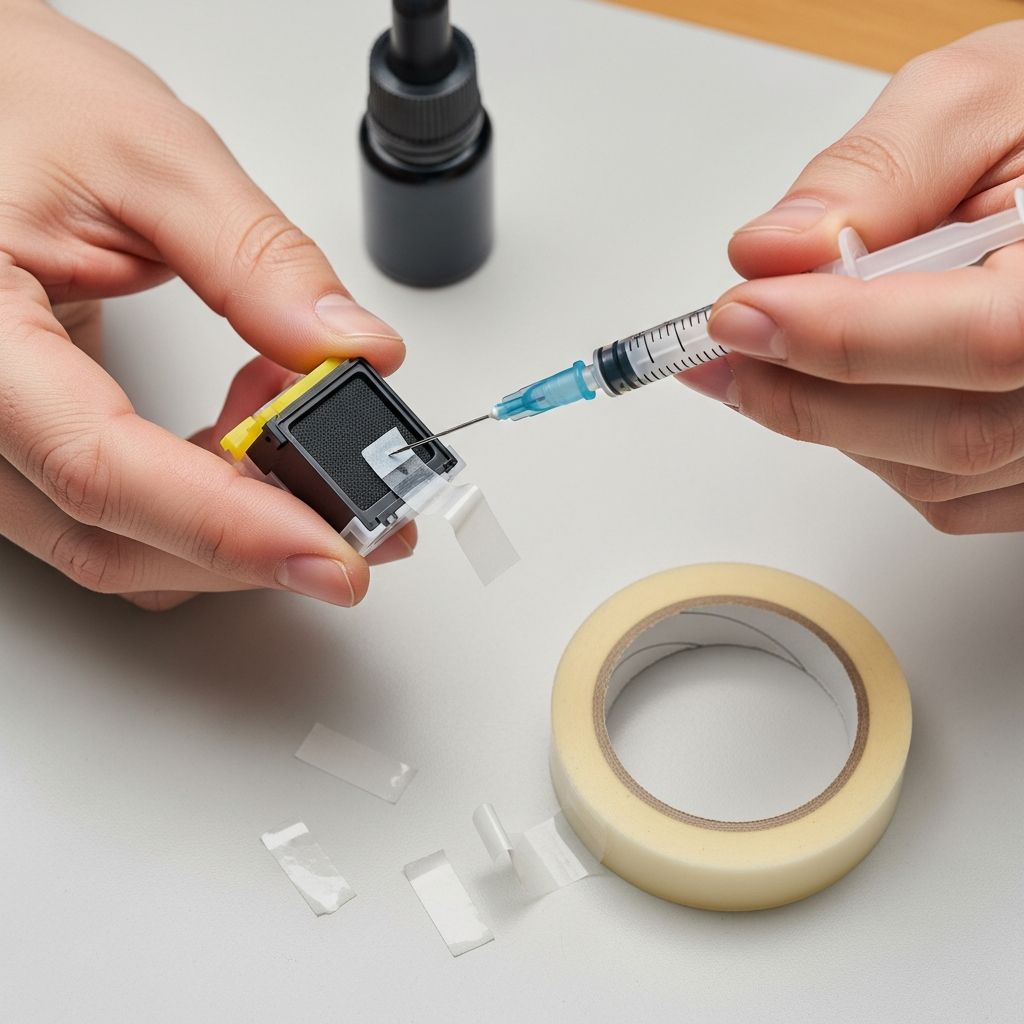
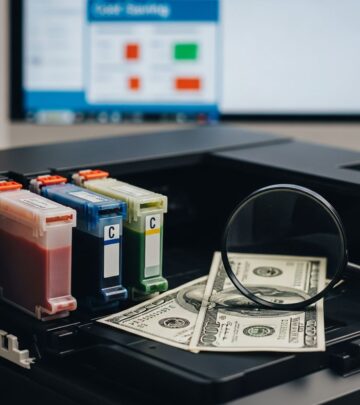
Printer ink cartridges are one of the most expensive consumables in modern home offices, often costing more per ounce than premium champagne. But with a simple DIY method using a syringe, bulk ink, and a small piece of tape, you can refill them yourself and slash your printing costs by up to 90%. This guide walks you through the entire process, from gathering tools to troubleshooting common issues, ensuring reliable results for most inkjet cartridges from brands like HP, Canon, and Epson.
Why Refill Your Own Ink Cartridges?
Original equipment manufacturer (OEM) ink cartridges are designed for profit, not longevity. A single black cartridge can cost $20–$50, while compatible bulk ink sells for pennies per milliliter. Refilling extends cartridge life 5–10 times, reducing waste and saving money. Environmentally, it cuts plastic landfill contributions from discarded cartridges. However, success depends on using high-quality pigment-based ink compatible with your model to avoid clogs or printhead damage.
Tools and Materials You’ll Need
Gather these inexpensive items before starting. Most are household staples or available for under $10 total.
- Bulk refill ink: Pigment ink matching your cartridge (black: 4–5ml per fill; color: 2–3ml per chamber).
- Syringe with needle: 5–10ml size, blunt tip preferred for safety (available at pharmacies or online).
- Small piece of electrical tape or label sticker: To seal fill holes airtight.
- Paper towels or lint-free cloths: For cleanup and blotting excess ink.
- Thumbtack, pin vise, or small drill: To access hidden fill holes if needed.
- Gloves and workspace cover: Prevent stains on hands and surfaces.
Pro tip: Buy ink from reputable suppliers to match viscosity and avoid fading or bleeding.
Step-by-Step Instructions to Refill
Work in a well-lit, protected area. Remove the cartridge from your printer first and place it printhead-down on paper towels.
Step 1: Locate and Expose the Fill Holes
Fill holes are hidden under a label on the cartridge top. Gently peel back the label with a fingernail or knife, revealing 1–3 small indentations (black in center, colors on sides for tri-color carts). Avoid tearing the label for reuse. If no holes, puncture carefully with a thumbtack using a twisting motion—never drill deeply.
Step 2: Prepare the Syringe with Ink
Fill the syringe halfway: 4–5ml for black, 2–3ml per color chamber. Tap out air bubbles by flicking the syringe and pushing ink to the needle tip. Hold the cartridge at an angle, fill hole up, outlet down.
Step 3: Inject Ink Slowly
Insert needle at a 45-degree angle toward the sponge side, not straight down. Push plunger very slowly (10–20 seconds per ml) to let the sponge absorb ink. Stop if ink bubbles back or overflows—suck back 0.5–1ml to create air space and prevent leaks. Tap the cartridge side to release trapped air bubbles.
Step 4: Clean and Seal with Tape
Dab excess ink from holes and printhead with paper towels until dry. Reapply original label or cover each hole with a small piece of electrical tape (1/4-inch square; avoid overlapping edges to fit printer slot). Press firmly for an airtight seal.
Step 5: Rest and Reinstall
Let sit 20–30 minutes printhead-down for ink saturation and air escape. Blot printhead again, then reinstall. Run a nozzle check or cleaning cycle. Ignore low-ink warnings—they’re chip-based and reset after printing.
| Cartridge Type | Black (ml) | Cyan (ml) | Magenta (ml) | Yellow (ml) |
|---|---|---|---|---|
| HP 21/60 | 4–5 | 2–3 | 2–3 | 2–3 |
| Canon PG-240/240XL | 4 | 3 | 3 | N/A |
| Epson T069 | 5 | 3 | 3 | 3 |
Amounts vary; check your model specifics.
Troubleshooting Common Problems
- Leaking cartridge: Overfilled or poor seal. Suck back ink, re-tape firmly, and rest longer.
- Streaks or gaps in prints: Air bubbles blocking flow. Run 2–3 printer clean cycles or gently massage printhead.
- Colors not mixing: Wrong hole or fast injection. Refill slowly, one color at a time.
- Low ink warning persists: Normal for chipped carts; print until empty.
- Clogged after weeks: Use pigment ink only; shake gently before use.
If issues persist, the sponge may be saturated—discard after 4–6 refills.
Cost Savings and Longevity Tips
A $10 ink set refills 10+ cartridges, vs. $200+ OEM. Expect 300–500 pages per black fill. Tips:
- Refill before fully empty to maintain pressure.
- Store bulk ink airtight, away from heat.
- For multi-color carts, refill one chamber at a time.
- Compatible with most deskjets; avoid high-end photo printers.
Safety Precautions
Ink stains permanently—wear gloves. Work over newspaper. Dispose of waste responsibly. Not for laser/toner cartridges (different process). Refilling voids warranties, but rarely enforced for personal use.
Frequently Asked Questions (FAQs)
Can I refill any ink cartridge?
Most inkjet yes (HP, Canon, Epson), but check for refillable sponges. Not ideal for piezo printheads without pigment ink.
How many times can I refill one cartridge?
4–8 times until sponge degrades, yielding 2,000+ pages total.
What if my printer shows error after refill?
Run cleaning cycle or power reset. Chip resetters available for stubborn models.
Is refill ink as good as OEM?
High-quality pigment matches or exceeds for documents; photos may fade faster without dye inks.
Legal to refill?
Yes for personal use; “right to repair” laws support it in many regions.
References
- Refilling Ink Cartridges: A Practical DIY Guide — Toner Connect. 2023-05-15. https://tonerconnect.net/blog/refilling-ink-cartridges/
- How to Refill Your Own Ink Cartridges (with Printheads) — YouTube (TonerConnect). 2022-11-10. https://www.youtube.com/watch?v=rS3ZoMMOOBU
- Small Format Refillable Cartridge Instructions — InkjetMall. 2024-02-20. https://shop.inkjetmall.com/small-format-refillable-cartridge-instructions
- Refill Your Laser Printer Toner Cartridge the Easy Way — Instructables. 2021-08-05. https://www.instructables.com/How-to-Refill-Your-Printer-Toner-Cartridge-the-Eas/
- How to Refill Ink Cartridge — Inkjets.com. 2023-09-12. https://www.inkjets.com/blogs/printer-ink-guides/how-to-refill-ink-cartridge
- Refill Printer Ink Cartridge the Right Way — YouTube (DIY Perks). 2023-03-18. https://www.youtube.com/watch?v=AdSjxR8Tumk
Similar Articles








Read full bio of medha deb