How to Have a Successful Video Job Interview
Master your Skype or Zoom job interview with expert tips on tech setup, appearance, environment, and performance to land the job.
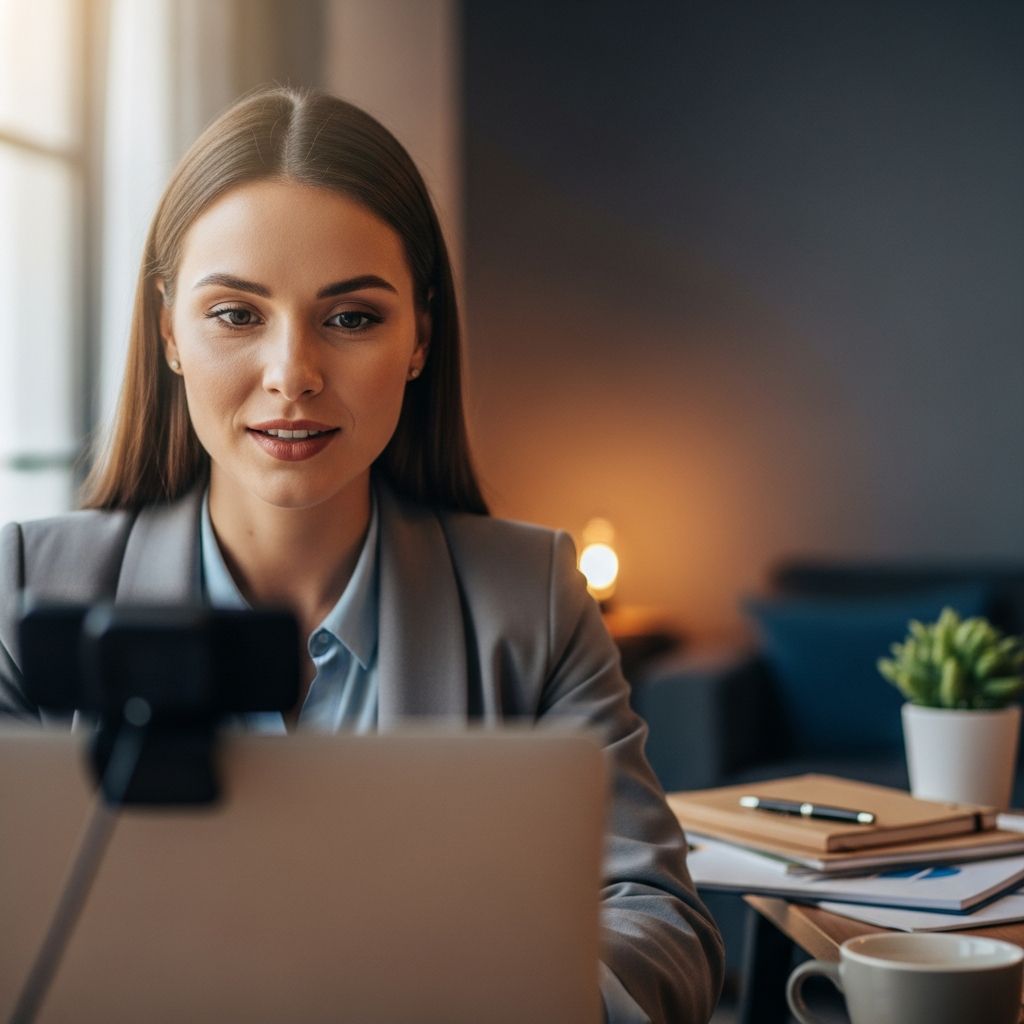
A video job interview offers convenience from home, but pitfalls like technical glitches, poor lighting, or distractions can derail your chances. This guide covers comprehensive preparation for platforms like Skype, Zoom, or Teams to help you present professionally and confidently.
Prepare Your Technology in Advance
The foundation of a successful video interview starts with reliable technology. Last-minute issues can end your opportunity before it begins.
- Download and Install Software Early: Install the required app (e.g., Skype, Zoom) at least 48 hours ahead. Test login, audio, and video to ensure compatibility with your device.
- Test Hardware Thoroughly: Check your webcam, microphone, and internet speed. Use tools like Zoom’s test meeting or Skype’s echo test. Have backups like headphones or a secondary device ready.
- Update Everything: Ensure your operating system, browser, and app are current to avoid crashes. A stable wired internet connection is ideal over Wi-Fi.
Pro tip: Run a full rehearsal call with a friend 24 hours prior to confirm everything works seamlessly.
Set Up a Professional Profile
Your Skype or Zoom profile is often the first impression. Treat it like your LinkedIn page.
- Choose a Professional Photo: Use a high-quality headshot in business attire, smiling confidently. Avoid selfies or casual images.
- Professional Username: Opt for firstname.lastname or initials (e.g., john.doe.interview). Steer clear of nicknames, numbers, or unprofessional handles like partyanimal2020.
- Customize Display Name: Ensure it matches your resume exactly for easy recognition by interviewers.
This small step builds credibility instantly when the interviewer searches for you.
Choose the Perfect Location
Your background speaks volumes. A cluttered or distracting space can undermine your professionalism.
- Quiet, Private Space: Select a room with a door to lock out interruptions. Inform family or roommates of your schedule.
- Neutral Background: Plain walls, bookshelves, or plants work best. Blur your background if using Zoom’s feature, but test for glitches.
- Avoid Windows Behind You: Position yourself with light in front to prevent silhouetting. Face a window for natural lighting if possible.
| Good Backgrounds | Bad Backgrounds |
|---|---|
| Bookshelf, plain wall, plant | Bedroom, kitchen mess, personal photos |
| Professional art | Dirty laundry, toys, busy street view |
Optimize Lighting and Camera Angle
Poor visuals can make you appear tired or unprofessional. Lighting is crucial for video calls.
- Eye-Level Camera: Stack books under your laptop to align the camera with your eyes. This simulates natural eye contact—look at the camera lens, not the screen.
- Three-Point Lighting Setup: Main light in front (lamp or window), fill lights on sides, backlight behind for depth. Avoid overhead lights casting shadows.
- Test Your Look: Record a test video to check for glare, shadows, or unflattering angles. Aim for soft, even illumination on your face.
Golden rule: The interviewer should see your eyes and smile clearly, as if in person.
Dress for Video Success
Dressing up boosts confidence and signals seriousness, even from home.
- Business Professional Attire: Solid colors (navy, gray) for top; ensure pants match if you stand. Avoid busy patterns that pixelate on camera.
- Grooming Matters: Neat hair, minimal makeup/jewelry, clean-shaven or trimmed beard. Subtle colors prevent washing out under lights.
- Full Outfit Prep: Dress completely—even shoes—in case you need to move.
Remember: The wrong shirt can clash with your background or lighting.
Minimize Distractions and Noise
Interviews demand focus; eliminate anything that could interrupt.
- Soundproof Your Space: Close windows, turn off fans/AC. Use a lavalier mic or headphones for clear audio.
- No Multitasking: Silence phones, close unrelated tabs. Post ‘Do Not Disturb’ signs.
- Pet and Family Control: Secure pets; schedule childcare if needed.
One barking dog or door knock can shatter your professional image.
Maintain Eye Contact and Body Language
Video magnifies non-verbals. Project confidence through posture and gaze.
- Look at the Camera: Train yourself to gaze into the lens for direct ‘eye contact’. Resist staring at the interviewer’s face on screen.
- Posture and Gestures: Sit straight, shoulders back. Use open hand gestures above the desk; nod to show engagement.
- Smile Naturally: Lean slightly forward to convey interest. Avoid fidgeting or touching your face.
Practice in mirror or recordings to refine these habits.
Limit Notes and Stay Engaged
Notes are fine, but over-reliance looks evasive.
- Subtle Cues Only: Use a small notepad or sticky notes around the camera (not on keyboard). Glance sparingly to keep eyes up.
- Active Listening: Paraphrase questions, pause thoughtfully before answering. Mirror energy levels.
- No Reading Scripts: Sound natural; interviewers spot scripted responses.
Research and Practice Common Questions
Content is king. Know your stuff to shine beyond tech.
- Company Research: Review their website, recent news, values. Tailor why you fit.
- Common Questions Prep: Practice ‘Tell me about yourself’, strengths/weaknesses, salary expectations. Use STAR method (Situation, Task, Action, Result) for behavioral answers.
- Your Questions Ready: Ask about team dynamics, challenges, growth opportunities. Shows preparation.
Rehearse full mock interviews via video to build fluency.
Day-of Checklist and Final Tips
Execute flawlessly on interview day.
- 15 Minutes Early: Log in, test audio/video, have water/resume handy.
- Posture Reminder: Feet flat, hands visible, smile ready.
- Follow-Up: Send thank-you email recapping a key point within hours.
Frequently Asked Questions (FAQs)
Q: What if my internet fails during the interview?
A: Stay calm, inform the interviewer, switch to phone audio if possible, or reschedule politely. Have a mobile hotspot backup.
Q: How do I handle multiple interviewers on video?
A: Greet each by name, direct answers to the group via camera, note who’s speaking.
Q: Solid colors or patterns for clothing?
A: Solid, muted colors; avoid stripes or checks that moiré on camera.
Q: Can I eat or drink on camera?
A: Water only, sip off-camera discreetly. No food or chewing gum.
Q: What’s the best lighting setup for beginners?
A: Desk lamp facing you at 45 degrees, plus window light. Free ring lights under $20 work well.
Common Mistakes to Avoid
- Forgetting to mute during waits.
- Poor framing (head too small/large).
- Casual language or slang.
- Forgetting research on the company.
Video interviews level the playing field but demand extra polish. With preparation, you’ll outperform in-person candidates.
References
- How to Prepare for an Online Skype Job Interview in 2019 — Darnell Clarke, YouTube. 2018-11-12. https://www.youtube.com/watch?v=wBbzI0_HPuM
- How to Answer 23 of the Most Common Interview Questions — Wise Bread. Accessed 2026. https://www.wisebread.com/how-to-answer-23-of-the-most-common-interview-questions
- How to Have a Successful Skype or Video Job Interview — Wise Bread. Accessed 2026. https://www.wisebread.com/how-to-have-a-successful-skype-or-video-job-interview
Similar Articles








Read full bio of medha deb