How to Format an Email Message Professionally
Master professional email formatting with essential tips, structure guidelines, and best practices.
In today’s digital workplace, email remains one of the most critical communication tools. Whether you’re reaching out to a potential client, coordinating with colleagues, or applying for a job opportunity, the way you format your email can significantly impact how your message is received. A well-formatted email demonstrates professionalism, clarity, and respect for the recipient’s time. This comprehensive guide will walk you through the essential elements of proper email formatting, helping you craft messages that are both effective and impressive.
Understanding the Basic Structure of a Professional Email
Every professional email should follow a consistent structure that includes several key components. This framework ensures your message is organized, easy to read, and conveys your intended message clearly. The foundation of proper email formatting begins with understanding these essential building blocks and how they work together to create a cohesive communication piece.
The Essential Elements of Email Formatting
A properly formatted email contains eight critical elements that work together to create an effective message. Understanding each component and its purpose will help you construct emails that command attention and generate the desired response from your recipients.
1. Subject Line
The subject line serves as the gateway to your email. It’s the first thing recipients see and often determines whether they’ll open your message or let it languish in their inbox. A compelling subject line should be concise, specific, and relevant to the email’s content. Avoid vague subjects like “Hello” or “Question” that fail to convey the email’s purpose. Instead, use actionable language that immediately communicates the email’s value or urgency. For example, “Q2 Budget Review – Action Required by Friday” is far superior to “Budget stuff.” Keep your subject line under 50 characters when possible to ensure it displays fully on mobile devices, where many professionals now check their email.
2. Greeting or Salutation
Your opening line sets the tone for the entire message and establishes a professional relationship with the recipient. The appropriate greeting depends on your relationship with the person and the formality level required. For formal communications, use “Dear Mr./Ms. [Last Name]” or “Dear [Title],” particularly when addressing someone you don’t know personally. For established professional relationships, “Hi [First Name]” or “Hello [Name]” works well and strikes a balance between professionalism and approachability. Avoid overly casual greetings like “Hey” or “Yo” in professional contexts, as these can undermine your credibility.
3. Opening Line
After your greeting, begin with a polite opening that acknowledges the recipient and builds rapport before diving into your main message. Phrases like “I hope this message finds you well,” “Thank you for your prompt response,” or “I appreciate your time” create a positive tone and demonstrate courtesy. This transitional element smooths the pathway from salutation to your core message, making your email feel less abrupt or demanding.
4. Clear and Concise Body
The body of your email contains the primary message or request. This section should be well-organized, easy to scan, and focused on delivering value to the reader. Structure your body content into three key parts: the introduction explaining your purpose, the main message with necessary details or context, and clear next steps or calls to action. Keep paragraphs short—ideally three to four sentences maximum—to maintain readability. Use white space strategically to break up text blocks and improve visual clarity.
5. Call to Action
Your call to action (CTA) explicitly tells the recipient what you need them to do next. Whether you’re requesting a meeting, asking for feedback, or seeking approval, be specific and unambiguous. Instead of “Let me know what you think,” try “Would Tuesday or Wednesday work better for a 30-minute call?” Clear CTAs increase response rates and prevent misunderstandings about expectations.
6. Closing Line
Before your sign-off, include a courteous closing statement that wraps up the email gracefully. Phrases like “Looking forward to hearing from you,” “Please feel free to reach out if you have questions,” or “Thank you for your consideration” provide a natural conclusion to your message and reinforce your professional demeanor.
7. Sign-Off
Your sign-off is the bridge between your message and your signature. Professional options include “Best regards,” “Kind regards,” “Sincerely,” or “Thanks.” The appropriate sign-off depends on the formality level of your email and your relationship with the recipient. For very formal communications, “Sincerely” or “Respectfully” work best, while “Best” or “Thanks” suit semi-formal or established professional relationships.
8. Email Signature
Your email signature is your digital business card. It should include your full name, professional title, company name, phone number, and email address. Some professionals also add their office location or a company website. A well-crafted signature provides recipients with multiple ways to contact you and reinforces your professional brand. Avoid excessive graphics or unusual fonts that may not display properly on all devices or email clients.
Key Formatting Principles for Professional Emails
Beyond the structural elements, several fundamental formatting principles guide the creation of effective professional emails. These principles focus on how you present information and how recipients will perceive your message.
Block Format
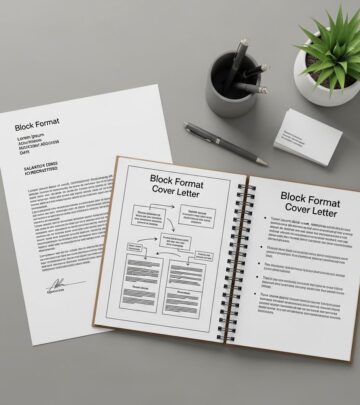
Block format is the standard layout for professional emails and is widely accepted across industries. In block format, all text is aligned to the left margin with no indentation at the beginning of paragraphs. Text within paragraphs is single-spaced, while a double space (an extra blank line) separates paragraphs. This clean, organized approach maximizes readability and presents a polished, professional appearance.
Prioritize Readability
Large blocks of text are exhausting to read and often go unread entirely. Break your message into digestible chunks using strategic spacing, bullet points, and bolding for emphasis. However, exercise restraint—formatting should enhance clarity, not create visual chaos. Use bold sparingly to highlight key points or important information that requires immediate attention.
Embrace Brevity
Your email isn’t a novel; it’s a problem-solving tool. Aim for clarity with minimal fluff. Use short sentences, direct wording, and limit yourself to one main idea per paragraph. Formal emails should ideally stay under 200 words, though complex situations may require slightly more. Every sentence should serve a purpose and contribute to your overall message.
Match Your Tone to the Situation
Professional tone isn’t one-size-fits-all. Sending a formal email to a government agency? Maintain a serious, respectful tone and avoid humor or emojis. Writing a business email to a repeat client you’ve built rapport with? A warmer, conversational tone is appropriate. Misaligned tone is a common reason emails get misunderstood or create unintended offense.
Proofread Meticulously
Spelling errors, grammatical mistakes, and typos significantly undermine your credibility. Before sending any professional email, proofread multiple times. Read your message aloud to catch awkward phrasing. Check that names are spelled correctly, dates are accurate, and all links work properly. Consider using grammar-checking tools, but don’t rely on them exclusively.
Formatting Guidelines by Email Type
Different email contexts require different formatting approaches. Understanding how to tailor your format to specific situations ensures your message lands correctly with your audience.
Formal Email Format
Formal emails are appropriate for job applications, official announcements, first-time contact with someone you don’t know, or sensitive matters. Formal email formatting emphasizes respect and professionalism through careful language and structure. Use a formal salutation like “Dear Mr./Ms. [Last Name],” maintain serious and respectful tone throughout, avoid contractions (write “do not” instead of “don’t”), eliminate slang and emojis, and conclude with a professional sign-off like “Sincerely” or “Best regards.” Include your complete signature block with all professional details.
Semi-Formal Email Format
Semi-formal emails work well for internal communication, regular updates, and ongoing professional relationships. This format balances professionalism with approachability. Use a friendly greeting like “Hi [Name],” get to the point quickly but maintain politeness, feel free to use bullet points for multiple updates or items, include a clear call to action if needed, and sign off with “Thanks” or “Kind regards.” Your signature can be simpler than formal emails, including just your name and title.
Casual Professional Email Format
Casual professional emails suit established relationships with colleagues you communicate with regularly. These emails can be more conversational while maintaining professionalism. Use informal greetings, employ a relaxed but respectful tone, include personal touches that reflect your established rapport, and use casual sign-offs like “Cheers” or “Talk soon.” However, always maintain basic professionalism and avoid overly familiar language.
Essential Best Practices for Email Formatting
Implementing these best practices will elevate your email communication and ensure your messages are consistently professional and effective.
Use Visual Formatting Strategically
Strategic use of visual elements enhances message clarity and engagement. Employ bullet points to break up lists of items, use numbered lists when ranking or sequencing information, bold key phrases or important information, and italicize for emphasis sparingly. Avoid ALL CAPS, which appears to be shouting, and be cautious with colored text or unusual fonts that may not display properly across different email clients.
Optimize for Mobile Devices
With many professionals checking email on smartphones and tablets, ensure your formatting works on mobile displays. Keep paragraphs short and scannable, use a readable font size, avoid wide tables that don’t resize well, and keep subject lines under 50 characters. Test your email on mobile devices before sending important messages.
Maintain Consistent Tone
Consistency in tone throughout your email reinforces your message and maintains professional credibility. Avoid shifting between formal and casual language, varying your formality level mid-message, or sending mixed signals about the email’s importance or urgency.
Include Clear Attachments References
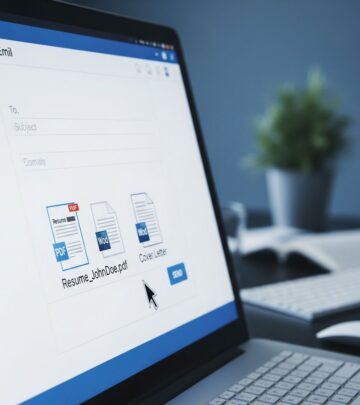
When attaching files, reference them explicitly in your email body. For example, “Attached you will find the signed contract” or “Please see the attached spreadsheet for detailed metrics.” This makes it clear you intentionally included the attachment and the recipient knows to look for it.
Practice Timely Responses
Professionalism extends to your response timeline. Aim to respond to emails within 24-48 business hours. If a full response requires more time, send a brief acknowledgment confirming receipt and setting expectations for your detailed reply. This demonstrates respect and keeps communication flowing smoothly.
Advanced Formatting Considerations
As you master basic email formatting, consider these advanced techniques for specialized situations.
Formatting for Announcements
When sending company announcements or important updates, structure your email so the critical information appears first. Use a clear subject line that emphasizes importance or urgency, lead with a concise summary of the announcement, use bullet points or numbered lists to present key details, and always include context about why this announcement matters to recipients.
Formatting for Requests
When requesting something from recipients, clarity is paramount. State your specific request clearly in the opening, explain why you’re making the request or how it benefits the recipient, provide any necessary deadline or urgency, and make responding as easy as possible by suggesting specific options or action steps.
Formatting for Meetings or Events
When scheduling meetings or announcing events, include all essential details: date and time (with time zone if relevant), location or meeting link, agenda or purpose, and any preparation required from attendees. Use a clear subject line that includes the meeting topic and date, for example: “Project Kickoff Meeting – March 15 at 2:00 PM EST.”
Common Email Formatting Mistakes to Avoid
Learning what not to do is as important as learning what to do. Avoid these common formatting pitfalls that undermine professional communication effectiveness.
- Excessive formatting: Too many fonts, colors, or styles create visual chaos rather than clarity.
- Inconsistent formatting: Mixing formatting styles within a single email appears unprofessional and disorganized.
- Wall-of-text paragraphs: Large, unbroken text blocks are difficult to read and often skipped entirely.
- Inappropriate tone: Mismatching tone to context creates confusion or offense.
- Unclear CTAs: Vague or missing calls to action leave recipients uncertain about how to respond.
- Incomplete signatures: Missing contact information makes it difficult for recipients to reach you.
- Poor mobile optimization: Wide tables, large images, or poorly formatted lists don’t display well on mobile devices.
Email Formatting Tools and Resources
Several tools can help you format professional emails more effectively. Many email clients like Microsoft Outlook offer style sets and formatting options designed specifically for creating professional-looking emails. Grammar-checking tools help identify spelling and punctuation errors before sending. Email templates provide starting frameworks for common email types, saving time and ensuring consistent formatting. Consider creating your own email templates for frequently sent message types.
Frequently Asked Questions About Email Formatting
Q: What’s the ideal length for a professional email?
A: Most professional emails should be concise, with formal emails ideally under 200 words. However, the appropriate length depends on the message complexity. Prioritize clarity and completeness over arbitrary word counts—use as many words as needed to communicate effectively without unnecessary fluff.
Q: Should I use HTML or plain text formatting for emails?
A: For maximum compatibility and professional appearance, use plain text or simple HTML formatting. Many corporate email systems prefer plain text for security reasons, and plain text ensures your message displays correctly across all email clients and devices. Avoid complex HTML that may not render properly.
Q: How formal should my email signature be?
A: Your email signature should include your name, title, company, phone number, and email address. For conservative industries like law or finance, include all details. For creative industries, you might include a link to your portfolio. Keep signatures professional but appropriately aligned with your industry culture.
Q: Is it acceptable to use emojis in professional emails?
A: In formal professional emails, avoid emojis entirely. In semi-formal or casual professional emails with established contacts, a single, relevant emoji is occasionally acceptable, but exercise caution. When in doubt, leave them out. Different generations and cultures interpret emojis differently.
Q: How should I format emails containing multiple action items?
A: Use numbered lists to clearly present multiple action items with each person’s responsibility. For example: “1. Sarah will complete budget analysis by Friday. 2. James will schedule stakeholder meeting by Wednesday.” Follow with a summary of next steps and any deadlines to ensure everyone understands expectations.
Q: What’s the best way to format a follow-up email?
A: Begin with a reference to your previous communication: “Following up on our discussion about…” Briefly restate the key point or request, explain why follow-up is necessary, and clearly state what you need from the recipient. Keep it brief and respectful of their time.
Putting It All Together: Email Formatting Example
Here’s an example of a properly formatted professional email incorporating all the elements discussed:
Subject: Project Timeline Discussion – Wednesday 2:00 PM
Body:
Hi Maria,
I hope this message finds you well. I’m reaching out regarding the upcoming product launch timeline and would appreciate your input on a few key decisions.
Specifically, I’d like to discuss:
– Target launch date and any potential constraints
– Resource allocation for the development team
– Marketing timeline and campaign coordination
Would you be available for a 30-minute call on Wednesday at 2:00 PM EST? I’ve attached the current project timeline for your reference. If that time doesn’t work, please let me know your availability for Thursday or Friday.
Thank you for your collaboration on this project. I look forward to hearing from you.
Best regards,
John Smith
Project Manager
Technology Solutions Inc.
Phone: (555) 123-4567
Email: john.smith@techsolutions.com
Conclusion
Proper email formatting is a fundamental skill for professional success. By mastering the essential elements—subject line, greeting, body structure, call to action, closing, sign-off, and signature—and implementing best practices like brevity, clarity, and appropriate tone, you’ll significantly improve your email communication effectiveness. Remember that email formatting isn’t about rigid rules but about respecting your recipient’s time and ensuring your message communicates clearly. As you continue practicing these formatting principles, you’ll develop a professional communication style that commands respect, generates responses, and builds strong professional relationships. Start implementing these guidelines in your next email and watch how your professional communication transforms.
References
- All-in-One Email Format Guide: Tips, Examples, Templates — Atomic Mail. 2025. https://atomicmail.io/blog/email-format-guide-tips-examples-templates
- The Best Email Format: What Your Email Signature Says About Your Professional Image — Exclaimer. 2025. https://exclaimer.com/blog/the-best-email-format/
- How to Format an Email: Best Practices and Examples — Mailshake. 2025. https://mailshake.com/blog/how-to-format-an-email/
- Best Practices for Sending Mass Communications — George Mason University Advising. 2025. https://advising.gmu.edu/wp-content/uploads/Best-Practices-for-sending-Mass-Communications.pdf
- Format Email Messages with Styles — Microsoft Support. 2025. https://support.microsoft.com/en-us/office/format-email-messages-with-styles-f36f667d-f7ae-41ff-927e-17b7fc1bab38
Similar Articles








Read full bio of medha deb