How to Create and Upload an Online Resume
Master the art of creating a professional online resume and uploading it to job boards.
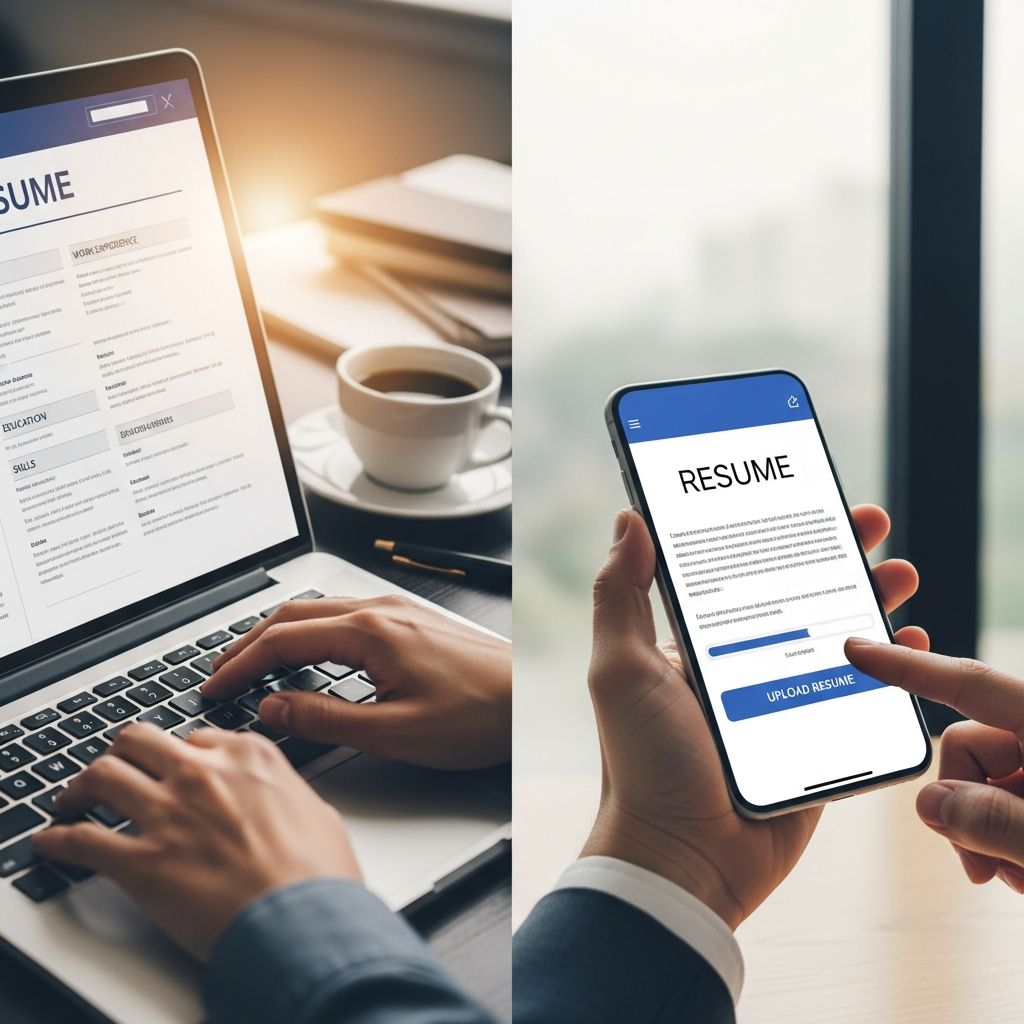
In today’s digital job market, knowing how to create and upload an online resume is essential for career success. Whether you’re a first-time job seeker or a seasoned professional, understanding the process of building a professional online resume can significantly increase your chances of landing interviews. This comprehensive guide will walk you through every step of creating, formatting, and uploading your resume to various platforms.
An online resume serves as your digital first impression to potential employers. Unlike traditional paper resumes, online resumes must be optimized for both human recruiters and Applicant Tracking Systems (ATS)—software that scans resumes for keywords and relevant information. By learning how to create and upload an online resume effectively, you’ll ensure your qualifications reach the right decision-makers.
Understanding the Basics of Online Resume Creation
Before diving into the technical aspects, it’s important to understand what makes an online resume different from a traditional one. Online resumes are typically submitted through job boards, company websites, or professional networking platforms. They must be easily readable by both automated systems and human eyes, making clarity and proper formatting paramount.
The foundation of a strong online resume starts with choosing the right format and structure. Most online resumes follow a chronological, functional, or combination format, each suited to different career stages and experiences. Your choice of format will depend on your work history and the specific job you’re applying for.
Choosing the Right Resume Format for Your Career
Selecting the appropriate resume format is the first critical decision when learning how to create and upload an online resume. Each format has distinct advantages:
Chronological Format
The chronological resume format lists your work experience in reverse order, starting with your most recent position. This format works best if you have a consistent work history with minimal employment gaps. It allows recruiters to quickly see your career progression and is the most commonly accepted format by ATS systems.
Functional Format
A functional resume emphasizes your skills and abilities rather than your chronological work history. This format is ideal if you’re changing careers, have employment gaps, or are just starting your career. However, many ATS systems have difficulty parsing functional resumes, so use this format cautiously when submitting online.
Combination Format
The combination resume merges elements of both chronological and functional formats. It begins with a skills section, followed by your work history in reverse chronological order. This hybrid approach is excellent for showcasing both your abilities and your career trajectory, making it increasingly popular for online submissions.
Step-by-Step Process for Creating Your Online Resume
Once you’ve selected your format, follow these essential steps to create a compelling online resume:
Step One: Gather Your Information
Before you begin writing, compile all relevant information about your professional background. This includes job titles, employer names, employment dates, key responsibilities, accomplishments, educational credentials, certifications, skills, and relevant volunteer experience. Having this information organized will streamline the resume-building process and ensure you don’t omit important details.
Step Two: Create a Strong Header
Your resume header should include your full name, phone number, email address, and optionally your LinkedIn profile URL or personal website. Place your name at the top in a larger font size (16-18 points) to make it stand out. Ensure your contact information is current and that you have a professional email address. Avoid using unprofessional email addresses or outdated phone numbers.
Step Three: Write a Compelling Professional Summary
A professional summary or objective statement appears below your contact information and should be tailored to each position you apply for. This 2-3 sentence overview should highlight your key qualifications, years of experience, and what you’re seeking in your next role. Keep it concise and relevant to the job description you’re applying for.
Step Four: Detail Your Work Experience
List your work experience in reverse chronological order, starting with your most recent position. For each role, include your job title, company name, employment dates, and a description of your responsibilities and accomplishments. Use action verbs like “managed,” “developed,” “implemented,” or “analyzed” to describe your achievements. Whenever possible, quantify your accomplishments with numbers and metrics to demonstrate your impact.
Step Five: Highlight Your Education
Include your educational background, listing the highest level of education first. For each entry, provide your degree type, field of study, the institution name, and graduation date. If you have relevant coursework, honors, or academic achievements, you may include those as well. For recent graduates with limited work experience, education can be placed before or prominently alongside work experience.
Step Six: Showcase Your Skills
Create a dedicated skills section that lists relevant competencies for your target position. Include both hard skills (technical abilities like software proficiency or language fluency) and soft skills (communication, leadership, teamwork). Review the job description and incorporate keywords that match the position requirements, as these keywords are crucial for passing ATS screening.
Formatting Your Online Resume for Success
Proper formatting is essential when creating an online resume, as it affects both readability and ATS compatibility. Follow these formatting guidelines:
Font and Typography
Choose professional, standard fonts such as Arial, Calibri, or Times New Roman. Use a font size between 10 and 12 points for body text, with larger sizes (14-16 points) for your name and section headings. Maintain consistent formatting throughout your document to project professionalism and attention to detail.
Spacing and Margins
Set uniform margins of 0.7 to 1 inch on all sides of your document. Use appropriate line spacing (typically 1.15 or 1.5) to ensure your resume is easy to read without appearing cramped. Adequate white space improves readability and makes your resume more visually appealing to both human reviewers and ATS systems.
Avoiding Design Elements
While creativity might seem appealing, online resumes should avoid graphics, colored fonts, images, or unusual symbols. These elements often confuse ATS systems and can cause your resume to be rejected before a human ever sees it. Keep your design clean, professional, and text-based to ensure maximum compatibility across all platforms.
Using Online Resume Builders
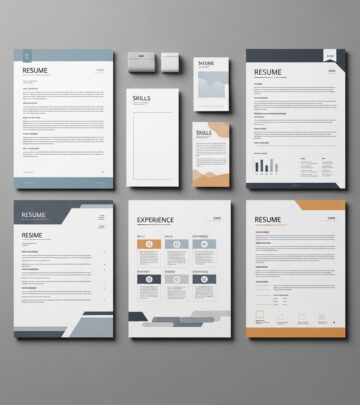
Online resume builders can significantly simplify the creation process, especially if you’re new to resume writing. These tools offer pre-designed templates, AI-powered content suggestions, and step-by-step guidance through the entire process. Most resume builders allow you to select from multiple professionally designed templates and automatically handle formatting while you focus on content.
When using a resume builder, you typically follow a straightforward workflow: choose a template, select your years of experience level, input your information, customize sections as needed, and download your completed resume. Many builders offer ATS-friendly templates specifically designed to pass automated screening systems, giving you a competitive advantage.
Optimizing Your Resume for ATS Systems
Applicant Tracking Systems scan resumes for specific keywords and qualifications before they reach human recruiters. To optimize your online resume for ATS:
– Incorporate keywords from the job description throughout your resume, particularly in your skills section and work experience descriptions- Use standard section headings like “Work Experience,” “Education,” and “Skills” that ATS systems recognize- Maintain a simple, clean layout without tables, text boxes, or elaborate formatting that might confuse the system- Use standard bullet points rather than custom symbols or graphics- Avoid headers and footers, as ATS systems often miss information placed there- Save your resume in ATS-compatible formats such as .docx or .pdf (unless otherwise specified)
Uploading Your Resume to Job Boards
Once your resume is complete and properly formatted, you’re ready to upload it to various job boards and company websites. Here’s how to approach this process:
Choosing the Right Platforms
Popular job boards include Indeed, LinkedIn, Glassdoor, Monster, and industry-specific platforms. Research which boards are most active in your field and where your target employers post positions. Having your resume on multiple platforms increases your visibility to potential employers and recruiters.
Creating Online Profiles
Most job boards require you to create an account before uploading your resume. Complete your profile fully, including a professional photo if the platform recommends it, and write a compelling headline that summarizes your professional identity. A complete profile significantly increases the likelihood that recruiters will find and contact you.
Uploading and Formatting Considerations
When uploading your resume, most platforms will ask you to choose a file format. PDF and .docx files are universally accepted, though some companies prefer one format over the other. Download your resume from your builder or computer and follow the platform’s upload instructions carefully. Some platforms will parse your resume and populate form fields automatically, so ensure all information is accurately captured.
Submitting Through Company Websites
Many companies prefer that you apply directly through their career portal rather than through third-party job boards. When submitting through company websites, you may have the option to upload your resume or manually enter your information. Choose to upload your resume when possible, as it maintains your formatting and ensures consistent presentation of your qualifications.
Tailoring Your Resume for Specific Positions
One of the most effective strategies for increasing your chances of getting hired is tailoring your resume for each position you apply for. Rather than sending the same generic resume to every employer, customize key sections:
Adjusting Your Professional Summary
Modify your professional summary to align with the specific job description and company culture. Reference the job title, key responsibilities, and required qualifications mentioned in the posting. This demonstrates that you’ve thoroughly reviewed the position and understand what the employer is seeking.
Reordering Sections
Rearrange your resume sections to highlight the most relevant information first. If the position emphasizes skills over experience, move your skills section higher on the page. Similarly, prioritize specific job titles or experiences that directly relate to the position you’re applying for.
Highlighting Relevant Keywords
Incorporate keywords and phrases directly from the job description into your resume. Match the language used in the posting when describing your experience and skills. This approach not only helps your resume pass ATS screening but also demonstrates that your qualifications directly align with the employer’s needs.
Best Practices for Online Resume Success
Beyond the technical aspects of creating and uploading your resume, follow these best practices to maximize your effectiveness:
Proofread Thoroughly
Grammar and spelling errors can immediately disqualify you from consideration. Proofread your resume multiple times, use spelling and grammar check tools, and have a trusted friend or mentor review it. Mistakes suggest carelessness and raise questions about your attention to detail.
Keep It Concise
Aim for a one-page resume if you have less than 10 years of relevant experience. For professionals with more extensive backgrounds, a two-page resume is acceptable. Recruiters typically spend only 6-7 seconds reviewing each resume, so make every word count and eliminate unnecessary information.
Use Action Verbs
Begin accomplishment statements with strong action verbs that convey your contributions and impact. Examples include “spearheaded,” “orchestrated,” “accelerated,” “transformed,” and “optimized.” Action verbs make your resume more dynamic and help you stand out from other candidates.
Quantify Achievements
Whenever possible, support your accomplishments with numbers and metrics. Rather than saying “improved sales,” specify “increased sales by 35% in six months.” Quantified achievements are more compelling and provide concrete evidence of your value to employers.
Creating a Cover Letter to Accompany Your Resume
While your resume provides a summary of your qualifications, a customized cover letter allows you to explain why you’re interested in a specific position and how your background makes you an ideal fit. Many online resume builders offer cover letter generators that help you create matching cover letters tailored to specific job descriptions. Your cover letter should complement your resume by addressing specific requirements mentioned in the job posting and explaining any career transitions or gaps.
Maintaining and Updating Your Online Resume
Your online resume is a living document that should be regularly updated to reflect your current qualifications, recent accomplishments, and new skills. When you achieve significant milestones, earn new certifications, or develop additional competencies, update your resume promptly. Regular updates ensure that your resume accurately represents your current professional standing and prevents information from becoming outdated.
Frequently Asked Questions About Online Resumes
Q: What file format should I use when uploading my resume online?
A: PDF and Microsoft Word (.docx) formats are most universally accepted. PDF files preserve your formatting across different devices and systems, while .docx files can be parsed more easily by some ATS systems. Check the job posting or company website for specific format requirements, as some employers have preferences.
Q: How long should my online resume be?
A: A one-page resume is ideal for professionals with less than 10 years of relevant experience, while those with more extensive backgrounds may use two pages. Avoid exceeding two pages, as recruiters typically don’t review resumes longer than that. Focus on including only the most relevant and impactful information.
Q: Should I include a photo on my online resume?
A: In most industries, including a photo is not necessary and may even introduce unconscious bias into the hiring process. However, certain fields like entertainment, modeling, or international positions might benefit from a professional headshot. Follow industry norms and company guidelines when deciding whether to include a photo.
Q: How do I optimize my resume to pass ATS screening?
A: Use standard section headings, incorporate keywords from the job description, maintain simple formatting without tables or graphics, use standard bullet points, and save your file in an ATS-compatible format. Avoid graphics, images, and unusual fonts that might confuse the scanning system.
Q: Can I use the same resume for every job application?
A: While you can use the same base resume, customizing it for each position significantly increases your chances of success. Tailor your professional summary, reorder sections to highlight relevant qualifications, and incorporate keywords from each specific job description.
Q: What information should I never include on my online resume?
A: Avoid including personal information like age, marital status, religious affiliation, health information, or non-professional photos. Don’t list reasons for leaving previous jobs, salary requirements (unless specifically requested), or references unless asked. Keep your resume focused on professional qualifications and accomplishments.
References
- MyPerfectResume AI Resume Builder — MyPerfectResume. Accessed 2025-11-29. https://www.myperfectresume.com
- Resume Writing 101: Tips for Creating a Resume — Indeed Career Advice. Accessed 2025-11-29. https://www.indeed.com/career-advice/resumes-cover-letters/resume-writing-101
- Enhancv Online Resume Builder — Enhancv. Accessed 2025-11-29. https://enhancv.com
- Resume Guide & Gallery for MBA Students — Philadelphia University. 2023-07. https://www.pba.edu
- Job Hunting? Here’s a Free Resume Template and Tips to Boost Your Search — Money.com. Accessed 2025-11-29. https://money.com/free-resume-template/
Similar Articles








Read full bio of medha deb