How To Clear Your ChexSystems Report In 5 Steps
Complete guide to removing negative items from your ChexSystems report and rebuilding your banking history.

How to Clear Up Your ChexSystems Report
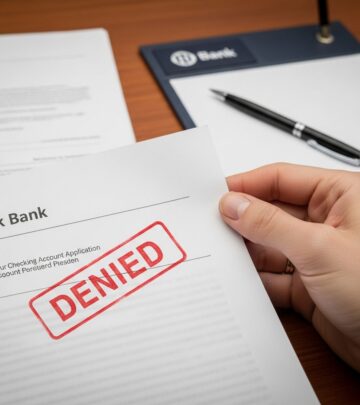
Your ChexSystems report is a critical financial document that banks and credit unions review when you apply for checking accounts, savings accounts, or other banking services. A negative report can make it extremely difficult to open new accounts or access basic financial services. Understanding how to clear up your ChexSystems report is essential for anyone looking to improve their banking prospects and regain financial stability.
ChexSystems is a consumer reporting agency that maintains records of banking and checking account history. Negative information on your report can stem from overdrafts, unpaid fees, fraud disputes, or accounts closed due to suspicious activity. The good news is that you have several options to address these issues and work toward clearing your report.
Understanding Your ChexSystems Report
Before you can effectively clear up your ChexSystems report, you need to understand what information it contains and how it affects your banking opportunities. Your report includes details about closed accounts, outstanding balances, disputed transactions, and any fraud allegations. This information can significantly impact your ability to open new bank accounts or access financial services.
The consequences of a negative ChexSystems report extend beyond just being denied a checking account. Many employers check ChexSystems reports during the hiring process, particularly for positions involving financial responsibilities. Additionally, landlords and utility companies may review your report when evaluating applications. This makes clearing up your report all the more important for your overall financial and professional life.
Step 1: Request a Copy of Your ChexSystems Report
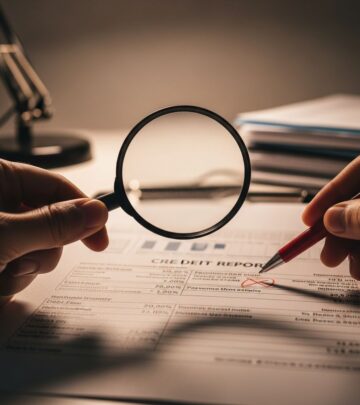
The first and most crucial step in clearing your ChexSystems report is obtaining a copy of it. Under federal law, you are entitled to receive one free copy of your consumer disclosure report every 12 months. Knowing exactly what information is on your report allows you to identify errors, fraudulent activity, or outdated information that can be disputed or removed.
You can request your report through several methods:
- Online through the ChexSystems Consumer Portal at chexsystems.com
- By telephone at their dedicated customer service line
- By mail, sending a written request to their address
- By fax with your identification information
Once you submit your request, you should receive your report within five business days. When you receive it, carefully review all information listed, including account closures, outstanding balances, and any fraud claims. Download and save a copy for your records, as you may need it to reference when disputing items or communicating with financial institutions.
Step 2: Dispute Mistakes or Fraudulent Activity
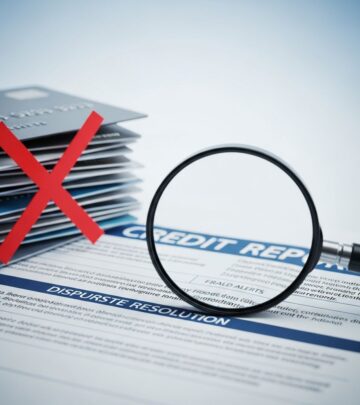
After reviewing your ChexSystems report, identify any information that is inaccurate, outdated, or the result of identity theft or fraud. Common disputable errors include:
- Accounts closed due to identity theft that wasn’t your fault
- Debts you’ve already paid that still show as outstanding
- Information older than five years that should have been removed
- Accounts that belong to someone else with a similar name
You have the right to dispute any information you believe is incorrect. ChexSystems must investigate your dispute within 30 days, or 21 days for Maine residents, and correct any confirmed errors. There are two main methods for disputing information on your report:
Online Dispute Method: Log into your ChexSystems Consumer Portal account and submit your dispute through their online system. This method allows you to upload supporting documentation directly and provides immediate confirmation of receipt.
Mail or Direct Contact Method: Submit your dispute in writing via certified mail with tracking to ensure proof of delivery. Include detailed information about the disputed item, the date it was reported, and a description of why you believe it’s inaccurate.
When submitting a dispute, provide as much supporting documentation as possible. This might include police reports for fraud claims, proof of payment for debts you’ve settled, bank statements, or correspondence with the financial institution. The more evidence you provide, the stronger your case for having the item removed or corrected.
Step 3: Pay Off Your Balances
If your ChexSystems report contains accurate information about outstanding balances or unpaid fees, paying these amounts is crucial to clearing your report. While paying off a debt doesn’t automatically remove the negative mark from your report, it does show good faith and significantly improves your chances of getting approved for a new bank account.
If you don’t have enough cash to pay the full amount owed, consider these options:
- Contact the bank or collection agency directly to arrange a payment plan
- Negotiate a settlement for less than the full amount owed
- Ask about removing the item from your ChexSystems report once paid
Success with negotiation depends on the financial institution, the amount owed, and your overall banking history. Some banks are more willing to work with customers than others. Always request written confirmation of any settlement agreement or payment arrangement before proceeding.
Once you’ve paid off a balance, request a receipt or written confirmation from the bank or collection agency. Send this documentation to ChexSystems along with a request to update your report to reflect that the debt has been paid. This documentation creates a paper trail and shows future banks that you’ve taken responsibility for resolving your past issues.
Step 4: Ask Creditors to Remove Information From Your Report
After addressing outstanding balances and disputing errors, you can take a proactive step by contacting creditors directly to request removal of negative history from your ChexSystems report. This approach works best after you’ve paid off any debts or reached a settlement agreement.
When reaching out to creditors, follow these guidelines:
- Contact the financial institution that reported the negative information
- Request in writing that they remove or update the information on your ChexSystems report
- Include documentation proving that you’ve paid the debt or settled the dispute
- Keep copies of all correspondence for your records
The catch is that creditors typically require you to pay any outstanding balances in full or reach a debt settlement agreement before agreeing to remove information. Once they agree to remove the item, request written confirmation of this commitment. This protects you in case the creditor attempts to re-enter negative information on your report after removal.
Use certified mail or email for all communication with creditors. Having a written record is essential if disputes arise later about whether the creditor agreed to remove the information.
Step 5: Wait for Items to Fall Off Your Report
ChexSystems maintains information in your file for up to five years from the report date, unless the source of the information requests earlier removal. Even if you’ve paid all outstanding balances in full, negative accounts can remain on your file unless ChexSystems is legally required to remove them through dispute resolution or policy changes.
If you have items on your ChexSystems report that are close to hitting the five-year mark, you have the option to do nothing and let them fall off on their own. This passive approach requires no effort on your part, but it does mean you’ll continue to face difficulties opening new bank accounts until the items are removed.
After the five-year period has passed, request an updated copy of your report to verify that the information has been removed. If negative items remain after five years, you can dispute their continued presence and request immediate removal.
Understanding Timeline and Expectations
Clearing your ChexSystems report is not an overnight process. Different removal methods have different timelines:
- Dispute investigations: 30 days (21 days for Maine residents)
- Payment processing and bank confirmation: 7-15 business days
- Creditor removal requests: Varies by institution, typically 30-60 days
- Natural removal: Up to 5 years from the report date
Set realistic expectations and remain persistent. Even after taking corrective actions, opening a new bank account may initially be challenging. Many banks offer second-chance banking accounts or prepaid debit cards designed for people working to rebuild their banking history. These accounts often have higher fees but provide access to essential banking services while you’re working to clear your report.
Best Practices for Document Management
Throughout the process of clearing your ChexSystems report, maintain meticulous records of all communications and documentation. Create a file containing:
- Copies of your ChexSystems reports (both initial and updated versions)
- Dispute letters and supporting documentation
- Payment receipts and settlement agreements
- Correspondence with banks, creditors, and ChexSystems
- Certified mail receipts and tracking numbers
Having comprehensive documentation protects you if disputes arise about whether information was properly removed or if inaccuracies reappear on your report. If you’re denied a bank account after clearing issues from your report, request written explanation. You may discover that information was incorrectly re-reported or that new negative items have been added.
When to Seek Professional Help
While many people successfully clear their ChexSystems reports independently, certain situations may warrant professional assistance. Consider consulting with a consumer protection attorney if you’ve experienced identity theft, persistent inaccuracies despite multiple dispute attempts, or if clearing your report has become overly complicated.
A consumer attorney can help you understand your rights under the Fair Credit Reporting Act (FCRA), ensure that financial institutions and ChexSystems comply with legal requirements, and potentially recover damages if your rights have been violated.
Frequently Asked Questions
Q: How long does it take to clear a ChexSystems report?
A: The timeline varies depending on your situation. Dispute investigations typically take 30 days, while paying off debts may take 7-15 business days to process and reflect on your report. If you’re waiting for items to fall off naturally, the maximum is five years.
Q: Can I get a bank account with negative items on my ChexSystems report?
A: Yes, many banks offer second-chance checking accounts or prepaid debit cards for people with ChexSystems issues. However, these accounts often come with higher fees and limited features while you work to clear your report.
Q: What happens if ChexSystems doesn’t remove information after my dispute?
A: If your dispute investigation doesn’t result in removal, you can request reinvestigation or escalate your complaint. You also have the right to add a consumer statement to your report explaining your side of the situation. Consider consulting with an attorney if you believe your rights have been violated.
Q: Will paying off my debt automatically remove it from my ChexSystems report?
A: No, paying off a debt doesn’t automatically remove it from your report. However, ChexSystems must update your report to reflect that the debt has been paid. You can also request that the creditor remove the information entirely once paid.
Q: Can I dispute items on my ChexSystems report multiple times?
A: Yes, you can dispute items multiple times if you have new evidence or if the original dispute was unsuccessful. However, ChexSystems may limit frivolous disputes, so ensure you have substantial reasons for each dispute attempt.
Moving Forward After Clearing Your Report
Once you’ve successfully cleared your ChexSystems report or reduced negative items significantly, focus on maintaining good banking habits to prevent future problems. This means:
- Maintaining adequate account balances to avoid overdrafts
- Paying all fees and charges promptly
- Monitoring your account regularly for unauthorized activity
- Keeping your contact information current with your bank
- Reviewing your ChexSystems report annually
Clearing your ChexSystems report takes time and persistence, but it’s entirely achievable. By following these steps, disputing errors, paying off legitimate debts, and requesting creditor assistance, you can significantly improve your banking prospects. Remember that most negative information drops off after five years, and you can often improve your situation much sooner by taking proactive steps. Stay organized, maintain documentation, and remain patient as you work toward financial recovery and banking access.
References
- How to Clean Up Your ChexSystems Report — Chime. 2024. https://www.chime.com/blog/how-do-you-clear-your-chexsystems-report/
- How to Clean Up a ChexSystems Report — Experian. 2024. https://www.experian.com/blogs/ask-experian/how-to-clean-up-a-chexsystems-report/
- How to Clear Up Your ChexSystems Report — Bankrate. 2024. https://www.bankrate.com/banking/how-to-clear-up-chexsystems-report/
- Submit Dispute to ChexSystems — ChexSystems Official. 2025. https://www.chexsystems.com/dispute
- Fair Credit Reporting Act (FCRA) Consumer Rights — ChexSystems Official. 2025. https://www.chexsystems.com
- ChexSystems Frequently Asked Questions — ChexSystems Official. 2025. https://www.chexsystems.com/answers-to-frequently-asked-questions
- ChexSystems Report Dispute: How to Fix It and Remove It — Consumer Attorneys Association. 2024. https://consumerattorneys.com/article/chexsystems-report-dispute
Similar Articles








Read full bio of medha deb