How To Choose A Better Password: Essential Tips For 2025
Discover proven strategies to create strong, memorable passwords that protect your online accounts from hackers and data breaches.
In an era where data breaches expose billions of passwords, selecting a strong password is your first line of defense against cybercriminals. Recent audits reveal that over 20% of passwords in major organizations can be cracked quickly, highlighting the urgent need for better practices. This guide covers everything from understanding password weaknesses to implementing robust security measures.
Why Passwords Matter More Than Ever
Passwords remain the gateway to your email, banking, and social accounts despite advances in biometrics. The RockYou2024 leak exposed over 10 billion passwords, many simple like ‘123456’ or reused across sites, enabling credential stuffing attacks. Weak passwords lead to identity theft, financial loss, and compromised networks. A U.S. Department of the Interior audit cracked 21% of 85,944 passwords in under 90 minutes using off-the-shelf hardware, including those of senior employees.
Cybercriminals use automated tools and AI to guess or crack passwords rapidly. Common habits like reusing credentials amplify risks—if one site is breached, all linked accounts are vulnerable. Strong passwords, combined with modern tools, significantly reduce these threats.
Understand What Makes a Password Weak
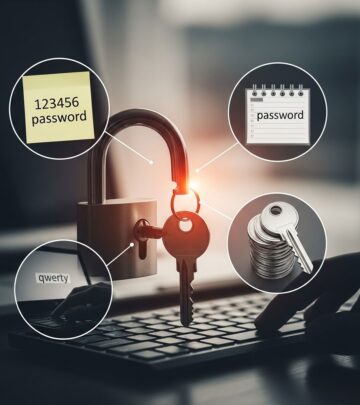
Weak passwords are predictable, short, or based on personal information. Auditors found examples like ‘Password1234’ and ‘ChangeItN0w!’ easily cracked. Avoid:
- Dictionary words: ‘Password’, ‘qwerty’, or ‘letmein’—these top breach lists.
- Personal info: Birthdates, names, or pet names like ‘Polar_bear65’.
- Simple patterns: ‘123456’ or ‘abc123’, cracked in seconds.
- Reused passwords: The same credential across sites invites credential stuffing.
Even complex passwords fail if reused. Syracuse University’s analysis of RockYou2024 showed repeated simple passwords chaining breaches across services.
How Long Should Your Password Be?
Length trumps complexity for security. NIST guidelines recommend at least 12-16 characters, as longer passwords resist brute-force attacks better than short ones with symbols. A 12-character random password takes years to crack, while an 8-character one falls in hours.
| Password Length | Crack Time (Average GPU Rig) | Example |
|---|---|---|
| 8 characters | Hours to days | Passw0rd! |
| 12 characters | Weeks to years | CorrectHorseBatteryStaple |
| 16+ characters | Centuries | MyDogAteTheHomework2025! |
Source: Derived from breach analyses and cracking benchmarks. Prioritize length over mandatory symbol substitutions, which often weaken memorability.
Use Passphrases Instead of Passwords
Passphrases combine 4-6 random words into a long, memorable string. Example: ‘Otto!Has2Dance’ or ‘CorrectHorseBatteryStaple’. These are easier to remember than gibberish yet far harder to crack. Benefits include:
- High entropy: More combinations than short complex passwords.
- Memorability: Use personal but obscure phrases.
- Typing speed: Faster on mobile keyboards.
Avoid predictable phrases like song lyrics. Tools like password generators can create them securely.
Avoid Obvious Substitutions and Patterns
Swapping ‘a’ for ‘@’ or ‘e’ for ‘3’ (e.g., ‘P@ssw0rd’) fools no one—crackers target these first. Sequential keys like ‘qwerty’ or keyboard patterns are equally weak. Opt for true randomness:
- Good: ‘BlueWhaleJumpsOverMoon42’
- Bad: ‘P@ssw0rd123’, ‘1qaz2wsx’
Test your password’s strength on sites like Have I Been Pwned (without entering it fully).
The Power of Password Managers
Remembering unique 16+ character passwords for dozens of sites is impossible without help. Password managers generate, store, and autofill them securely. You only memorize one master password.
Top features:
- Strong random generation.
- Breach alerts for compromised sites.
- Cross-device sync with end-to-end encryption.
- Secure sharing for families/teams.
Popular options include Bitwarden (free/open-source), 1Password, and LastPass. Enable autofill to avoid typing errors. For businesses, enforce managers via policy to prevent weak employee passwords.
Enable Multi-Factor Authentication (MFA)
MFA adds a second factor—like an app code, SMS, or biometrics—beyond your password. Even if cracked, accounts stay safe. The Interior audit found 89% of high-value assets lacked MFA, a critical gap.
Prioritize:
- Authenticator apps: Google Authenticator, Authy (more secure than SMS).
- Hardware keys: YubiKey for maximum protection.
- Biometrics: Fingerprint/face ID where available.
Enable MFA on email, banking, and Microsoft/Google accounts first—they protect everything else.
Don’t Reuse Passwords Across Sites
Credential stuffing uses breached passwords on other sites. RockYou2024’s billions included reused ones, chaining compromises. Solution: Unique passwords per site via manager.
If reusing feels inevitable for low-risk sites, use slight variations—but managers eliminate this need.
Change Passwords Strategically
Routine changes annoy without benefit if no breach occurs. Instead:
- Update after breaches (check HaveIBeenPwned.com).
- Refresh every 6-12 months for critical accounts.
- Immediately if phishing suspected.
For enterprises, audit and rotate periodically.
Password Hygiene for Businesses
Small businesses often neglect staff training, leading to risks. Implement:
- Enforced length/complexity policies.
- Mandatory MFA and managers.
- Regular training on phishing/password DOs/DON’Ts.
DO: Use passphrases, enable MFA, audit regularly.
DON’T: Reuse passwords, share credentials, ignore breaches.
Frequently Asked Questions (FAQs)
Q: How often should I change my password?
A: Change after breaches or every 6-12 months for high-risk accounts; routine changes for others are unnecessary if strong and unique.
Q: Are password managers safe?
A: Yes, when reputable—they use strong encryption. Better than reusing weak passwords.
Q: What’s better, long passwords or complex ones?
A: Length wins; a 16-character passphrase resists cracking better than an 8-character complex one.
Q: Can I use biometrics instead of passwords?
A: Biometrics enhance but don’t replace passwords/MFA; they’re stored on devices and can be bypassed.
Q: How do I know if my password was breached?
A: Use Have I Been Pwned to check emails without revealing passwords.
Final Tips for Password Mastery
Combine long unique passphrases, managers, and MFA for layered defense. Stay vigilant against phishing—verify links directly. Educate family/colleagues for collective security. These habits counter evolving threats like AI cracking.
References
- Passwords Are Terrible (Surprising No One) — Schneier on Security. 2023-02-01. https://www.schneier.com/blog/archives/2023/02/passwords-are-terrible-surprising-no-one.html
- Password Security: Lessons Learned from 10 Billion Passwords — Syracuse University ITS. 2024-08-01. https://its.syr.edu/password-security-lessons-learned-from-10-billion-passwords/
- Are Your Password Habits Putting You At Risk? Let’s Fix That — City National Bank of Florida. 2024-01-15. https://www.citynational.com/post/are-your-password-habits-putting-you-at-risk-lets-fix-that
Similar Articles








Read full bio of medha deb