How to Buy a New Computer Without Breaking Your Budget
Smart strategies to get a powerful new computer on a tight budget without compromising on quality or performance.

Buying a new computer doesn’t have to drain your savings. With strategic planning, you can secure a reliable machine for everyday tasks, work, or light gaming while staying within budget. This guide covers essential strategies like timing purchases, exploring deals, and even building your own PC to maximize value.
Assess Your Needs First
Before spending a dime, evaluate what you truly need. Ask: Will this be for web browsing, office work, video editing, or gaming? Basic tasks require minimal specs like an Intel Core i3 or AMD Ryzen 3, 8GB RAM, and integrated graphics. More demanding uses call for i5/Ryzen 5, 16GB RAM, and a dedicated GPU.
- Basic use: Email, browsing, documents – 8GB RAM, 256GB SSD.
- Mid-range: Multitasking, light photo editing – 16GB RAM, 512GB SSD, dedicated graphics.
- Advanced: Gaming, video – i7/Ryzen 7, 32GB RAM, RTX 3060 or equivalent.
Matching specs to needs prevents overspending on unnecessary power. Tools like PCPartPicker help verify compatibility.
Shop Smart: Timing and Sales
Timing is everything. Target back-to-school (August-September), Black Friday, Cyber Monday, and winter holiday sales for discounts up to 30-50%. Retailers like Best Buy, Amazon, and Newegg slash prices during these periods.
| Sale Event | Typical Discounts | Best For |
|---|---|---|
| Back-to-School | 20-40% | Laptops/Desktops for students |
| Black Friday | 30-60% | Gaming rigs, bundles |
| Prime Day | 25-50% | Amazon exclusives |
| End-of-Year | 15-35% | Clearance laptops |
Check employer discounts via programs like Dell Employee Purchase or Apple’s corporate store – savings of 10-20%.
Hunt for Open Box and Refurbished Deals
Open-box items from returns offer 5-15% savings with full warranties. Sites like Amazon Warehouse, Best Buy Outlet, and Newegg Refurbished provide certified units tested for quality.
- Verify seller ratings and return policies.
- Opt for manufacturer-refurbished (e.g., Dell Outlet) over third-party.
- Expect 20-40% off new prices.
Refurbished PCs from official sources meet like-new standards, often with extended warranties.
Consider Netbooks or Budget Laptops
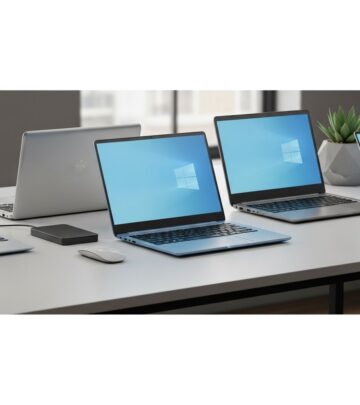
For portability on a dime, netbooks or Chromebooks shine. Models like Toshiba NB205 or modern Chromebooks under $300 handle browsing and light work efficiently.
Pros: Ultra-affordable, long battery life. Cons: Limited power for heavy apps. Ideal for students or secondary machines.
Build Your Own Budget PC
DIY builds cut costs by 20-40% over pre-builts. Start with a compatible motherboard (around $50-100), then select CPU, RAM, etc..
Key Components Breakdown
| Component | Budget Pick | Cost Range | Tips |
|---|---|---|---|
| Motherboard | B450 or H510 chipset | $50-100 | Match CPU socket (e.g., AM4 for Ryzen) |
| CPU | Intel i3-12100 or Ryzen 3 5300G | $80-150 | Focus on cores/clock speed over age |
| RAM | 16GB DDR4 (2x8GB) | $40-70 | Check DIMM slots; DDR4 sufficient |
| Storage | 500GB NVMe SSD | $30-60 | SSD over HDD for speed |
| GPU | Integrated or GTX 1650 | $0-150 | Integrated for office; dedicated for games |
| PSU | 450-550W 80+ Bronze | $40-70 | Ensure connectors match; future-proof |
| Case | Budget mid-tower | $30-60 | Good airflow, motherboard fit |
Total build: $400-800. Use PCPartPicker for lists; local shops or eBay for used parts save more. Steps: Research compatibility, assemble (CPU first, then RAM, etc.), install OS.
Desktops vs. Laptops: The Value Choice
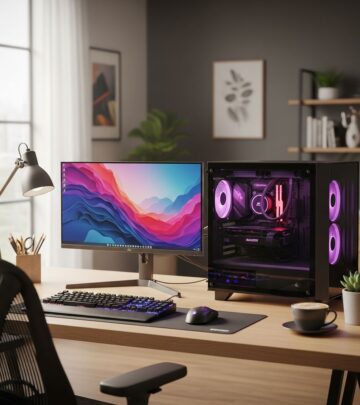
Desktops offer superior power-per-dollar. Easier upgrades mean longevity; laptops constrain RAM/CPU due to size/cost.
- Desktop pros: Cheaper, upgradable, better cooling.
- Laptop pros: Portable, all-in-one.
- Choose desktop for stationary use to save 30-50%.
Find the Sweet Spot in Pricing
The ‘sweet spot’ balances performance and price – mid-range specs without premium markups. Avoid entry-level pitfalls; skip overkill high-end. Example: i5 + 16GB RAM hits 80% needs at half flagship cost.
Additional Cost-Saving Hacks
- Student/teacher discounts: Apple, Microsoft – 10-15% off.
- Credit card rewards: 5% back on electronics.
- Bundle deals: Monitor/keyboard included.
- Trade-ins: Apple, Best Buy give $100-500 credit.
- Price tracking: CamelCamelCamel for Amazon lows.
FAQs
Q: What’s the cheapest way to build a PC?
Use used parts from eBay/local shops: Motherboard (~$20), Pentium Dual-Core CPU, 4-8GB DDR2 RAM, integrated graphics. Total under $200.
Q: Are refurbished computers reliable?
Yes, from certified sellers like manufacturer outlets – they undergo rigorous testing with warranties matching new units.
Q: Desktop or laptop for budget?
Desktop for best value; superior power and upgradability at lower cost.
Q: How much RAM do I need?
8GB minimum for basics; 16GB for multitasking. DDR4 preferred for modern boards.
Q: When to buy for sales?
Back-to-school, Black Friday – up to 50% off.
Final Thoughts
By assessing needs, timing buys, leveraging deals, and considering DIY, you can land a capable computer under $500-800. Patience and research yield the best returns – no need for guilt over ‘shiny new things’.
References
- Guide to Making a Budget Computer — Instructables. 2010-01-01. https://www.instructables.com/Intro-to-how-to-make-a-budget-computer/
- How Do I Choose Parts For A Budget Workstation? — YouTube (Your Computer Companion). 2025-06-07. https://www.youtube.com/watch?v=0aSbxH0pdmA
- Netbooks Guide: How to Buy the Best New Netbook — Wise Bread. N/A. https://www.wisebread.com/netbooks-guide-how-to-buy-the-best-new-netbook
- How to Buy a New Computer Without Breaking Your Budget — Wise Bread. N/A. https://www.wisebread.com/how-to-buy-a-new-computer-without-breaking-your-budget
- How to Find the Sweet Spot When Buying Electronics — Wise Bread. N/A. https://www.wisebread.com/how-to-find-the-sweet-spot-when-buying-electronics
- Buying Shiny New Things Without The Guilt — Wise Bread. N/A. https://www.wisebread.com/buying-shiny-new-things-without-the-guilt
- Why You Should Buy a Desktop Computer — Wise Bread. N/A. https://www.wisebread.com/why-you-should-buy-a-desktop-computer
Similar Articles








Read full bio of medha deb