How to Avoid WhatsApp Scams: Complete Safety Guide
Protect yourself from WhatsApp scams with proven strategies and security tips.
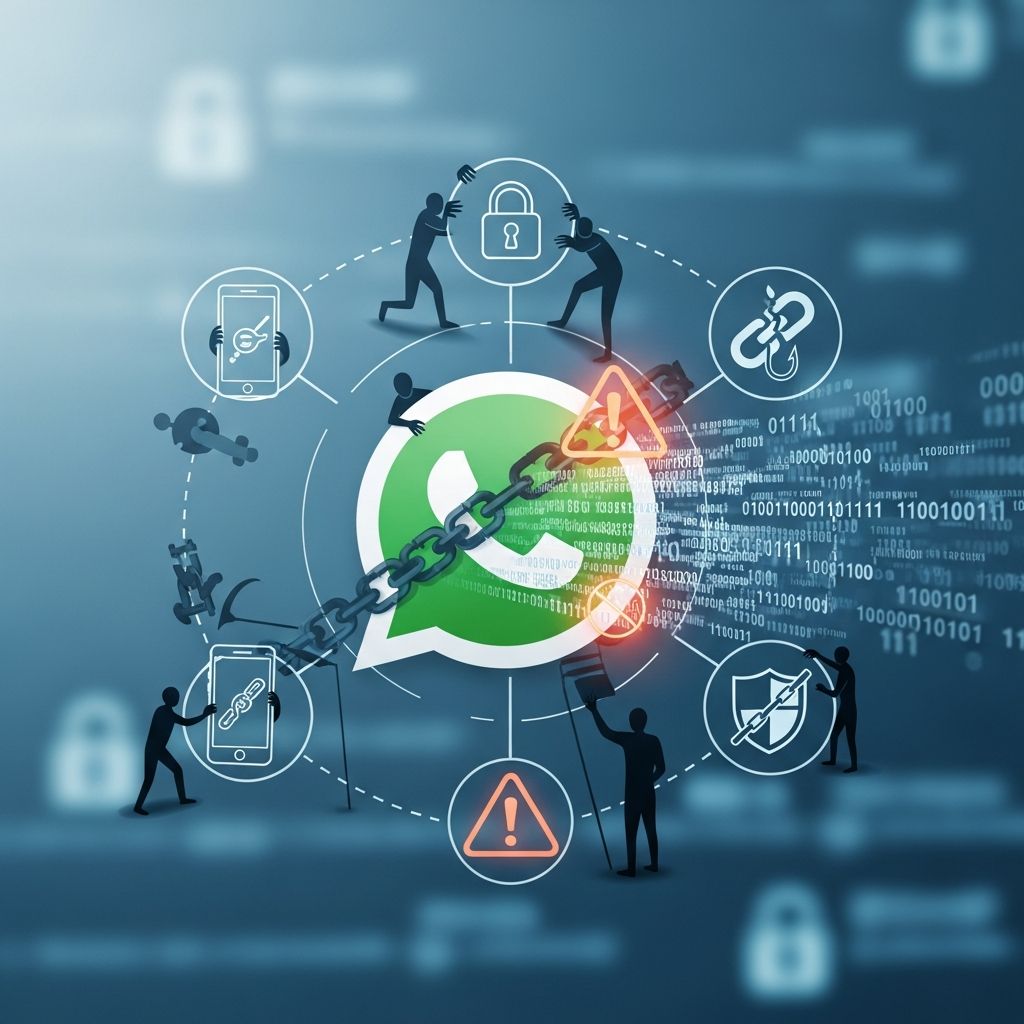
How to Avoid WhatsApp Scams: A Comprehensive Security Guide
WhatsApp has become one of the most widely used messaging platforms globally, with millions of users relying on it for daily communication. However, this popularity has also made it an attractive target for scammers and cybercriminals. Understanding the various types of WhatsApp scams and implementing protective measures is essential to safeguard your personal information, financial security, and account integrity. This comprehensive guide provides you with actionable strategies to identify and avoid WhatsApp scams in 2025.
Understanding WhatsApp Scams: Types and Tactics
WhatsApp scammers employ sophisticated tactics to trick unsuspecting users into revealing sensitive information or transferring money. These fraudsters often impersonate trusted contacts, create fake accounts, or use social engineering techniques to exploit human psychology. Recognizing the common types of scams is your first line of defense against becoming a victim.
Common Types of WhatsApp Scams
Verification Code Scams: Scammers request your WhatsApp verification code, claiming they need it for various reasons. Once obtained, they can take over your account entirely, locking you out and potentially impersonating you to contact your friends and family.
Prize and Giveaway Scams: You receive messages claiming you’ve won a prize, sweepstakes, or lottery you never entered. These messages typically ask you to click a link or provide personal information to claim your “winnings,” which don’t actually exist.
QR Code Scams: Scammers send deceptive QR codes claiming they link to special offers, connections, or legitimate services. Scanning these codes can redirect you to malicious websites designed to steal credentials, initiate unauthorized payments, or install malware on your device.
Fake WhatsApp Applications: Criminals distribute malicious copies of WhatsApp through unofficial app stores, third-party websites, or phishing links. Once installed, these fake apps can deploy malware or steal your login credentials and private messages.
Romance and Dating Scams: Scammers build fake romantic relationships to gain your trust before requesting money for emergencies, business opportunities, or travel expenses. These emotionally manipulative schemes often target vulnerable individuals seeking companionship.
Account Takeover Scams: A new variant of account takeover scams involves scammers gaining access to your linked devices through unauthorized sessions, allowing them to monitor your conversations and impersonate you.
Red Flags: How to Identify Suspicious WhatsApp Messages
Learning to spot warning signs is critical for protecting yourself. Several indicators suggest a message is likely a scam and should be treated with extreme caution.
Key Warning Signs
Unsolicited Messages from Unknown Numbers: Receiving WhatsApp messages from strangers is a major red flag. Legitimate organizations rarely initiate contact through random messages.
Requests for Money or Sensitive Information: Be extremely wary of any message requesting personal details such as your full name, address, bank account information, passwords, or payment card details. Legitimate organizations rarely request such information through WhatsApp, especially urgently.
Verification Code Requests: Unless you’re actively signing into an account, treat any message requesting your login verification code as a potential scam.
Suspicious Spelling and Grammar: Scammers frequently make language mistakes indicating fraudulent attempts. While AI-assisted scams have improved in this regard, poor grammar and spelling remain common indicators.
Messages Marked as Potential Spam: WhatsApp labels suspicious messages as potential spam. Pay attention to these automated warnings, as they help identify scammers.
Rushing and Threatening Language: Scammers often create urgency by demanding immediate action or threatening consequences. Legitimate requests typically allow reasonable time for consideration.
Requests for Screen Sharing: Be cautious when unknown contacts ask to share your screen. This is a common tactic for capturing sensitive information like banking details and one-time passcodes.
Essential Steps to Protect Your WhatsApp Account
Implementing robust security measures significantly reduces your vulnerability to WhatsApp scams. These protective strategies work together to create multiple layers of defense against fraudsters.
Enable Two-Factor Authentication
Two-factor authentication (2FA) is one of the most effective security features available. Access this through Settings > Account > Two-Step Verification on your WhatsApp. Once enabled, anyone attempting to verify your WhatsApp account will need a PIN code in addition to your verification code, making account takeovers significantly more difficult even if scammers obtain your phone number.
Download from Official Sources Only
Always download WhatsApp exclusively from official app stores—Google Play Store for Android or Apple App Store for iOS. Avoid third-party app stores, direct downloads from websites, or links claiming to offer alternative versions. Official stores verify application authenticity and implement security scanning before making apps available to users.
Keep Your Device and Apps Updated
Software updates frequently include critical security patches that address vulnerabilities exploited by scammers. Enable automatic updates for WhatsApp and your device’s operating system to ensure you always have the latest protections. Regular updates close security gaps that fraudsters actively exploit.
Install and Maintain Antivirus Software
Reputable antivirus software on your mobile device detects and blocks malware that scammers attempt to install. Choose well-established security solutions and keep virus definitions updated regularly. Mobile antivirus provides an additional protective layer against malicious files and links.
Use Strong Passwords and Security Questions
Create strong, unique passwords for all your online accounts, including those linked to WhatsApp. Avoid using easily guessable information like birthdays or common words. Strong passwords make unauthorized account access substantially more difficult.
Monitor Linked Devices Regularly
Check your linked devices by navigating to Settings > Linked Devices. Review all devices connected to your account and immediately log out any devices you don’t recognize. Unauthorized linked devices allow scammers to access your messages and impersonate you.
Behavioral Practices to Avoid Scams
Beyond technical safeguards, your behavior significantly impacts your scam vulnerability. Adopting cautious communication practices creates a protective mindset against fraud attempts.
Pause and Think Before Responding
When receiving an unexpected message, especially one creating urgency, pause before taking action. Take time to analyze whether the request makes sense. Scammers rely on quick, emotional reactions rather than careful consideration. Give yourself time to evaluate whether something seems legitimate.
Verify Contact Identity Through Multiple Channels
If you receive a suspicious message claiming to be from someone you know, contact that person through a different verified communication method. Call them on their phone number you already know, email them through their known address, or meet them in person. This direct verification eliminates the possibility of account compromise.
Never Share Personal Information
Be extremely cautious about sharing personal details through WhatsApp, especially with unknown contacts. Never provide your full name, address, bank account information, passwords, or verification codes in response to unsolicited requests. Legitimate organizations have secure methods for collecting such information that don’t involve messaging apps.
Avoid Clicking Links or Downloading Attachments from Unknown Sources
Links from unknown senders often lead to malicious websites designed to steal credentials or install harmful software. Don’t click links in unsolicited messages, and avoid downloading attachments from suspicious sources. When uncertain, navigate directly to the official website by typing the URL yourself rather than clicking provided links.
Never Send Money Through WhatsApp
Legitimate requests for financial assistance from friends or family typically come through more direct, verifiable means. Be especially wary of urgent money requests or those involving unusual payment methods like cryptocurrency or gift cards. Once money is sent, recovering it is extremely difficult.
Don’t Scan Unsolicited QR Codes
Only scan QR codes from trusted sources you can verify independently. Even if a trusted contact sends a QR code, verify with them through another communication method before scanning. Malicious QR codes can redirect to phishing sites or initiate unwanted transactions.
What to Do If You Suspect You’re Being Scammed
Acting quickly when you suspect scam activity can minimize potential damage to your accounts and finances.
Immediate Actions
Block the Scammer: Immediately block the suspicious contact to prevent further communication. This stops them from continuing to contact you or access recent message history.
Report to WhatsApp: Report the suspicious contact directly to WhatsApp. Your report helps Meta identify and block malicious accounts affecting other users as well.
Scan for Malware: If you clicked links or downloaded attachments, run a complete device scan using reputable security software. This detects and removes any malware the scammer may have attempted to install.
Stop Sharing Information: Immediately cease any communication with the scammer and don’t provide additional personal or financial information.
Recovery and Damage Control
Reset Your Credentials: Change passwords for any accounts whose details you may have shared with the scammer. This prevents unauthorized access to your bank accounts, email, social media, or other sensitive accounts.
Protect Your Credit: If financial information is compromised, consider placing a fraud alert on your credit report or freezing your credit with all three major credit bureaus (Equifax, Experian, and TransUnion). These measures make it more difficult for scammers to open fraudulent accounts in your name.
Secure Financial Accounts: Contact your bank immediately to report the scam. Inform them of any compromised information and request they monitor your account for suspicious activity. Many banks can reverse unauthorized transactions if reported quickly.
Report the Incident: Notify WhatsApp, local law enforcement, and relevant consumer protection agencies. Reporting helps authorities track scam patterns and potentially apprehend criminals.
Review Privacy Settings: Strengthen security settings across all your digital accounts, not just WhatsApp. Review who can see your profile information, contact you, and access your accounts.
Consider Identity Monitoring: Use credit monitoring or identity theft protection services to watch for misuse of your personal information. These services alert you to suspicious activities in your name.
Alert Your Contacts: Inform friends and family about the scam, especially if the scammer impersonated you. This prevents the scammer from targeting your contacts.
Reinstall WhatsApp if Necessary: If you suspect you installed a fake WhatsApp version, uninstall it immediately and download the official app from your device’s app store. Ensure complete removal of the fake application before reinstalling.
Meta’s Latest Scam Protection Tools
Meta has introduced new scam protection features on WhatsApp and Messenger designed to safeguard users from rising online fraud. These tools represent the platform’s commitment to combating scam operations.
WhatsApp Screen-Share Warnings
WhatsApp now warns users when they attempt to share their screen with unknown contacts during calls. This feature recognizes that screen-sharing is a common tactic for capturing sensitive information such as banking details and one-time passcodes.
Enhanced Messenger Scam Detection
Messenger is testing advanced scam detection mechanisms that identify suspicious inbound messages in real time. When a message triggers warning signals—such as offers of “easy cash” or work-from-home schemes—the system issues a clear in-app alert advising users to be cautious. Users receive direct options to block or report potentially fraudulent senders and can forward messages to Meta’s AI review system for further analysis.
Device Monitoring and Verification
Meta has enhanced its ability to detect and prevent account compromise through improved monitoring of linked devices and stronger verification processes for sensitive actions. These measures create greater friction in scenarios where unauthorized parties attempt to access accounts.
Frequently Asked Questions About WhatsApp Scams
Q: How can I tell if a WhatsApp message from a friend is really from them or from a scammer?
A: Call that friend using a phone number you already know or contact them through another verified communication method. Ask if they actually sent the message. Never assume a message is legitimate just because it appears to be from someone you know, as accounts can be compromised.
Q: What should I do if I accidentally clicked a malicious link in WhatsApp?
A: Immediately run a complete scan of your device using reputable antivirus software. Change passwords for any sensitive accounts, particularly banking and email. Monitor your accounts for suspicious activity. If you provided any financial information, contact your bank immediately.
Q: Can scammers access my WhatsApp if they have my verification code?
A: They can attempt to, but with two-factor authentication enabled, they cannot access your account without your PIN code. This is why enabling 2FA is so crucial—it provides protection even if your verification code is compromised.
Q: Is it safe to share my WhatsApp profile information?
A: Be cautious about what information you include in your profile, as scammers often use this information to build credible-seeming personas for social engineering attacks. Keep your profile information minimal and avoid displaying details like your full address or workplace.
Q: What are the best antivirus apps for protecting against WhatsApp scams?
A: Choose established, well-reviewed security software from reputable companies. Ensure any antivirus app you select is available through official app stores and has consistent security ratings. Avoid lesser-known apps that may themselves be fraudulent.
Q: How frequently should I update my WhatsApp privacy settings?
A: Review your privacy settings quarterly or whenever you change your security approach. After any security incident, immediately review and strengthen your privacy settings across all accounts to prevent future unauthorized access.
Conclusion: Taking Control of Your WhatsApp Security
Protecting yourself from WhatsApp scams requires a multi-layered approach combining technical safeguards, behavioral awareness, and quick response protocols. By enabling two-factor authentication, downloading from official sources only, maintaining updated software, and practicing cautious communication habits, you significantly reduce your vulnerability to fraudsters. Remember that legitimate organizations rarely request sensitive information through WhatsApp or pressure you into quick decisions. When in doubt, verify through independent channels and take time to evaluate whether a request seems legitimate. Stay informed about new scam tactics, report suspicious activity, and share knowledge with friends and family to create a safer messaging ecosystem for everyone.
References
- 15 WhatsApp Scams Happening Right Now and How to Avoid Them — Norton LifeLock. 2025. https://lifelock.norton.com/learn/fraud/whatsapp-scams
- How to Protect Yourself From Suspicious Messages and Scams — WhatsApp Help Center. 2025. https://faq.whatsapp.com/573786218075805
- Police Advisory On New Variant Of WhatsApp Account Takeover Scam — Singapore Police Force. November 12, 2025. https://www.police.gov.sg/Media-Hub/News/2025/11/20251112_police_advisory_on_new_variant_of_whatsapp_account_takeover_scam
- Meta Boosts Elder Scam Protection on WhatsApp & Messenger — Mobile Ecosystem Forum. November 27, 2025. https://mobileecosystemforum.com/2025/11/27/meta-boosts-elder-scam-protection-on-whatsapp-messenger/
- Meta Rolls Out New Tools to Protect WhatsApp and Messenger — The Hacker News. October 2025. https://thehackernews.com/2025/10/meta-rolls-out-new-tools-to-protect.html
- New WhatsApp Tools and Tips to Beat Messaging Scams — Meta Newsroom. August 2025. https://about.fb.com/news/2025/08/new-whatsapp-tools-tips-beat-messaging-scams/
- About Suspicious Messages and Scams — WhatsApp Help Center. 2025. https://faq.whatsapp.com/2286952358121083
Similar Articles








Read full bio of Sneha Tete