Free Budget Spreadsheet Sources and Templates
Discover the best free budget spreadsheets and templates to manage your finances effectively.

Managing your finances effectively starts with having a clear understanding of where your money goes each month. One of the most accessible ways to achieve this is by using a budget spreadsheet. Whether you’re looking to track household expenses, manage business finances, or stick to a personal savings goal, free budget spreadsheets offer an excellent starting point without requiring any financial investment. In this comprehensive guide, we’ll explore the top sources for free budget spreadsheets and help you find the perfect template for your needs.
Why Use a Budget Spreadsheet?
A budget spreadsheet provides a structured framework for organizing your financial information. Unlike budgeting apps that require subscriptions, spreadsheets give you complete control over your data and allow for customization to fit your specific situation. Budget spreadsheets help you visualize spending patterns, identify areas where you can cut costs, and track progress toward your financial goals. The simplicity and flexibility of spreadsheets make them ideal for anyone just starting their financial journey or those who prefer manual control over their budgeting process.
Microsoft Excel Budget Templates
Microsoft Excel remains one of the most popular platforms for creating and managing budgets. Microsoft 365 offers a comprehensive collection of pre-built budget templates designed for various financial scenarios.
Features and Benefits
Excel templates from Microsoft include built-in formulas and formatting that eliminate the need to manually set up rows, columns, and calculations. These templates are professionally designed and include visual elements such as charts and graphs to help you understand your financial situation at a glance. The collection encompasses household budgets, holiday budgets, event budgets, and business budgets, ensuring there’s an option for nearly every situation.
How to Access Excel Templates
To find free Excel budget templates, visit create.microsoft.com and search for “budgets” in the search box. You can download templates directly or sign in to Microsoft to edit templates in your browser without installing desktop software. Excel Online allows real-time collaboration, making it easy to work with family members or business partners on your budget simultaneously.
Compatibility Considerations
While Excel templates work best with Microsoft 365 software, you can often open them with alternative programs such as Google Sheets or Apple Numbers. However, some formatting or advanced features may not work identically across different platforms. If you don’t have a Microsoft 365 subscription, you’ll need to purchase one to access full functionality, though basic viewing and editing may be possible through free online options.
Google Sheets Budget Templates
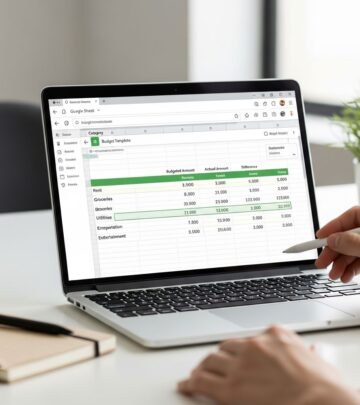
Google Sheets offers a free, cloud-based alternative for creating and managing budgets. As part of the Google Workspace suite, Google Sheets provides pre-made templates that rival Excel in functionality while offering greater accessibility.
Advantages of Google Sheets
Google Sheets is completely free to use with a Google account and includes 15GB of free cloud storage. You can access your budget from any device with an internet connection, making it ideal for managing finances on the go. The platform’s collaborative features allow multiple people to view and edit the same spreadsheet simultaneously, which is particularly useful for couples or business partners managing shared finances.
Available Templates
Google Sheets features several pre-made budget templates, including monthly budget templates, annual budget templates, and specialized business budgets for entrepreneurs. The native monthly budget template functions as a user-friendly income and expense tracker that allows you to plan and monitor expenses throughout the month. These templates provide dashboards that can be customized with your desired income and expense categories, enabling you to track your budget progress in real time.
Storage and Upgrade Options
While the free tier of Google Sheets provides 15GB of storage, which is sufficient for most personal budgeting needs, you have the option to upgrade to a paid plan if you require additional storage or advanced features. The flexibility of Google Sheets makes it an excellent choice for individuals who want free, accessible budgeting tools without worrying about software compatibility.
Specialized Budget Templates from Expert Sources
Beyond Microsoft and Google, several financial experts and websites offer free budget spreadsheet templates tailored to specific budgeting methodologies and situations.
The 50/30/20 Budget Template
The 50/30/20 budgeting method divides your income into three categories: 50% for needs, 30% for wants, and 20% for savings and debt repayment. Specialized templates based on this methodology provide clearly labeled sections for each category with itemized and total amounts. Visual charts compare planned versus actual totals, allowing you to quickly identify overspending or track your savings performance. This template approach is perfect for individuals seeking a balanced budgeting framework that emphasizes savings and financial responsibility.
Zero-Based Budget Template
The zero-based budgeting approach assigns every dollar of income to a specific purpose, ensuring your monthly budget balances to zero. This methodology emphasizes intentionality and elimination of waste. Templates supporting this method include budgeted versus actual columns for both income and expenses, enabling precise tracking and accountability. These templates organize costs into fixed expenses, adjustable expenses, and debt categories, helping you identify your financial obligations and flexible spending areas. A built-in zero-sum calculation ensures every dollar is planned and accounted for, preventing money from disappearing without purpose.
Debt Payoff Calculator Templates
For individuals focused on eliminating debt, specialized templates include debt payoff calculators and payment tracking sheets. These templates allow you to input balance, interest rate, and minimum payment for each debt, then compare different payoff strategies. The Snowball method pays off debts with the lowest balance first, while the Avalanche method prioritizes debts with higher interest rates. Payment tracking sheets log monthly amounts and include visual progress bars to keep you motivated and on schedule.
Budget Templates for Specific Situations
Different financial situations require different approaches to budgeting. Several free templates address specific needs and life circumstances.
Student Budget Template
Students face unique financial challenges, balancing education costs with living expenses. Student budget templates organize expenses by semester and track income, expenses, and balance with detailed breakdowns. Categories typically include home and school, transportation, daily living, entertainment, and health. These templates often include a separate expense estimator worksheet where students can list expected monthly costs, flag items to include in the budget, and note which expenses are covered by others such as parents. This approach helps students budget realistically and avoid overspending while managing both essential and optional costs.
Business and Department Budget Templates
For business owners and managers, specialized templates track budgeted and actual expenses by department and month, allowing you to view cash flow patterns across all 12 months. These templates include separate sheets for budget, actual, variance, and analysis sections, supporting detailed planning and performance evaluation. Automatic calculations determine monthly and yearly variance, while visual charts provide quick insights into spending categories and projected versus actual expenses across your entire organization.
Marketing Budget Template
Marketing professionals can utilize templates that provide monthly and quarterly breakdowns of projected and actual costs across core marketing functions. Automatic variance tracking and visual summaries help assess performance quickly. Real-time snapshot summaries at the top display fiscal year projections, actuals, and differences, enabling you to monitor spending and make timely adjustments to your marketing strategy.
Project Budget Template
Project managers benefit from templates that break down each project into individual tasks and subtasks. These templates include columns for planned and actual labor hours, material usage, fixed expenses, and overall balance tracking. Color-coded status tags and under/over calculations highlight workflow stages and cost variances, making it easy to assess whether projects are on track financially.
Essential Features to Look for in Budget Spreadsheets
When selecting a budget spreadsheet template, consider these important features:
- Automatic Calculations: Built-in formulas that automatically calculate totals, balances, and variances save time and reduce errors.
- Visual Elements: Charts, graphs, and donut charts provide visual representations of your financial data for quick understanding.
- Expense Categories: Comprehensive category breakdowns including home, transportation, daily living, health, and entertainment ensure thorough expense tracking.
- Income Tracking: Clear sections for tracking various income sources and comparing income against expenses.
- Customizability: Templates that allow you to modify categories, add new sections, and adjust formulas to fit your specific needs.
- Multi-Month View: Ability to compare spending across multiple months or years to identify trends.
- Mobile Accessibility: Cloud-based options that allow you to access and update your budget from any device.
How to Choose the Right Budget Spreadsheet
Selecting the right budget spreadsheet depends on your specific needs, technical skills, and financial goals. Consider whether you prefer the structure of Excel or the accessibility of Google Sheets. Evaluate whether you need basic expense tracking or more sophisticated features like debt payoff calculations and variance analysis. Think about your budgeting methodology—are you following 50/30/20, zero-based budgeting, or another approach? Finally, consider whether you need templates designed for your specific situation, such as student, business, or project budgeting.
Getting Started with Your Budget Spreadsheet
Once you’ve selected a template, start by gathering information about your income and regular expenses. Input your monthly income from all sources, then list your fixed expenses such as rent, utilities, and insurance. Add variable expenses like groceries, transportation, and entertainment. Use the template’s built-in calculations to compare your total income against your total expenses. Review the visual charts and summaries to understand your spending patterns. Identify areas where you might reduce expenses or increase savings, then set specific financial goals for the upcoming months.
Tips for Effective Spreadsheet Budgeting
Update your spreadsheet regularly—ideally weekly or monthly—to maintain accurate financial records. Be thorough when categorizing expenses to gain meaningful insights into your spending habits. Use the charts and visual elements to identify trends and celebrate progress toward your goals. Don’t be afraid to adjust your budget as your circumstances change. Remember that budgeting is a personal process; adapt the template to serve your unique needs rather than forcing your finances into an inflexible framework.
Combining Spreadsheets with Other Tools
Many people enhance their spreadsheet budgeting with additional tools and services. Some users pair budget spreadsheets with expense tracking through their banking apps for a more comprehensive view of their finances. However, integrating external data into spreadsheets often requires some technical skills. For those seeking middle-ground solutions, services like Tiller connect bank information directly to spreadsheets in Excel or Google Sheets with daily updates, though these services typically require a paid subscription after a free trial period.
Budgeting apps offer more automated, hands-off experiences for those who prefer not to manually update spreadsheets. Popular options like YNAB provide comprehensive budgeting features with less manual data entry. The choice between spreadsheets, hybrid services, and dedicated budgeting apps depends on your preference for control versus convenience.
Frequently Asked Questions
Q: Do I need Microsoft 365 to use Excel budget templates?
A: While Microsoft 365 provides full functionality, you can often access and edit Excel templates through Microsoft’s online platform for free. Alternatively, you can open Excel files with Google Sheets or other compatible programs, though some features may work differently.
Q: Can I share my budget spreadsheet with family members?
A: Yes, both Google Sheets and Excel online allow real-time collaboration. You can share your spreadsheet with others, and multiple people can view and edit simultaneously, making it ideal for managing household or shared finances.
Q: What’s the difference between 50/30/20 and zero-based budgeting?
A: The 50/30/20 method divides income into three fixed percentages: 50% for needs, 30% for wants, and 20% for savings. Zero-based budgeting assigns every dollar to a specific purpose, ensuring your income minus expenses equals zero, with no unaccounted money.
Q: How often should I update my budget spreadsheet?
A: Update your spreadsheet at least monthly, though weekly updates provide more accurate tracking. Regular updates help you catch spending issues early and stay motivated toward your financial goals.
Q: Can I customize free budget templates?
A: Yes, most free templates are fully customizable. You can add or remove expense categories, adjust formulas, and modify the layout to match your specific budgeting needs and preferences.
Q: What if I need help building a custom spreadsheet?
A: Both Google Sheets and Excel offer extensive tutorial resources and templates. Many websites provide free budget spreadsheet guides, and YouTube contains numerous video tutorials showing how to create and customize budget spreadsheets from scratch.
Conclusion
Free budget spreadsheet sources provide accessible, effective tools for taking control of your finances. Whether you choose Microsoft Excel templates, Google Sheets options, or specialized templates from financial experts, the key is selecting a tool that matches your needs and committing to regular use. Budget spreadsheets empower you to understand your spending patterns, identify opportunities for savings, and work toward your financial goals without spending money on expensive software. Start today by exploring the options available, selecting a template that resonates with your budgeting style, and taking the first step toward improved financial management.
References
- Top Excel Budget Templates — Smartsheet. 2025. https://www.smartsheet.com/top-excel-budget-templates
- Free Budget Spreadsheets and Tools — NerdWallet. 2025. https://www.nerdwallet.com/finance/learn/free-budget-spreadsheets-templates
- Our 11 Favorite Free Google Sheets Budget Templates Of 2025 — Tiller. 2025. https://tiller.com/free-google-sheets-budget-templates/
- Make a Budget – Worksheet — Consumer.gov. U.S. Consumer Financial Protection Bureau. https://consumer.gov/content/make-budget-worksheet
Similar Articles








Read full bio of medha deb