Digital Security Refresh Guide
Revitalize your online defenses this season with proven steps to eliminate risks and fortify your digital world against emerging threats.

Every year brings new cyber threats, making it vital to maintain a clean and secure digital environment. This guide outlines practical steps to audit, update, and strengthen your online presence, reducing vulnerabilities and improving performance across devices and accounts.
Why Prioritize a Digital Security Refresh Now?
In an era of escalating attacks like ransomware and phishing, proactive maintenance is key. Excess digital clutter expands attack surfaces, while outdated systems invite exploitation. Regular cleanups not only boost efficiency but also align with compliance needs for businesses and individuals alike. According to cybersecurity experts, organizations conducting periodic audits face fewer incidents, as clutter often hides breaches.
Start by assessing your current setup: inventory devices, accounts, and permissions. This foundational review sets the stage for targeted improvements, ensuring no weak links remain.
Mastering Password Hygiene
Weak or reused passwords account for most breaches. Begin by auditing all credentials across email, banking, and social platforms.
- Generate strong, unique passwords: Aim for 16+ characters mixing letters, numbers, and symbols.
- Adopt a password manager: Tools securely store and autofill logins, flagging duplicates.
- Phase out old habits: Replace any shared or predictable phrases immediately.
Implement this across personal and work accounts. For businesses, enforce policies requiring changes every 90 days.
Activating Multi-Factor Authentication Everywhere
MFA adds a critical barrier, verifying identity via a second method like apps or biometrics. Enable it on high-risk services first: financial apps, email, and cloud storage.
| Account Type | MFA Priority | Common Methods |
|---|---|---|
| Email & Banking | High | Authenticator apps, SMS |
| Social Media | Medium | App-based tokens |
| Work Tools | High | Hardware keys, biometrics |
Recent data shows MFA blocks 99% of automated attacks, making it non-negotiable.
Decluttering Storage and Files
Accumulated files slow devices and harbor malware. Systematically purge:
- Back up essentials using the 3-2-1 rule: three copies, two media types, one offsite.
- Delete duplicates, old downloads, and unused docs; empty recycle bins securely.
- Organize remaining files into labeled folders for quick access.
For businesses, audit shared drives and revoke unnecessary permissions. Tools like secure wipe software ensure permanent deletion.
Updating Software and Firmware
Patches fix known exploits. Prioritize:
- OS and apps: Enable auto-updates on phones, PCs, and routers.
- IoT devices: Check smart home gadgets for firmware refreshes.
- Unused programs: Uninstall to shrink attack vectors.
Outdated software causes 60% of infections; stay current to mitigate.
Securing Network and Wi-Fi
Home networks are entry points. Change default router passwords, use WPA3 encryption, and create guest networks for visitors. Review connected devices and disconnect unknowns. VPNs enhance safety on public Wi-Fi.
Auditing Accounts and Permissions
Dormant accounts are liabilities. List all profiles:
- Close unused ones; review privacy settings on active profiles.
- Limit app permissions: Revoke access to camera or location if unneeded.
- For teams, apply least-privilege: Grant minimal access required.
Unsubscribe from irrelevant newsletters to cut spam phishing risks.
Enhancing Browser and Email Security
Browsers store sensitive data. Clear caches, disable password saving, and remove extensions. In email, flag suspicious messages and use filters. Antivirus scans complement this, detecting threats proactively.
Backup and Recovery Planning
Reliable backups counter data loss. Test restores quarterly:
- Cloud + local storage for redundancy.
- Encrypt backups to prevent unauthorized access.
Businesses should document recovery procedures for swift response.
Team Education and Policy Enforcement
Human error fuels 95% of breaches. Conduct training on phishing recognition and safe practices. Establish policies for remote work, including VPN mandates.
Handling Old Devices Safely
Retiring gear? Factory reset, remove drives, and use wiping tools. CISA recommends certified destruction for sensitive data.
FAQs
What is the 3-2-1 backup rule?
It means three data copies on two different media, with one offsite for disaster protection.
How often should I change passwords?
Update compromised ones immediately; otherwise, every 3-6 months or with password managers.
Is MFA enough protection?
No, combine with strong passwords and updates for layered defense.
What if I find malware during cleanup?
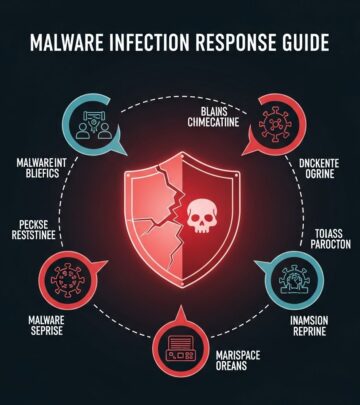
Isolate the device, run scans, and change all related credentials.
Do IoT devices need updates?
Yes, they often have vulnerabilities; check manufacturer sites regularly.
Sustaining Long-Term Digital Health
Schedule quarterly reviews to maintain gains. Monitor for anomalies via tools or alerts. This ongoing commitment builds resilience against evolving threats.
References
- Digital Spring Cleaning Checklist for Small-to-Medium Sized Businesses — DVD Networks. 2023. https://www.dvdnetworks.com/blog/digital-spring-cleaning-checklist-for-smbs
- Clear Out Your Cyber Clutter With a Digital Spring Cleaning — UCLA OCISO. 2024. https://ociso.ucla.edu/security-best-practices/clear-out-your-cyber-clutter
- 2026 Digital Spring Cleaning: A Complete Guide to Cybersecurity & Device Hygiene — Tobin Solutions. 2026-01-15. https://tobinsolutions.com/2026-digital-spring-cleaning-a-complete-guide-to-cybersecurity-device-hygiene/
- The ultimate cyber spring cleaning checklist — Avast Blog. 2024. https://blog.avast.com/the-ultimate-cyber-spring-cleaning-checklist
- Cybersecurity Spring Cleaning Tips — Aviation ISAC. 2023. https://www.a-isac.com/aviation-cybersecurity-blog/cybersecurity-spring-cleaning
- Spring Clean Your Online Life — National Cybersecurity Alliance. 2024. https://www.staysafeonline.org/articles/spring-clean-your-online-life
Similar Articles








Read full bio of Sneha Tete