Digital Security Through Credential Management Tools
Protect your online accounts with intelligent password management strategies

The modern digital landscape demands users maintain access to dozens of online accounts, each theoretically requiring unique, complex credentials. This challenge has given rise to specialized software solutions designed to generate, store, and manage passwords across multiple platforms. Understanding whether these tools align with your security needs requires examining both their protective capabilities and inherent vulnerabilities.
The Contemporary Password Problem
Digital threats have escalated dramatically over recent years. In 2022 alone, security researchers documented the exposure of more than 24 billion passwords, with the vast majority classified as either weak constructions or duplicated across numerous services. This explosion of compromised credentials reflects fundamental challenges users face when managing authentication information.
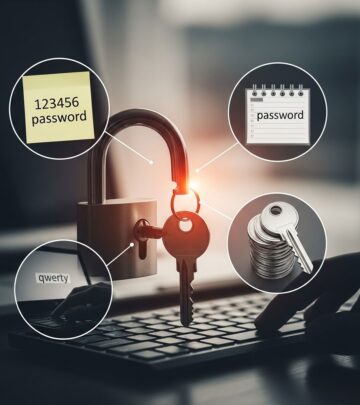
Without systematic approaches to password management, individuals frequently resort to risky practices. Common alternatives to credential managers include writing passwords on paper, storing them in unsecured documents, or reusing the same password across multiple platforms. Each approach introduces distinct security vulnerabilities that malicious actors actively exploit.
Core Functions of Credential Management Systems
Automated Password Generation
Modern credential managers employ sophisticated algorithms to generate passwords that incorporate uppercase letters, lowercase letters, numerical digits, and special characters. This randomization approach eliminates recognizable patterns that criminals could exploit through dictionary attacks or pattern analysis.
The system handles password creation without requiring user input, removing the temptation to select memorable but predictable combinations. Users can specify desired password length and character requirements, allowing customization based on specific platform demands.
Cross-Platform Synchronization
Credential managers enable seamless access to stored credentials across multiple devices through cloud synchronization or local network protocols. When a user logs into an account on a desktop computer, they can retrieve those same credentials on mobile devices or tablets without manual entry.
This synchronization capability significantly reduces the friction associated with maintaining strong credentials, encouraging consistent adherence to security best practices rather than reverting to simpler but weaker alternatives.
Intelligent Autofill Functionality
Autofill features streamline the login process by automatically populating username and password fields when users navigate to recognized websites. This approach protects against keylogger attacks that record manual keyboard input, as credentials are injected directly into form fields by the credential manager application.
The autofill mechanism operates differently from browser-based password storage, which often presents obvious attack targets for hackers seeking to extract stored credentials from vulnerable browser caches.
Security Advantages and Risk Reduction
Eliminating Password Recycling
Credential managers facilitate the use of unique passwords for each online account, fundamentally breaking the chain of vulnerability that password reuse creates. When users maintain distinct credentials for every service, compromise of a single account prevents attackers from accessing other accounts through credential-stuffing attacks.
Credential stuffing represents one of the most prevalent attack methodologies, where criminals utilize exposed username-password combinations from one breach to attempt unauthorized access to accounts on other platforms. Unique passwords directly neutralize this threat vector.
Enhanced Password Complexity
Users attempting to create complex passwords manually often fall short of actual security requirements, either because they lack understanding of appropriate complexity standards or because they prioritize memorability over security strength. Credential managers remove this human factor by enforcing complexity standards automatically.
The algorithm-generated credentials prove significantly more resistant to brute-force attacks and dictionary-based compromise attempts compared to human-generated alternatives.
Advanced Monitoring Capabilities
Many credential management systems incorporate features that analyze the strength of existing passwords and flag weak or outdated credentials requiring updates. Some solutions monitor the dark web for evidence of password data leaks affecting stored accounts.
These proactive monitoring features enable users to respond quickly when their credentials become compromised through data breaches they might otherwise never discover.
Critical Vulnerabilities and Risk Factors
Single Point of Failure
The master password system that controls access to credential manager vaults creates a critical vulnerability. If an attacker gains access to the master password, every stored credential becomes exposed simultaneously. This centralized approach trades the complexity of managing numerous passwords for the risk of complete account compromise if security at the top level fails.
Additionally, users who lose their master password may find themselves completely locked out of their credential manager and unable to access their stored passwords, potentially creating emergency situations requiring account recovery processes.
Vault Compromise Scenarios
If a credential manager’s vault becomes compromised through software vulnerabilities or infrastructure breaches, attackers gain simultaneous access to every password stored within. The risk intensifies when users store additional sensitive information within the vault, such as one-time password seeds or account recovery codes that could enable complete account takeover through chain attacks.
Implementation and Configuration Errors
Credential managers require proper configuration to function securely. Users who disable critical security features, choose weak master passwords, or fail to enable multi-factor authentication introduce vulnerabilities that undermine the system’s protective capabilities.
Mitigation Strategies for Enhanced Protection
Multi-Factor Authentication Implementation
Security experts strongly recommend enabling multi-factor authentication (MFA) on credential manager accounts whenever available. MFA requires users to provide additional verification beyond the master password, typically through a separate device or authentication application. This additional layer significantly raises the barrier for unauthorized access even if an attacker obtains the master password.
Zero-Knowledge Architecture Selection
Users seeking maximum security should prioritize credential managers implementing zero-knowledge architecture, which prevents the service provider from accessing stored credentials even if requested. Such designs ensure that only the user possesses the encryption keys necessary to decrypt vault contents.
Master Password Strength and Maintenance
The master password requires the same rigor applied to individual account passwords. Users should select master passwords that are lengthy, random, and complex, and should update them periodically to reduce the window of vulnerability if compromise occurs undetected.
Comparative Analysis: Storage Methods
| Storage Method | Security Level | Convenience | Primary Risk |
|---|---|---|---|
| Written Records | Very Low | High | Physical theft or discovery |
| Unsecured Documents | Very Low | Medium | Digital theft or unauthorized access |
| Browser Storage | Low | High | Browser vulnerability exploitation |
| Credential Manager | High | High | Master password compromise |
Industry Adoption and Expert Recommendations
Despite the protective capabilities of credential management systems, adoption rates remain surprisingly limited. Current statistics indicate that only approximately one-third of United States adults actively utilize credential managers, with most continuing to rely on riskier alternative methods for tracking online credentials.
Cybersecurity professionals consistently recommend credential manager adoption as a fundamental security practice, emphasizing that such tools represent the most practical method currently available for maintaining strong password hygiene at scale. Experts recognize that credential managers accomplish their core function—enhancing password security—without introducing excessive complexity for typical users.
Implementation Considerations for Organizations
Enterprise deployment of credential management solutions provides organizational security teams with centralized oversight of password practices across numerous endpoints. When all end-user passwords maintain sufficient complexity and uniqueness, the organization substantially reduces data breach risk and protects its reputation from credential-related compromises.
Credential managers simplify the teaching and enforcement of password hygiene practices that users often resist when implementing manually. The automation removes excuses for non-compliance and creates consistent security standards across the organization.
Frequently Asked Questions
Can credential managers prevent all password-related attacks?
Credential managers significantly reduce vulnerability to common password attacks but cannot prevent all attack vectors. They protect against weak password creation, password reuse, and keylogger threats, but cannot defend against phishing attacks that trick users into revealing master passwords or against sophisticated zero-day vulnerabilities in the credential manager software itself.
What happens if I forget my master password?
Master password recovery procedures vary by credential manager. Some services maintain recovery options through email verification or security questions, while others follow zero-knowledge models that prevent even the service provider from accessing recovery mechanisms. Users should establish recovery procedures before they become necessary.
Are cloud-based credential managers less secure than local alternatives?
Cloud-based credential managers can be equally secure as local options when properly designed with end-to-end encryption and zero-knowledge architecture. The actual security depends more on the implementation than the storage location. Cloud systems offer the advantage of cross-device synchronization while maintaining security through proper encryption.
Should I disable browser password storage if using a credential manager?
Yes, disabling browser-based password storage when using a dedicated credential manager reduces the attack surface by eliminating the less-secure browser password vault as a potential target for credential theft.
Final Evaluation
Credential management systems represent a significant advancement in practical password security implementation. While they introduce specific risks related to master password compromise and vault security, these dangers pale in comparison to the vulnerabilities inherent in unmanaged password practices that most users currently employ.
The consensus among security professionals reflects the consensus among users: credential managers solve a critical real-world problem without introducing acceptable trade-offs. When implemented with attention to best practices—particularly strong master passwords and multi-factor authentication—credential managers substantially enhance individual and organizational security postures.
The decision to adopt credential management represents not choosing between perfect security and no security, but rather selecting the most practical and effective method currently available for maintaining strong authentication practices at the scale modern digital life demands.
References
- Should I Use a Password Manager? — Experian. 2025. https://www.experian.com/blogs/ask-experian/should-you-use-a-password-manager/
- Pros and Cons of Using a Password Manager — Orange County SCU. 2025. https://www.orangecountyscu.org/stories/pros-and-cons-of-using-a-password-manager/
- Are Password Managers Safe? Explore the security of password managers in 2024 — SBS Cybersecurity. 2024. https://sbscyber.com/blog/are-password-managers-secure
- Password Managers: Security, Risks, and Forensic Implications — Elcomsoft Blog. 2025-11. https://blog.elcomsoft.com/2025/11/password-managers-security-risks-and-forensic-implications/
- 2024 Password Manager Industry Report and Statistics — Security.org. 2024. https://www.security.org/digital-safety/password-manager-annual-report/
- Pros and Cons of Using a Password Manager — PasswordBoss. 2025. https://www.passwordboss.com/pros-and-cons-of-using-a-password-manager/
Similar Articles








Read full bio of Sneha Tete