Cover Letter Font And Font Size: Complete Guide For 2025
Master cover letter formatting with the right font choices and sizing for professional success.
Cover Letter Font and Font Size: Complete Guide
Your cover letter is often the first impression you make on a hiring manager or recruiter. While the content of your letter matters tremendously, the presentation plays an equally crucial role in determining whether your application gets serious consideration. One of the most overlooked aspects of cover letter formatting is the choice of font and font size. Many job applicants spend hours perfecting their words but give little thought to how those words appear on the page. This guide will help you understand the best practices for selecting fonts and font sizes that enhance readability, maintain professionalism, and ensure your cover letter gets the attention it deserves.
Why Font Choice Matters for Your Cover Letter
Before diving into specific recommendations, it’s important to understand why font selection is so critical. Hiring managers often review dozens or even hundreds of cover letters, spending only seconds on each one. If your letter is difficult to read due to poor font choices, your carefully crafted message may never be fully appreciated. Additionally, many companies use Applicant Tracking Systems (ATS) to scan and rank applications based on keywords and formatting. Using an obscure or overly stylized font can actually prevent these systems from properly reading your document, potentially eliminating your application before a human even sees it.
The right font communicates professionalism, attention to detail, and respect for the reader’s time. It demonstrates that you understand workplace norms and can follow professional standards. Conversely, poor font choices can make you appear careless, unprofessional, or inexperienced with standard business practices.
Recommended Fonts for Cover Letters
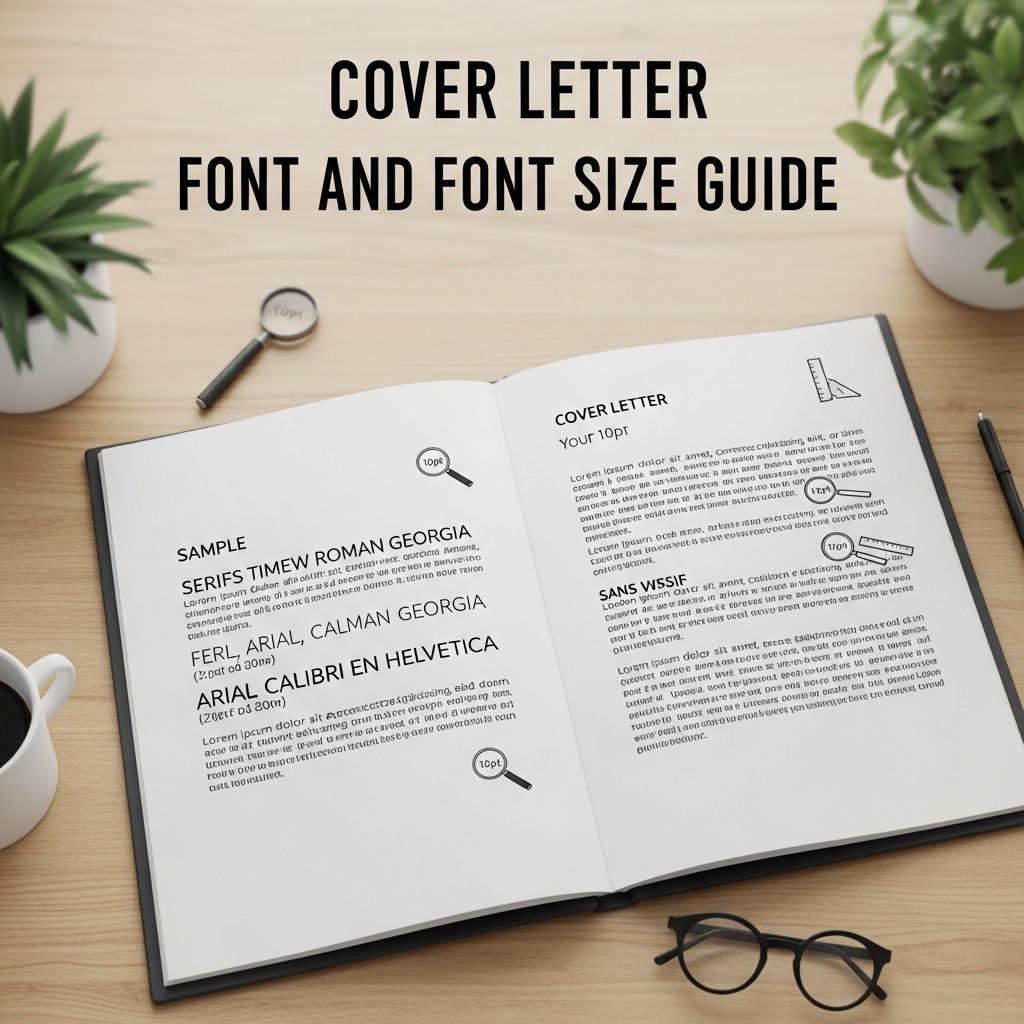
When selecting a font for your cover letter, simplicity and clarity should be your guiding principles. The following fonts are universally recognized as professional, readable, and appropriate for business correspondence:
- Arial – A clean, modern sans-serif font that works well on both screen and print
- Calibri – Microsoft’s default font, widely accepted and highly readable
- Times New Roman – A classic serif font that conveys formality and tradition
- Cambria – A modern serif font that balances professionalism with contemporary style
- Garamond – An elegant serif font suitable for traditional industries
- Avenir – A geometric sans-serif font that appears modern and approachable
- Corbel – A clean, contemporary sans-serif option
- Georgia – A serif font designed for screen readability
- Constantia – A professional serif font with good readability
- Helvetica – A timeless sans-serif font recognized for its neutrality
All of these fonts are widely available, ATS-compatible, and project a professional image. The key is to select one that feels appropriate for your industry and company culture while maintaining excellent readability.
Font Sizes: Finding the Right Balance
The Standard Range: 10-12 Points
The acceptable font size range for cover letters falls between 10 and 12 points. However, within this range, there are important distinctions to understand about how different sizes will impact your letter’s appearance and readability.
Font Size 12: The Traditional Choice
Twelve-point font has long been considered the gold standard for professional documents and is what most hiring managers expect to see. This size offers several advantages: it’s easy to read without straining, it fills the page appropriately without looking sparse, and it’s instantly recognizable as a standard professional size. If you have adequate space on your page and your letter doesn’t exceed one page, 12-point font is an excellent choice that conveys confidence and professionalism.
Font Size 11: The Modern Approach
Eleven-point font has gained traction in recent years as a modern alternative to the traditional 12-point size. This size is slightly more compact, allowing you to fit additional content while maintaining professional appearance. If your cover letter is pressing up against the one-page limit but contains important information, 11-point font can help you accommodate everything while keeping the layout clean and readable. The difference in readability between 11 and 12 point is minimal for most readers, and both are widely accepted standards.
Font Size 10.5: Use With Caution
Some applicants attempt to use 10.5-point font to squeeze extra information onto the page. While technically still readable, this size walks a fine line. It can appear cramped, particularly if you also have tight margins or reduced line spacing. If you must use 10.5-point font, ensure your margins are balanced and your line spacing is generous enough to maintain comfort when reading. This size should only be used when absolutely necessary to prevent your letter from spilling onto a second page.
Font Sizes to Avoid
Ten points or smaller: Any font size at or below 10 points is generally considered too small for cover letters. Recruiters won’t want to strain their eyes reading your letter, and they may simply move on to an easier-to-read application. Small fonts also make your document appear unprofessional and suggest you’re trying to cram too much information into too little space. Additionally, ATS systems may have difficulty scanning very small text, reducing the likelihood that your keywords are properly indexed.
Thirteen points or larger: Oversized fonts make your cover letter look like you’re attempting to fill space with minimal content. This creates the appearance that you don’t have much to say and are trying to make your letter appear longer than it actually is. Large fonts distract from your message and can significantly damage your credibility with hiring managers who appreciate conciseness and efficiency.
Understanding Font Size Variations
An important detail many applicants overlook is that different fonts at the same point size don’t necessarily appear to be the same size. For example, 12-point Arial appears noticeably larger than 12-point Times New Roman. This variation exists because different fonts have different proportions and x-heights (the height of lowercase letters like ‘x’). When selecting your font and size combination, consider how the particular font you choose appears on your page. If a specific font at 12 points looks too cramped, you might actually find that 11 or 10.5 points of a different font works better for your purposes.
Formatting Guidelines for Maximum Impact
Consistency Across Your Application
Your cover letter should use the same font as your resume. This creates a cohesive, professional appearance across your entire application package and reinforces your personal brand. Additionally, consistency within your cover letter itself is essential—use the same font for your header, body paragraphs, and closing signature. Switching between multiple fonts makes your letter appear disorganized and unprofessional.
Margins: The One-Inch Standard
Set one-inch margins on all sides of your page. This standard margin width ensures your letter has adequate white space, making it easier to read and giving it a balanced, professional appearance. If your letter is running long, resist the urge to reduce margins below one inch—instead, try reducing your font size by a point or reworking your content for conciseness. However, margins can be slightly adjusted (between one and 1.5 inches) if needed to balance your document’s appearance.
Line Spacing: The Sweet Spot
Use single spacing (1.0) to 1.15 line spacing within paragraphs, with an additional line break between paragraphs. This spacing prevents your letter from appearing too crowded while avoiding the wasted space of double-spacing. Single-spaced paragraphs are easier to scan and read, and they help you fit your content onto one page while maintaining professional appearance and readability.
Strategic Use of Bold and Emphasis
Use bold formatting sparingly to highlight job titles, company names, or important qualifications. However, don’t overuse bold, italics, or underlining, as excessive formatting can distract from your message and make your letter harder to scan quickly. Restraint in formatting demonstrates professionalism and keeps the focus on your content rather than decorative elements.
Special Considerations and Exceptions
Creative Industry Positions
If you’re applying for a position in design, advertising, marketing, or other creative fields, you have more flexibility to showcase your design sensibility. In these cases, you might use a slightly larger font (14 or 16 points) for your header or name while maintaining a conventional professional font and size for the body. This approach allows you to demonstrate your design skills while keeping your letter professional and readable. However, even in creative fields, the body of your letter should remain in a standard, readable font and size.
Accessibility Needs
If you have visual accessibility needs, using a larger font size is absolutely appropriate and shouldn’t negatively impact how your application is perceived. Accessibility is a protected right, and employers understand and respect the need for larger fonts. If you use a larger size for accessibility, simply include a brief note in your cover letter explaining this, or select a font and size that works for your needs without worrying about whether it falls within the “standard” range.
International Applications
In the United States, standard paper is 8.5 by 11 inches (letter size), while most international markets use A4 paper (210 by 297 millimeters). If you’re applying internationally, format your document for A4 size rather than letter size unless an employer specifically requests otherwise. This ensures your letter displays and prints correctly for international recruiters.
Print and Digital Submission Formats
Your formatting choices may need slight adjustments depending on how you’re submitting your cover letter. When submitting as an email attachment or for printing, use the guidelines provided above: professional font, 11-12 point size, one-inch margins, and single-to-1.15 line spacing. When pasting your letter directly into an email, use the default font of your email application—these default fonts are universally acceptable and will display consistently across different email clients. Many email systems use sans-serif fonts like Arial or Helvetica by default, which are professional and readable.
Common Formatting Mistakes to Avoid
Understanding what not to do is just as important as knowing best practices. Avoid these common formatting mistakes:
- Using decorative, script, or highly stylized fonts that are difficult to read or may not be compatible with ATS systems
- Mixing multiple fonts throughout your letter, creating a disorganized appearance
- Using fonts labeled “thin” or “light” that can be difficult to read on screens
- Setting font sizes below 10 points or above 13 points for your body text
- Using margins smaller than one inch, making your letter appear cramped
- Double-spacing your entire letter, wasting valuable space
- Overusing bold, italic, and underline formatting for emphasis
- Using different fonts in your cover letter than in your resume
- Printing or submitting in a non-standard paper size without employer request
Frequently Asked Questions
Q: Is 11-point or 12-point font better for a cover letter?
Both are acceptable and widely used. Twelve-point is the traditional standard and slightly easier to read, while 11-point offers a modern approach and helps fit more content on a single page. Choose based on your letter’s length and your industry preferences, but maintain consistency with your resume.
Q: Can I use 10-point font for my cover letter?
Ten-point font is too small and should be avoided. It strains the eyes, appears unprofessional, and may cause recruiters to skip your application in favor of easier-to-read letters. It can also cause problems with ATS scanning systems. Stick with 11 or 12 point for best results.
Q: What if my cover letter is too long for one page?
Rather than reducing font size below 10 points, try these solutions: reduce margins slightly (to a minimum of one inch), reduce line spacing to single-spacing, eliminate unnecessary information, or trim verbose sections. If your letter still doesn’t fit, it’s acceptable to have it spill to a second page rather than compromise readability with tiny fonts.
Q: Can I use Times New Roman, or is it outdated?
Times New Roman remains a professional and acceptable choice, particularly for formal industries like law, finance, and academia. However, modern alternatives like Calibri, Arial, or Cambria are increasingly preferred because they read better on screens. Choose based on your industry’s norms and company culture.
Q: Should my cover letter font match my resume?
Yes, using the same font for both documents creates a cohesive, professional appearance across your entire application package. However, your resume and cover letter don’t need to use the same font size—resumes often use slightly smaller sizes for section headers and different sizes for name versus body text.
Q: What font should I use for an email cover letter?
For email cover letters, use your email client’s default font. Most email applications use professional, readable fonts like Arial or Helvetica by default. Avoid sending highly formatted versions that might display incorrectly in different email clients. If submitting as an attachment, use the professional formatting guidelines outlined above.
Q: Can I use creative fonts if I work in a creative field?
Yes, creative professionals have more flexibility to showcase design skills. You might use a distinctive font for your header or name (typically 14-16 points) while keeping the body in a standard professional font. However, ensure the body text remains readable and professional—creativity should enhance, not compromise, your letter’s effectiveness.
Q: How do I know if my font size is too small?
Ask a friend or family member to read your letter without squinting or adjusting screen brightness. If they struggle to read it comfortably, the font is too small. As a rule, if you’re tempted to use anything below 10 points, it’s definitely too small for a cover letter.
References
- Cover Letter Font Size: Best Practices for Job Applications — Cover Letter Copilot. 2025. https://coverlettercopilot.ai/blog/cover-letter-font-size
- How To Choose Cover Letter Font and Font Size (With Video) — Indeed Career Advice. 2025. https://www.indeed.com/career-advice/resumes-cover-letters/how-to-choose-cover-letter-font-and-font-size
- Cover Letters — Ferrum College Career Services. 2025. https://www.ferrum.edu/downloads/careers/cover-letters.pdf
- How to Format a Cover Letter: A Step-by-Step Guide for Job Seekers — Grammarly Blog. 2025. https://www.grammarly.com/blog/resumes-cover-letters/cover-letter-format/
- How to write an effective cover letter (with samples) — MIT Career Planning & Development. 2025. https://capd.mit.edu/resources/how-to-write-an-effective-cover-letter/
Similar Articles








Read full bio of Sneha Tete