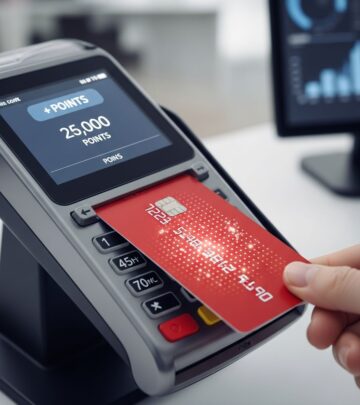
Chase Ultimate Rewards Travel Portal Guide
Master the Chase Travel portal to book flights, hotels, and more with Ultimate Rewards points.

The Chase Ultimate Rewards program stands as one of the most flexible and valuable rewards currencies available in the credit card industry today. While many cardholders focus on transferring points to airline and hotel partners, the Chase Travel portal offers an excellent alternative for booking travel directly with your Ultimate Rewards points. This comprehensive guide will walk you through everything you need to know about using the Chase Travel portal effectively.
What Is the Chase Travel Portal?
The Chase Travel portal, officially known as Chase Travel, is an online booking platform that allows Ultimate Rewards cardholders to search, book, and pay for various travel options using their accumulated points or cash. Unlike booking directly with airlines or hotels, the portal aggregates inventory from multiple travel providers, giving you access to competitive pricing and availability options. You can book flights, hotels, rental cars, cruises, activities, and vacation packages all from one centralized location.
The beauty of this portal lies in its flexibility. When award space isn’t available through frequent flyer programs or you find that paying with points offers better value than transferring to partners, the Chase Travel portal becomes an invaluable tool in your rewards arsenal.
How to Access the Chase Travel Portal
Accessing the Chase Travel portal is straightforward and can be done through multiple methods:
Via Chase.com Website
To access the portal from your computer, start by logging into your Chase account at Chase.com. Once logged in, select your Chase Ultimate Rewards credit card from your list of accounts. On your card’s account page, locate the “Redeem” or “Earn/Use” link positioned next to your Ultimate Rewards balance. Click this link to enter the Ultimate Rewards dashboard. From here, select “Travel” from the options, then click “Book travel” from the dropdown menu. You’ll now have access to the full Chase Travel portal with its search functionality.
Direct Access to ChaseTravel.com
If you prefer a more direct route, you can navigate straight to www.chasetravel.com in your web browser. This will take you directly to the booking platform where you can begin searching for travel options immediately without needing to log into your main Chase account first.
Via Chase Mobile App
For those who prefer mobile booking, the Chase mobile app provides convenient access to the travel portal. Open the app and log in with your credentials. Select your Ultimate Rewards credit card from your list of available cards. Look for the “Benefits and Rewards” section below your transaction history. Click on “Book travel” to access the portal’s search functionality directly from your smartphone.
Understanding Your Points Value
One critical factor when using the Chase Travel portal is understanding how much your points are actually worth. The value of Ultimate Rewards points varies depending on which Chase card you hold. This variation affects how many points you’ll need to spend when redeeming through the portal.
| Chase Card | Points Value in Travel Portal | Example: Flight Costing $500 |
|---|---|---|
| Chase Freedom Unlimited | 1 cent per point | 50,000 points |
| Chase Sapphire Preferred | 1.25 cents per point | 40,000 points |
| Chase Ink Business Preferred | 1.25 cents per point | 40,000 points |
| Chase Sapphire Reserve | 1.5 cents per point | 33,334 points |
As you can see, premium cards like the Sapphire Reserve and Sapphire Preferred offer significantly better point value. If you hold multiple eligible cards, you have the option to combine your points to maximize your purchasing power.
Booking Flights Through Chase Travel
Booking flights through the Chase Travel portal is one of the most popular uses of Ultimate Rewards points. The process is intuitive and offers numerous filtering options to help you find the perfect flight.
Flight Search Process
Begin by accessing the travel portal and clicking on the “Flights” tab. Enter your departure city, destination, and travel dates. You can search for round-trip flights, one-way flights, or multi-city itineraries depending on your needs. The portal will then display all available options from various airlines.
Filtering Your Results
Once you’ve entered your search criteria, the portal provides extensive filtering options to narrow down your choices. You can filter by:
- Price or points cost
- Departure and arrival times
- Airline carrier
- Number of stops
- Flight duration
- Aircraft type
Payment Options
When you’ve selected your preferred flight, you’ll see the option to pay using Chase Ultimate Rewards points, your Chase credit card (which earns additional points), or a combination of both. Premium cardholders like Sapphire Reserve and Sapphire Preferred holders earn bonus points on flight bookings through the portal, making this an excellent way to accelerate your points accumulation.
Important Consideration for Frequent Flyers
An important advantage of booking flights through Chase Travel is that these bookings typically earn frequent flyer miles with the airline and count toward elite status qualification. This distinction separates flight bookings from hotel bookings on the platform, making air travel redemptions particularly valuable for those working toward elite tier status.
Booking Hotels Through Chase Travel
Hotels represent another major category of travel bookings available through the Chase Travel portal. The hotel booking process is similarly straightforward but comes with some important considerations regarding loyalty benefits.
Hotel Search and Selection
Access the “Hotels” tab in the travel portal and enter your destination and travel dates. The portal will display available properties with pricing shown in both cash and points. You can filter results by numerous criteria including:
- Price per night
- Star rating
- Amenities (pool, gym, breakfast included, etc.)
- Property type
- Number of bedrooms
- Neighborhood location
Hotel Loyalty and Elite Status Impact
A critical consideration when booking hotels through Chase Travel is that these reservations are treated as third-party bookings. This means you typically will not earn hotel chain loyalty points, elite night credits toward status, or qualify for elite perks like room upgrades or late checkout. If you have status with a particular hotel chain or are working toward achieving it, booking directly with the hotel brand may be more beneficial than using the Chase portal.
When Portal Booking Makes Sense
Despite the lack of loyalty program benefits, the Chase Travel portal remains valuable for hotel bookings when cash rates are low (allowing you to stretch your points further) or when booking independent properties not part of major loyalty programs.
Booking Rental Cars Through Chase Travel
Renting a car for your trip is another straightforward booking category through the portal. Access the “Rental Cars” tab, enter your pickup location, return location, and dates, and the portal will display available options from major rental companies. You can compare pricing and filter by rental company preference. Like flights, rental car bookings earned with Chase Sapphire Reserve and Chase Sapphire Preferred cards earn bonus points.
Booking Cruises and Activities
Beyond flights and hotels, the Chase Travel portal extends to cruise bookings and activities at your destination. For cruise bookings conducted online, follow the same process as other travel categories. However, if you prefer personalized assistance with cruise bookings, you can call Chase directly to book cruises over the phone using your Ultimate Rewards points.
The Activities section allows you to book tours, excursions, and experiences at your destination. Search by destination and dates, browse available activities with pricing in both dollars and points, and book directly through the portal.
Additional Portal Features
Points Boost
Chase has introduced a Points Boost feature for Sapphire Preferred and Sapphire Reserve cardholders. This feature allows you to redeem points for discounted rates on thousands of top hotels and flights from select airlines and hotel brands booked through the portal, providing additional value on your redemptions.
Earning Points on Portal Bookings
A significant advantage of booking through Chase Travel is that you can earn additional Ultimate Rewards points on your purchases. Premium cardholders earn particularly attractive rates: Chase Sapphire Reserve cardholders earn 10x points on hotels and rental cars booked through the portal and 5x points on airfare. This means you can earn points while spending points, creating a cycle that accelerates your rewards accumulation.
Point Value in the Portal vs. Transferring
When deciding whether to book through the portal or transfer points to airline and hotel partners, consider the specific value you’re getting. The portal offers certainty and flexibility—you know exactly what you’re getting for your points. Transfers to partners can sometimes provide better value, but they require more research and planning.
Best Practices for Using Chase Travel
Compare Your Options
Before committing to a portal redemption, compare the value against booking directly with the airline or hotel, paying cash, or transferring points to a partner. Sometimes you’ll find significantly better deals through traditional means, while other times the portal offers the best value.
Check for Award Availability
If you’re particularly interested in a specific airline or hotel, check their award calendars first. If award availability is limited or non-existent, the Chase Travel portal becomes an excellent fallback option since it can book almost any available inventory.
Monitor Pricing Trends
Like traditional travel booking sites, pricing through Chase Travel fluctuates. If you have flexibility in your travel dates, monitoring prices across several dates can help you find the best redemption rates.
Combine Points Across Cards
If you hold multiple Chase Ultimate Rewards cards, consider combining your points to reach higher redemption thresholds or take advantage of cards with better point values in the portal.
Frequently Asked Questions
Q: Can I earn hotel loyalty points when booking through Chase Travel?
A: No. Hotel bookings through Chase Travel are treated as third-party reservations, so you typically won’t earn hotel chain loyalty points, elite night credits, or qualify for elite perks. However, flight bookings do earn frequent flyer miles and count toward elite status.
Q: What’s the best way to maximize my points value in the portal?
A: Hold the Chase Sapphire Reserve card if possible, as it offers the highest point value at 1.5 cents per point in the travel portal, compared to 1 cent for the Freedom Unlimited. Additionally, earn bonus points on eligible travel bookings to accelerate your rewards.
Q: Can I book a cruise through the Chase Travel portal online?
A: You can search and book some cruises online through the portal, but for personalized cruise booking assistance, Chase recommends calling directly.
Q: How do I combine points from multiple Chase cards?
A: If you have multiple eligible Chase Ultimate Rewards credit cards, you can combine your points when redeeming through the portal to access higher redemption options or reach specific point thresholds.
Q: Is it always better to use the Chase Travel portal than transferring points to partners?
A: Not always. The best option depends on your specific situation. The portal offers convenience and certainty, while transferring to partners can sometimes provide better value. Always compare your specific redemption options before deciding.
Q: Can I book travel on the Chase mobile app?
A: Yes. The Chase mobile app allows you to access the travel portal through the “Benefits and Rewards” section on your card’s account page, then select “Book travel” to search and book all travel options.
Conclusion
The Chase Ultimate Rewards Travel portal represents a valuable tool for cardholders looking to maximize their rewards. Whether you’re searching for competitive airfare when award space isn’t available, finding great hotel rates, or booking rental cars and activities for a complete trip, the portal offers flexibility and convenience. By understanding how to access the portal, leverage your card’s point value, and strategically compare redemption options, you can ensure you’re getting the most value from your Ultimate Rewards points on every trip. Remember to weigh the benefits of portal bookings against direct airline and hotel reservations and partner transfers to make the best decision for each unique travel situation.
References
- How to Use the Chase Travel Portal — Chase.com. 2025. https://www.chase.com/personal/credit-cards/education/basics/how-to-use-chase-ultimate-rewards-travel-portal
- How to Use Chase Ultimate Rewards for Travel — Chase.com. 2025. https://www.chase.com/personal/credit-cards/education/rewards-benefits/how-to-use-chase-ultimate-rewards-for-travel
- Chase Ultimate Rewards: How Our Program Works — Chase.com. 2025. https://www.chase.com/personal/credit-cards/education/basics/how-chase-ultimate-rewards-works
- Chase Travel Portal: What You Need to Know — NerdWallet. 2025. https://www.nerdwallet.com/travel/learn/chase-ultimate-rewards-travel-portal-guide
- Here’s everything you need to know about the Chase Travel portal — The Points Guy. 2025. https://thepointsguy.com/credit-cards/ultimate-rewards-travel-portal/
Similar Articles








Read full bio of medha deb