Best Money Tips: How to Stay Safe While Shopping Online
Essential strategies to protect your money, data, and identity during every online purchase.
Online shopping offers unmatched convenience, but it comes with risks like data breaches, phishing scams, and identity theft. This comprehensive guide provides actionable strategies to shop securely, drawing from expert recommendations to safeguard your financial information and personal details. Whether you’re hunting for holiday deals or everyday essentials, these tips ensure your transactions remain protected.
Shop on Secure Websites Only
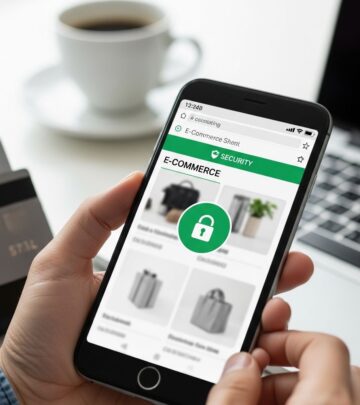
Always verify that a website uses HTTPS encryption before entering any personal or payment information. Look for the padlock icon in the browser’s address bar and ensure the URL starts with HTTPS rather than HTTP. Non-secure sites can expose your data to interception by cybercriminals.
Double-check the domain name for misspellings or slight variations that scammers use to mimic legitimate retailers. For instance, a fake site might use ‘amaz0n.com’ instead of ‘amazon.com’. Hover over links to preview the actual URL before clicking, and bookmark trusted sites directly to avoid phishing redirects.
- Confirm the padlock symbol and HTTPS prefix.
- Check for unusual spellings in the domain.
- Use browser extensions like HTTPS Everywhere to force secure connections.
Use Strong, Unique Passwords
Create complex passwords combining uppercase and lowercase letters, numbers, and symbols for every shopping site. Avoid reusing passwords across accounts, as a single breach can compromise multiple profiles.
Employ a password manager to generate and store these securely. For added protection, lie on security questions—use fabricated answers not found on social media, such as ‘first pet’s fake name’ instead of the real one. Enable two-factor authentication (2FA) wherever possible to add an extra verification layer.
| Weak Password Example | Strong Password Example | Why It’s Better |
|---|---|---|
| password123 | P@ssw0rd!Shop2026 | Length, mix of characters, no dictionary words |
| email@gmail.com | Em@ilUn1que$26 | Unique per site, includes symbols |
Opt for Credit Cards or Virtual Cards Over Debit
Prefer credit cards for online purchases due to superior fraud protection. Federal law limits your liability to $50 for unauthorized charges, and many issuers offer zero-liability policies. Debit cards deduct funds immediately, complicating recovery if compromised.
Virtual credit cards provide temporary numbers for one-time use, ideal for untrusted sites. Services like Privacy.com or bank-issued virtual cards mask your real card details, closing the account after use to prevent ongoing fraud.
- Credit cards: Built-in dispute rights and rewards.
- Virtual cards: Disposable numbers for high-risk buys.
- Avoid debit: Direct access to your bank account.
Limit Personal Information Shared
Shop as a guest whenever possible to avoid creating accounts that store your data long-term. If registration is required, provide minimal details and use a secondary email address dedicated to shopping.
Decline unnecessary permissions on apps, such as location tracking or autofill for sensitive fields. Review privacy policies briefly to understand data usage, and opt out of marketing emails to reduce phishing exposure.
Be Vigilant Against Phishing and Scams
Ignore unsolicited emails, texts, or calls urging you to click links or ‘verify’ account details—these are classic phishing attempts. Manually type retailer URLs instead of clicking email links.
Steer clear of gift card scams on auction sites; buy directly from official retailers only. Watch for deals too good to be true, like 90% off designer items, which often lead to malware or stolen data.
- Verify sender emails match official domains.
- Avoid wire transfers or prepaid cards.
- Report suspicious messages to the FTC at ReportFraud.ftc.gov.
Keep Software and Devices Updated
Regularly update your browser, operating system, and antivirus software to patch vulnerabilities exploited by malware. Enable automatic updates and use reputable security suites like those from Norton or built-in tools like Windows Defender.
Scan devices before shopping sessions and avoid public Wi-Fi for transactions—use a VPN if necessary to encrypt your connection on unsecured networks.
Monitor Accounts and Set Alerts
Review bank and credit card statements weekly for unauthorized charges. Set up transaction alerts for purchases over a threshold, like $10, via your bank’s app.
Freeze your credit reports for free through Equifax, Experian, and TransUnion to block fraudulent accounts. Use free tools like Credit Karma for ongoing monitoring.
Use Price Comparison Tools and Trusted Sellers
Employ browser extensions like Honey or Capital One Shopping to verify legitimate discounts and avoid inflated ‘sales’. Check seller ratings on platforms like Amazon and read recent reviews for red flags like delayed shipping.
Prioritize BBB-accredited businesses and look for their seal. Understand return policies upfront, especially for ‘final sale’ items during peak sales.
Protect Deliveries from Theft
Opt for secure delivery options like Amazon Lockers or requiring signatures. Track packages diligently and choose discreet packaging for valuables.
Install smart doorbells or neighborhood watches during high-shopping seasons to deter porch pirates.
Additional Best Practices for Holiday Shopping
During events like Cyber Monday, be extra cautious of pop-up ads and sponsored scams. Use Buy Now, Pay Later services sparingly, tracking payments to avoid fees. Shop early to avoid rushed decisions leading to errors.
Frequently Asked Questions (FAQs)
What if I suspect fraud on my account?
Contact your bank or card issuer immediately to report it. Most offer 24/7 fraud lines and can issue new cards quickly.
Is it safe to shop on mobile apps?
Yes, if downloaded from official stores and permissions are limited. Verify the developer matches the retailer.
Should I use the same card for all sites?
No—dedicate one card or use virtual numbers to isolate risks.
How do I spot fake websites?
Check HTTPS, domain accuracy, and poor grammar. Use tools like Google Transparency Report.
What about international shopping sites?
Proceed with caution due to varying fraud laws; prefer U.S.-based with strong reviews.
Implementing these tips minimizes risks, allowing you to enjoy online shopping’s benefits securely. Stay proactive, and your wallet—and peace of mind—will thank you.
References
- 5 Tips for Online Shopping Safety — SouthState Bank. 2025-04-10. https://www.southstatebank.com/personal/stories-and-insights/5-tips-for-online-shopping-safety
- Pro tips for a successful Cyber Monday — Better Business Bureau (BBB). 2024. https://www.bbb.org/all/holiday-hq/shopping-tips/cyber-monday-shopping-tips
- 10 Cybersecurity Tips for Online Shopping — SafeWise. 2024. https://www.safewise.com/blog/10-cybersecurity-tips-for-online-shopping/
- 25 Tips for Smart (and Safe) Credit Card Use During the Holidays — Wise Bread. 2024. https://www.wisebread.com/25-tips-for-smart-and-safe-credit-card-use-during-the-holidays
- Best Money Tips: How to Stay Safe While Shopping Online — Wise Bread. 2024. https://www.wisebread.com/best-money-tips-how-to-stay-safe-while-shopping-online
Similar Articles








Read full bio of Sneha Tete