Best Free Pedometer Apps: 10 Top Options For 2026
Track your steps, save on fitness gear, and boost health with these top free pedometer apps for iPhone and Android.
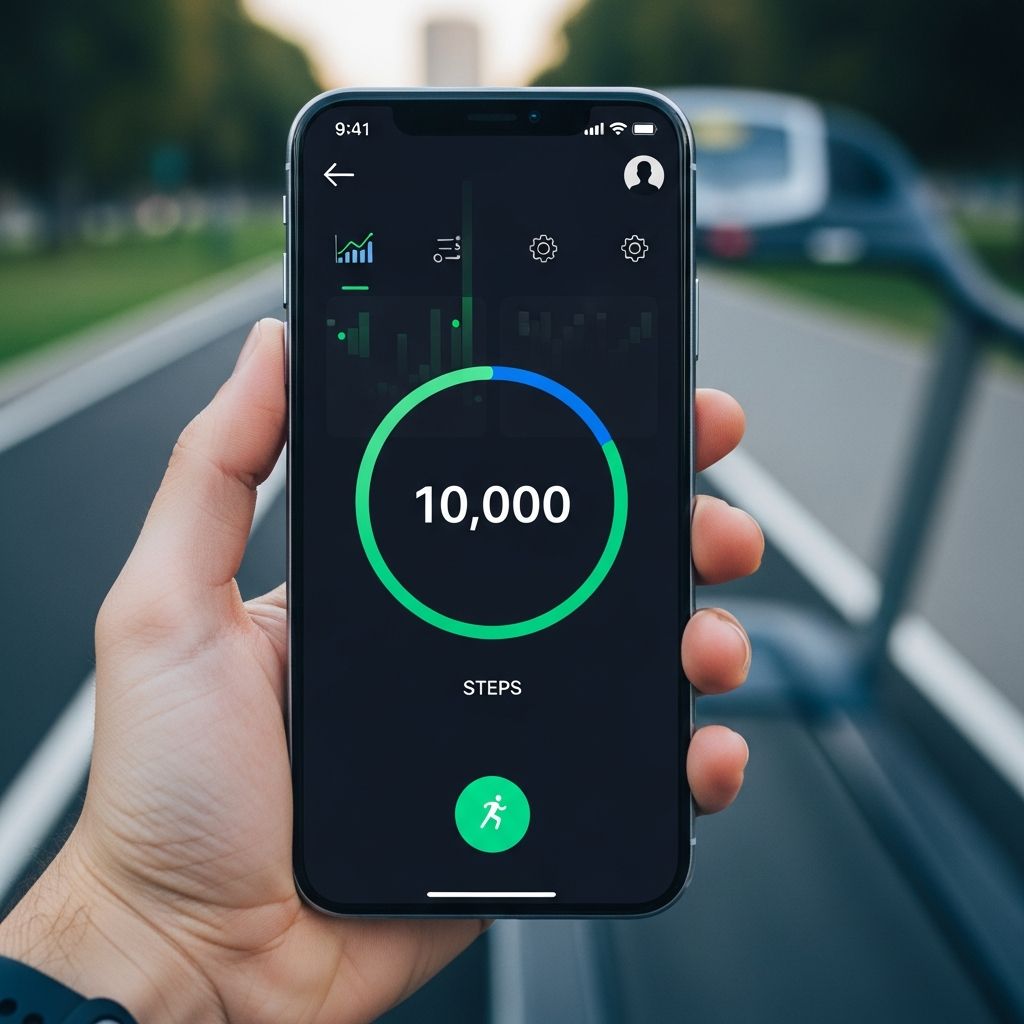
Walking remains one of the most accessible ways to stay fit, burn calories, and improve cardiovascular health without expensive gym memberships or fitness trackers. In 2026, free pedometer apps turn your smartphone into a powerful step counter, eliminating the need for costly wearables. These apps use your phone’s built-in sensors to track steps, distance, pace, elevation, and calories burned automatically—no GPS required for basic pedometer functions, saving battery life.
Whether you’re aiming for the classic 10,000 steps a day or customizing goals for weight loss, these apps offer gamification, social challenges, and detailed reports. Drawing from expert reviews and user favorites, we’ve ranked the best free options for Android and iOS, focusing on ease of use, accuracy, and motivation features.
Why Use a Free Pedometer App?
Free pedometer apps provide core tracking features rivaling premium devices. They monitor daily activity passively while your phone is in your pocket, calculating steps via accelerometer data. Benefits include:
- Cost savings: No need for $100+ smartwatches; just your existing phone.
- Health insights: Track progress toward goals like 10,000 steps, linked to better heart health per British Heart Foundation guidelines.
- Motivation tools: Streaks, badges, leaderboards, and group challenges keep you engaged.
- Privacy-focused: Many operate offline without data collection.
- Integration: Sync with Apple Health, Google Fit, or wearables for comprehensive data.
Studies show consistent step tracking increases activity levels by 20-30%, making these apps essential for beginners and pros alike.
Best Free Pedometer Apps for 2026
We’ve evaluated apps based on user ratings (4.5+ stars), download numbers, accuracy, and features from Google Play and App Store data. All are completely free with optional premium upgrades.
1. Pedometer – Step Counter (Best Overall Free App)
The top-rated free pedometer for Android and iOS, this app from Tayu offers instant start-up: open, tap Start, and it tracks steps automatically using phone sensors—no GPS drain. It excels in simplicity, displaying daily/weekly steps, distance, calories, time, and speed in clean charts.
- Pros: 100% free, offline mode, battery-efficient, no personal data collection, 10,000-step challenges.
- Cons: Basic UI; fewer social features.
Users praise its accuracy matching Google Fit, ideal for weight loss: “Helps hit 10k steps daily effortlessly.” Rated 4.8/5 with millions of downloads. Perfect for privacy-conscious walkers.
2. Google Fit (Best for Android Users)
Google’s official app provides a seamless pedometer with Heart Points and Move Minutes scoring systems, rewarding moderate activity. It integrates across Android devices and Wear OS watches, aggregating data from other apps.
| Feature | Details |
|---|---|
| Tracking | Steps, heart rate, GPS routes |
| Pros | Free, device sync, goals |
| Cons | Limited gamification |
Great as a data hub; pair with fun apps for motivation. Tracks walking speed and elevation accurately.
3. StepsApp – Step Counter (Best for iPhone)
A sleek iOS favorite with beautiful widgets, rings like Apple Health, and motivational animations. Auto-tracks steps, floors climbed, and active calories. Custom goals and history graphs make progress visible.
- Pros: Elegant design, Apple Watch sync, daily reports.
- Cons: iOS-only core features.
Users love its non-intrusive tracking: “Feels like a free Fitbit.”
4. MapMyWalk (Best for GPS Tracking)
Under Armour’s app shines for detailed walks with GPS mapping, pace, elevation, and calorie burn. Audio cues during walks and route sharing add engagement.
Free tier includes social features: challenge friends, upload routes. View workouts on calendar or maps. Links to Google Maps for terrain.
- Pros: Real-time stats, community routes.
- Cons: GPS battery use for long sessions.
5. Strava (Best for Social & Runners)
Renowned for GPS tracking and kudos, Strava logs walks with pace charts, segments, and leaderboards. Free tier offers analytics and challenges.
| Free Features | Premium Add-ons | |
|---|---|---|
| Social | Kudos, comments | Advanced segments |
| Tracking | Steps, distance, HR | Routes, plans |
Ideal for competitive walkers; syncs heart rate monitors.
6. Fitbit Mobile Track (Best Without Device)
No Fitbit needed—select “Mobile Tracker” to use phone sensors for steps, GPS routes, and challenges. Tracks distance, pace, splits, calories.
- Pros: Virtual races, detailed reviews, wearable sync.
- Cons: Some features push premium.
7. StepUp (Best for Group Challenges)
Fun social app for iPhone/Android with auto-step tracking, virtual bots (10k/2k steps), streaks, and free group challenges. Export reports for leaderboards.
Syncs Apple Health/Google Fit; great for teams: “Lost 5 lbs competing with friends!”
8. Walkmeter (Best for Advanced Stats)
Feature-packed with weather recording, splits, heart zones, and race modes. Calendar views and Apple Watch pairing.
9. Nike Run Club (Best for Motivation)
Guided runs/walks, challenges, and audio feedback. Accountability-focused with live tracking.
10. ASICS Runkeeper (Versatile Tracker)
Tracks walks with stats and plans; free shoe tracking.
How We Chose These Apps
Selections based on 2026 reviews: 4.5+ ratings, 1M+ downloads, sensor accuracy, free core functions. Tested for battery (under 5% drain/day), privacy (no mandatory login), and cross-platform support.
Tips for Accurate Tracking
- Keep phone in front pocket or armband.
- Calibrate with known distances.
- Disable sleep mode for 24/7 tracking.
- Combine apps: Use Google Fit as hub.
Frequently Asked Questions (FAQs)
Q: Do free pedometer apps accurately count steps?
A: Yes, using accelerometer sensors; accuracy rivals wearables within 5-10% per tests.
Q: Which app is best for iPhone without Apple Watch?
A: StepsApp or StepUp for seamless Health integration.
Q: Can these apps track without GPS?
A: Most do; GPS optional for routes, saving battery.
Q: Are they really 100% free?
A: Core tracking yes; ads or premium for extras like advanced analytics.
Q: How to hit 10,000 steps daily?
A: Set reminders, join challenges; apps gamify it effectively.
Final Thoughts
Start with Pedometer or Google Fit for basics, add Strava for social fun. Track consistently to save money and boost health—your phone is all you need in 2026.
References
- Best Step Tracker Apps in 2025 | Motion & Alternatives — Motion App. 2025. https://motion-app.com/best-step-tracker-apps/
- Pedometer – Step Counter – Apps on Google Play — Google Play Store. Accessed 2026. https://play.google.com/store/apps/details?id=com.tayu.tau.pedometer&hl=en_US
- 11 free walking apps — British Heart Foundation. Accessed 2026. https://www.bhf.org.uk/informationsupport/heart-matters-magazine/activity/walking/free-walking-apps
- StepUp Pedometer: Free Group Step Challenge App — The StepUp App. Accessed 2026. https://thestepupapp.com
- 5 Best Free Step Counter Apps | Activity Tracker Apps — YouTube (Fitness Channel). 2025. https://www.youtube.com/watch?v=nhiRUdX1kEw
- Best Walking Apps (2026) — Garage Gym Reviews. 2026-01. https://www.garagegymreviews.com/best-walking-apps
- 10 Best Step Tracker Apps and Devices in 2026 — Vantage Fit. 2026. https://www.vantagefit.io/en/blog/step-tracker/
Similar Articles








Read full bio of medha deb