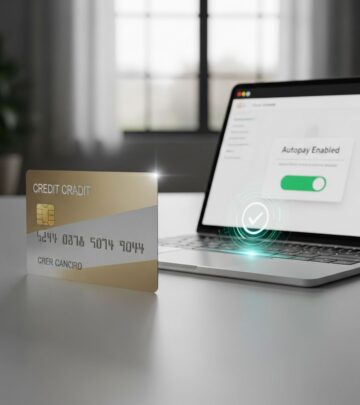
Automate Credit Card Payments: 5-Step Setup Guide
Discover simple steps to set up autopay on your credit cards, avoid late fees, and maintain strong credit health effortlessly.
Setting up automatic payments for your credit card ensures timely bills are paid without manual effort, helping you sidestep late fees and protect your credit score. This guide explores practical methods, choices for payment levels, advantages, potential pitfalls, and expert strategies for optimal use.
Why Automatic Payments Matter for Your Finances
Recurring payments eliminate the risk of oversight, a frequent issue in fast-paced lives. By authorizing your card issuer to withdraw funds directly from your bank, payments occur on schedule, fostering financial discipline. Banks and issuers universally provide this service, making it accessible via digital platforms or phone support.
Financial experts highlight that consistent payments form the backbone of credit health, comprising 35% of your FICO score. Automation aligns perfectly with this by guaranteeing on-time transactions, which outpace manual methods in reliability.
Core Benefits of Enabling Autopay
- Fee Avoidance: Late charges, often $30-$40 per incident, vanish with automation.
- Credit Score Protection: On-time payments build positive history reliably.
- Time Savings: No need to track due dates or log in monthly.
- Interest Minimization: Opting for full balance payments curbs accruing interest.
- Peace of Mind: Reduces stress from forgetting amid busy schedules.
Potential Drawbacks and Mitigation Strategies
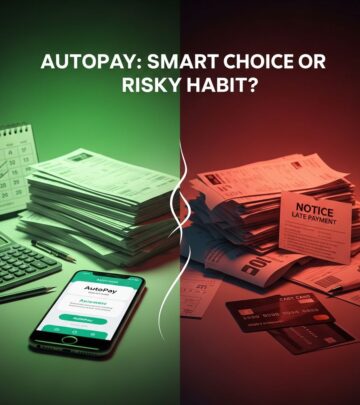
While powerful, autopay isn’t flawless. Insufficient funds can trigger overdraft fees from your bank, and fixed payments might underpay rising balances from new charges. Statement-based full payments delay coverage until billing cycle end, potentially allowing interim interest.
| Risk | Impact | Solution |
|---|---|---|
| Low Bank Balance | Overdraft Fees ($35+) | Enable alerts; maintain buffer funds |
| Underpayment | Interest Charges | Choose full balance or monitor usage |
| Fixed Amount Rigidity | Missed Minimums | Switch to minimum or statement options |
Step-by-Step Guide: Online Setup Process
The digital route offers the quickest path, available through most issuer portals.
- Access Your Account: Visit your issuer’s site and log in with credentials.
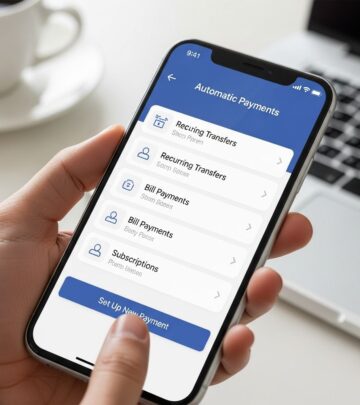
- Locate Payments Section: From dashboard, select the specific card then ‘Payments’ or ‘Billing’ tab.
- Initiate Autopay: Click ‘Set Up Automatic Payments’ or similar; link external bank via routing/account numbers if needed.
- Choose Parameters: Select amount (minimum, full, fixed), date (due date or custom), and frequency (monthly standard).
- Confirm Details: Review, authorize via two-factor if prompted, and save.
Changes propagate next cycle typically; make manual payments for imminent dues.
Mobile App: Convenient On-the-Go Configuration
Apps mirror web functionality with push notifications for due dates.
- Download/open app, authenticate.
- Tap card icon, navigate to ‘Pay’ or ‘Manage Payments’.
- Enable autopay toggle, input bank details if absent.
- Set preferences, verify via app confirmation.
Mobile excels for real-time adjustments, like post-purchase balance checks.
Phone-Based Enrollment for Non-Digital Users
Dial the number on your card’s back; voice systems route to ‘payments’. Representatives guide linking, amount selection, and scheduling. Ideal if uncomfortable online or needing clarification. Note holds for verification; record confirmation numbers.
Payment Amount Options Explained
Issuers provide flexibility:
- Minimum Due: Covers required amount, prevents fees but sustains debt/interest.
- Full Statement Balance: Pays cycle total, eradicates interest if no new charges.
- Fixed Dollar Amount: Custom sum, e.g., $100 monthly for budgeting.
For debt reduction, full balance reigns; minimum suits cash flow management.
Linking Bank Accounts Securely
Verification uses micro-deposits (two small sums, $0.01-$0.99) confirmed in 1-3 days, or instant Plaid connectivity. Use trusted accounts; monitor initial pulls.
Monitoring and Adjusting Your Setup
Post-enrollment, dashboard shows status, next pull, history. Apps send pre-payment alerts. Pause/cancel anytime, but avoid patterns signaling distress to issuers.
Advanced Tips for Power Users
- Align autopay date post-payday.
- Combine cards: different amounts per card.
- Low-balance alerts via bank apps.
- Annual review: adjust for spending shifts.
- Multi-issuer: standardize dates.
Frequently Asked Questions
Does autopay affect credit score?
Positively via on-time payments; no direct hit.
Can I switch payment types later?
Yes, log in anytime to edit.
What if funds are insufficient?
Issuer attempts fail gracefully; pay manually to avoid fees.
Is there a fee for autopay?
No, issuers offer free; watch bank overdrafts.
How long until active?
Often next cycle; confirm with issuer.
Common Mistakes to Avoid
- Forgetting to update linked accounts post-bank switch.
- Setting fixed low amid high spending.
- Ignoring notifications of changes.
- Assuming covers new charges automatically.
Integration with Budgeting Tools
Link cards to apps like Mint or YNAB for holistic views. Autopay complements zero-based budgeting by automating fixed obligations.
Future-Proofing Your Payment Habits
As digital wallets evolve, autopay adapts seamlessly. Stay informed via issuer emails; consider rewards cards with autopay incentives.
References
- Bank of America Credit Card Payments and Statements FAQ — Bank of America. 2025-01-15. https://www.bankofamerica.com/credit-cards/credit-card-payments-statements-faq/
- How to set up autopay for all your credit cards — The Points Guy. 2024-11-20. https://thepointsguy.com/credit-cards/how-to-set-up-autopay-for-all-your-credit-cards/
- Guide to Automated Credit Card Payments — SoFi. 2025-02-01. https://www.sofi.com/learn/content/automated-credit-card-payments/
- Credit Card Autopay Explained — Bankrate. 2024-12-10. https://www.bankrate.com/credit-cards/advice/autopay-explained/
- Set Up Automatic Credit Card Payments — NerdWallet. 2025-01-05. https://www.nerdwallet.com/credit-cards/learn/how-to-set-up-automatic-credit-card-payments
Similar Articles








Read full bio of Sneha Tete