7 Things You Should Never Do on LinkedIn
Avoid these critical LinkedIn mistakes to boost your professional profile, networking success, and career opportunities effectively.

LinkedIn remains the premier platform for professional networking, job hunting, and career advancement in 2026. With over 1 billion users worldwide, a polished profile can open doors to dream opportunities. However, common missteps can sabotage your efforts, making you appear unprofessional or desperate. This article outlines 7 things you should never do on LinkedIn, drawing from expert analyses and real-world examples to help you build a standout presence. By avoiding these pitfalls, you’ll enhance visibility to recruiters, foster meaningful connections, and position yourself as a top candidate.
Whether you’re job searching, building your personal brand, or expanding your network, LinkedIn demands strategic use. Recruiters spend mere seconds scanning profiles, so first impressions count. Let’s dive into the key errors and how to sidestep them for maximum impact.
1. Use an Unprofessional Profile Photo
Your profile picture is the visual handshake on LinkedIn—it’s the first thing viewers notice. A subpar photo can deter connections before they read further. Never use selfies, party shots, group photos, or images with family, pets, or filters. These scream casual rather than professional.
- Avoid group photos: Viewers shouldn’t play ‘Where’s Waldo?’ to find you. Crop to solo shots only.
- Skip low-quality or outdated pics: Blurry, dark, or 10-year-old photos undermine credibility. Opt for high-resolution headshots taken in good lighting.
- No casual attire or backgrounds: Beach vacations, gym mirrors, or pajamas signal the wrong vibe. Dress business-professional against a neutral backdrop.
Instead, invest in a professional headshot: smile genuinely, face forward, shoulders visible, 400×400 pixels minimum. Studies show profiles with photos get 21 times more views. A strong image builds trust and humanizes your brand.
| Do | Don’t |
|---|---|
| Professional attire, neutral background, clear face | Selfies, group shots, sunglasses, party pics |
| Recent, high-res photo (head and shoulders) | Blurred, filtered, or pet-inclusive images |
2. Spam Connection Requests
Indiscriminate connection requests dilute your network’s value and annoy recipients. Never send generic invites without personalization or context—especially to high-profile strangers. LinkedIn limits weekly invites, and spamming leads to restrictions.
Personalize every request: Reference a shared connection, mutual interest, or recent post. For example, “Hi [Name], I enjoyed your article on SEO trends and work in a similar field.” This shows genuine intent. Mass requests to recruiters or CEOs often backfire, marking you as desperate.
- Target quality over quantity: Aim for relevant professionals in your industry.
- Follow up thoughtfully: After connecting, send a value-adding message, not a sales pitch.
- Respect boundaries: If ignored, don’t pester.
Quality networks yield better referrals and opportunities than a bloated list of strangers.
3. Overshare Personal Information
LinkedIn is for professional discourse—never post vacation details, family drama, political rants, or weekend escapades. Such content risks alienating colleagues or recruiters scanning for red flags. Keep it career-focused to maintain a polished image.
Examples to avoid:
- Photos from nights out or beach trips.
- Opinions on controversial topics unrelated to work.
- Personal life updates like “Survived another Monday with coffee!”
Share industry insights, achievements, or thoughtful articles instead. This positions you as an expert. Privacy settings help, but err on caution—content can haunt job applications.
4. Blast Sales Pitches in Messages
Inbox spam kills rapport. Never lead with salesy messages like “Buy my course!” or job offers in initial outreach. LinkedIn users flag and ignore pitches, damaging your reputation.
Build relationships first: Offer value, ask questions, or congratulate achievements. Example: “Congrats on your promotion! I’d love your thoughts on [topic].” Only pitch after establishing trust. Businesses make this error too—focus on engagement, not hard sells.
5. Neglect Profile Optimization
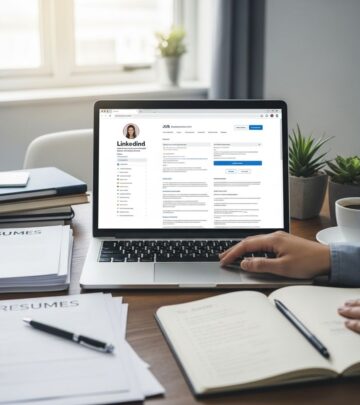
An incomplete or generic profile is invisible to recruiters. Never leave sections blank, use default URLs, or skip keywords. Customize your headline beyond your job title—pack in searchable terms like “Digital Marketer | SEO Expert | Content Strategist.”
- Headline: Not “Software Engineer at XYZ” but “Full-Stack Developer Specializing in AI & Cloud Solutions | Open to Opportunities.”
- About section: Hook with a value proposition, achievements, and keywords. Add media.
- Skills & Endorsements: List 5-10 top skills; seek endorsements.
- Custom URL: Change to linkedin.com/in/yourname.
Optimize for SEO: Research keywords via LinkedIn search. Profiles with photos, headlines, and summaries get 40x more opportunities.
6. Post Irrelevant or Low-Quality Content
LinkedIn favors native, valuable posts—not external links alone. Never share clickbait, humblebrags, or off-topic memes. Upload videos/images directly for better reach; encourage comments with CTAs.
Best practices:
- Share career tips, case studies, or industry news with insights.
- Avoid: All-caps rants, excessive emojis, or self-promotion without value.
- Post consistently: 3-5 times weekly.
Engage: Comment meaningfully on others’ posts to boost visibility.
7. Ignore Recommendations and Engagement
A profile without recommendations lacks social proof. Never skip requesting them or fail to give them—reciprocity works. Also, don’t ghost messages or posts; engage actively.
Strategies:
- Request 3-5 targeted recommendations from colleagues.
- Write for others to prompt returns.
- Respond to all comments/messages promptly.
Active users see 5x more profile views.
Frequently Asked Questions (FAQs)
Q: How often should I post on LinkedIn?
A: Aim for 3-5 times per week with valuable, native content to maintain visibility without overwhelming followers.
Q: Is it okay to connect with recruiters first?
A: Yes, but personalize and research them first—generic requests often get ignored.
Q: What if my profile photo is old?
A: Update it immediately; recent professional shots boost credibility and views by 21x.
Q: Can I post personal achievements?
A: Yes, but frame professionally, e.g., “Excited to hit 10k sales milestone—here’s what I learned.” Avoid humblebrags.
Q: How do I get more endorsements?
A: List top skills, endorse others first, and politely ask connections for support.
Final Tips for LinkedIn Success
Proofread everything, update regularly, and research target companies. Use LinkedIn Learning for platform mastery. By dodging these 7 mistakes, your profile will attract opportunities effortlessly.
References
- 29 Biggest LinkedIn Mistakes Most Job Seekers Make — Executive Career Brand. 2023. https://executivecareerbrand.com/29-biggest-linkedin-mistakes/
- Stop Doing THIS on LinkedIn – Common Profile Mistakes to Avoid (Transcript) — Professor Wolters, YouTube. 2025-10-20. https://www.youtube.com/watch?v=uc2V3YWsGR4
- 7 Things You Should Never Do on LinkedIn — Wise Bread. Accessed 2026. https://www.wisebread.com/7-things-you-should-never-do-on-linkedin
Similar Articles








Read full bio of medha deb